
Understanding the payment status of your contractor invoices is essential for tracking payments; these statuses indicate the current stage of the payment process.
Log into the Payoneer Workforce Management (WFM) platform to view your outstanding contractor invoices.
1. Raised: The invoice has been created and is now waiting for you, the client, to initiate the payment.
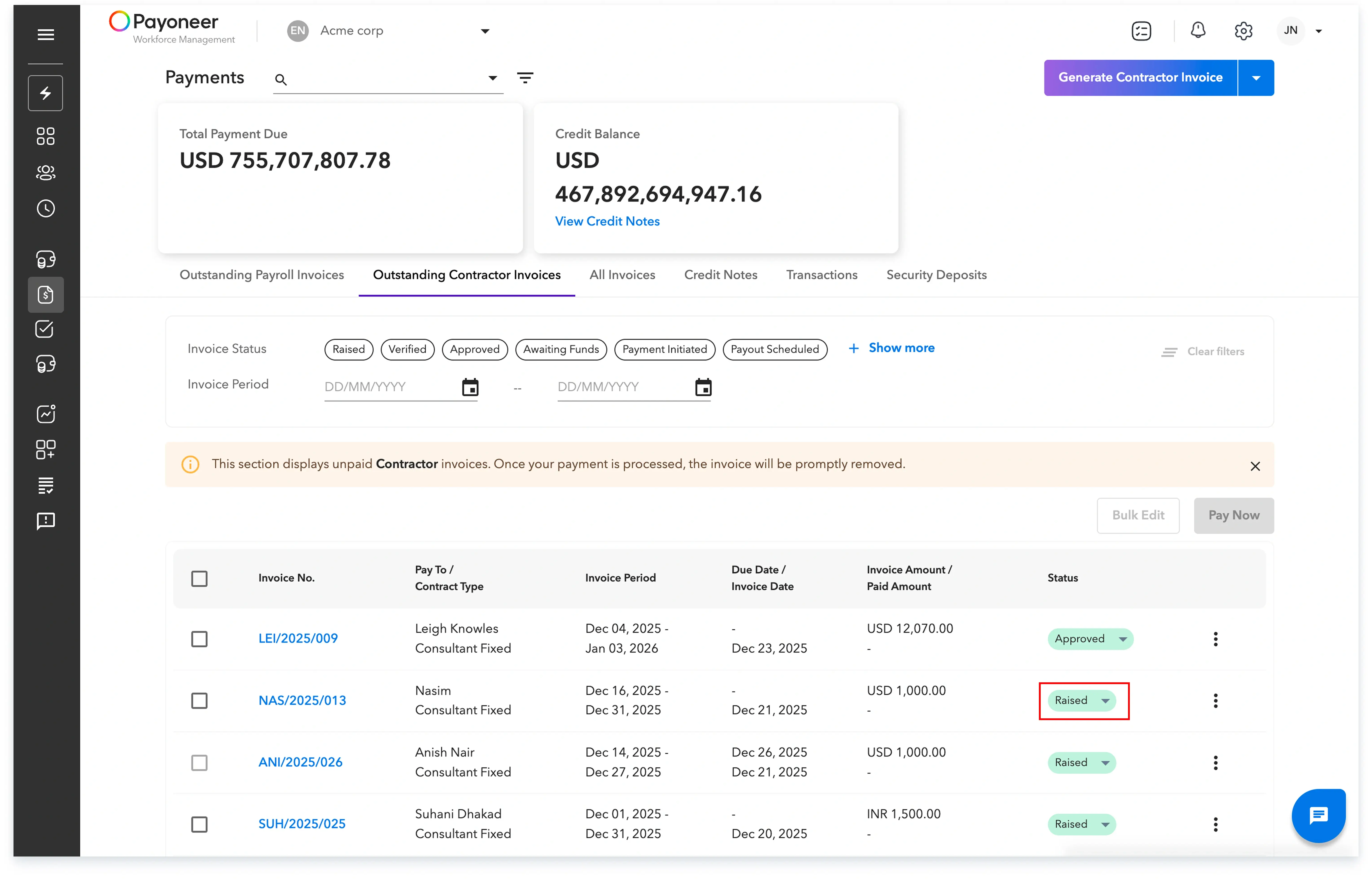
2. Approved: Once you have reviewed and approved the raised invoice, its status changes to Approved.

3. Verified: Following your approval, the invoice is viewed and verified by Payoneer Workforce Management.

4. Awaiting Funds: The invoice status changes to Awaiting Funds, which clearly indicates that the invoice is yet to be paid by you (In case of Pay Only Contractor Invoice)

5. Funds Received: This status confirms that you have paid the invoice and Payoneer Workforce Management has successfully received the funds. (In case of Pay Only Contractor Invoice)

6. Payment Scheduled: With the funds received from you, the payout to the worker is scheduled according to the predetermined timeline.

7. Payment Initiated: This indicates that the payment process has officially begun, and the worker will soon receive the funds.

8. Paid: This final status confirms that the worker has received the funds for the corresponding invoice, and the invoice will be promptly removed from the Outstanding Contractor Invoices section.

If you require further clarification or have additional questions regarding the payment status of your invoices, please submit a Help Request directly through the Payoneer WFM Platform.
Global employment, payroll, teams and expansion, simplified.
Request demo