
You can easily check the current payment status and tracking timeline for your invoices directly within the platform's dashboard and payments section.
Step-1
Log in to the Payoneer WFM platform.
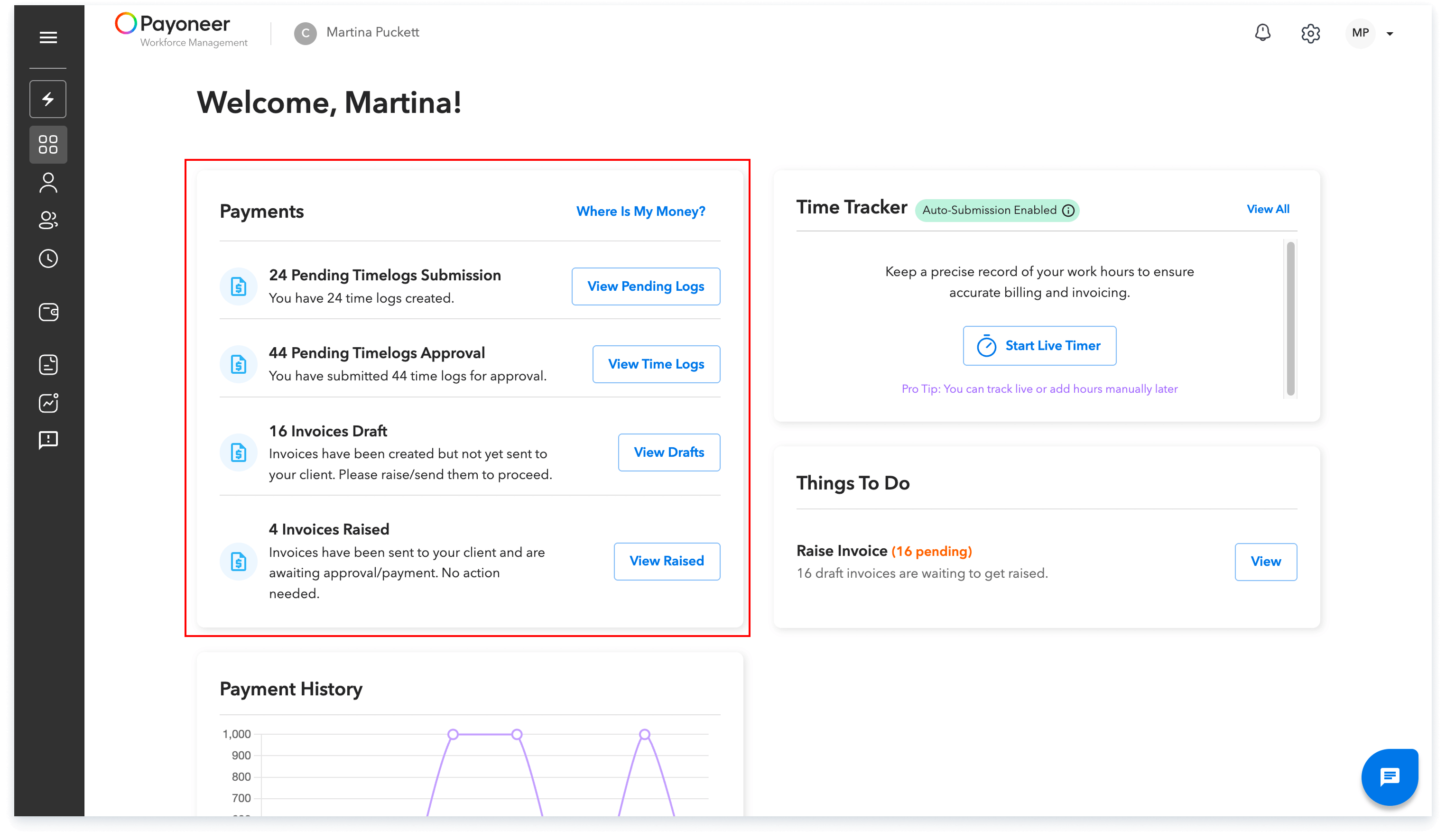
Navigate to the dashboard and utilize the Payment Tracker to see a status level tracking of your payments.You can check the payment status via the Payment tracker on the dashboard.
Step-2
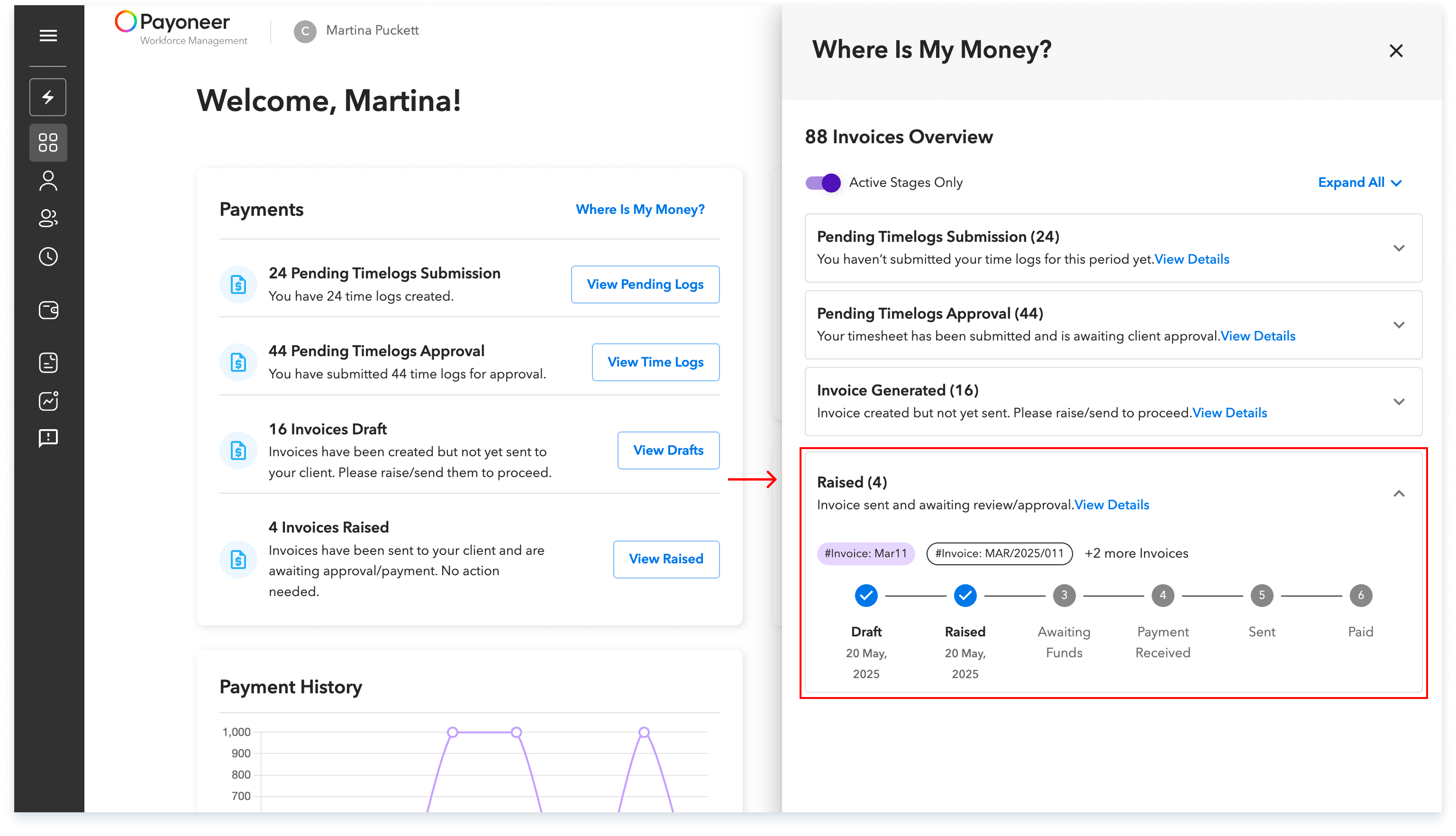
Step 3: On the dashboard, click the link or button labeled "Where is my money" to open a sidebar. This sidebar will display the recent, invoice-level timeline for tracking.
Step-3
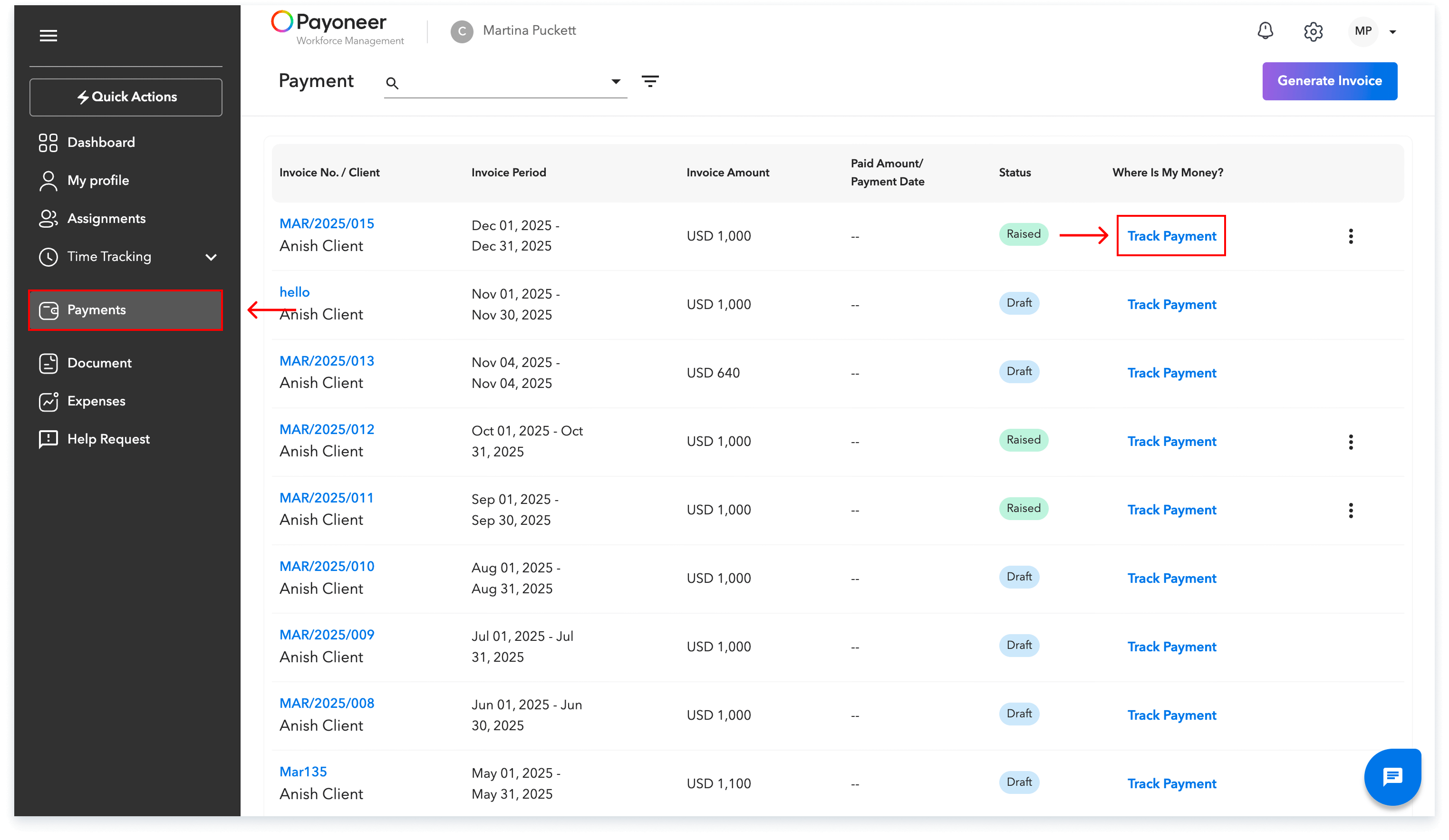
Alternatively, for a comprehensive overview, access the Payments section and locate the specific invoice and click on Track Payment to view its current status and full tracking details.
Here you can track the current status of the invoice
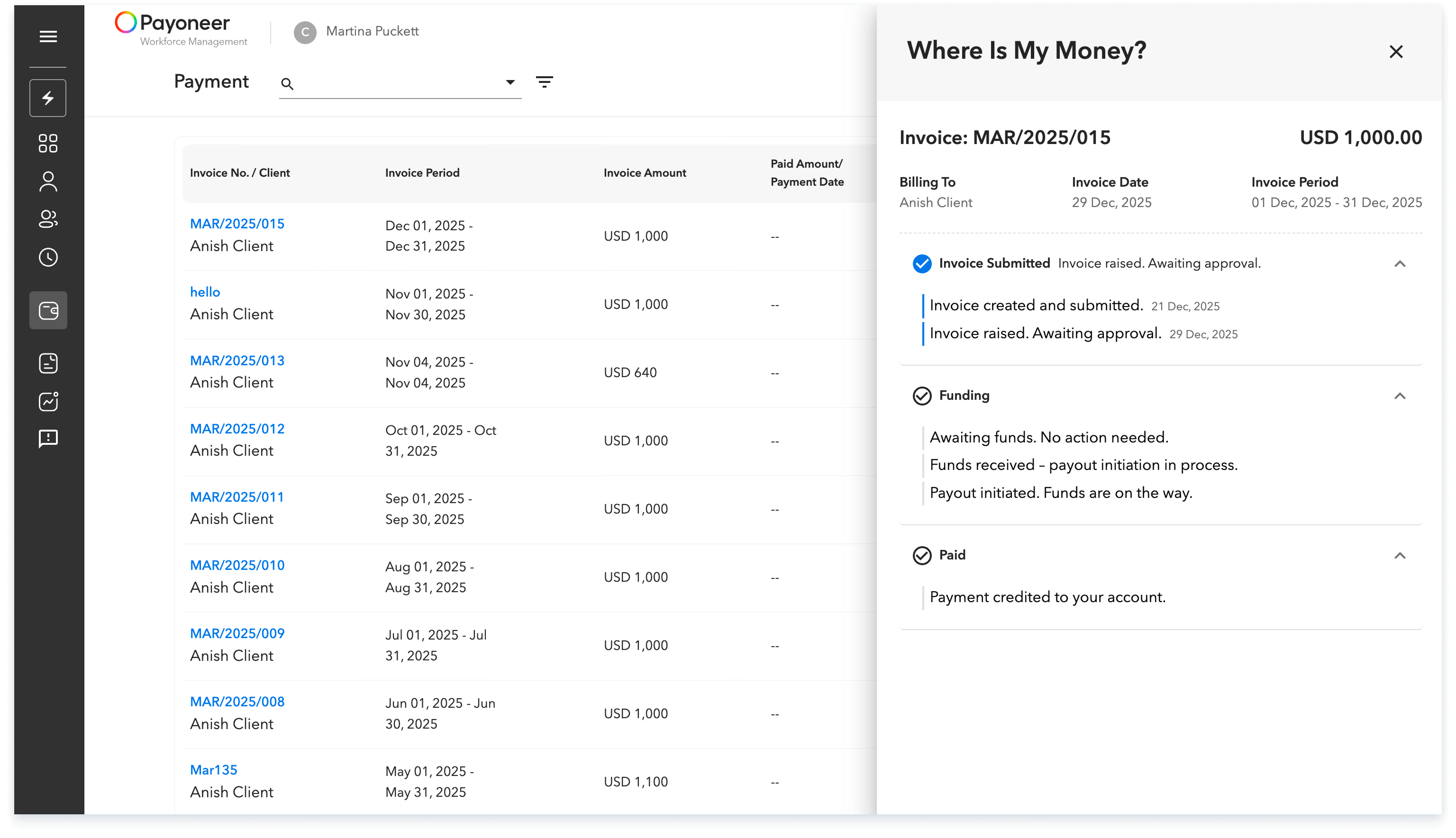
This process ensures you have immediate visibility into the progress and current status of all your invoice payments within the platform.
Global employment, payroll, teams and expansion, simplified.
Request demo