
Recalling a raised invoice is a straightforward process within your invoice management system, ensuring you can make necessary modifications before final submission.
Step-1:
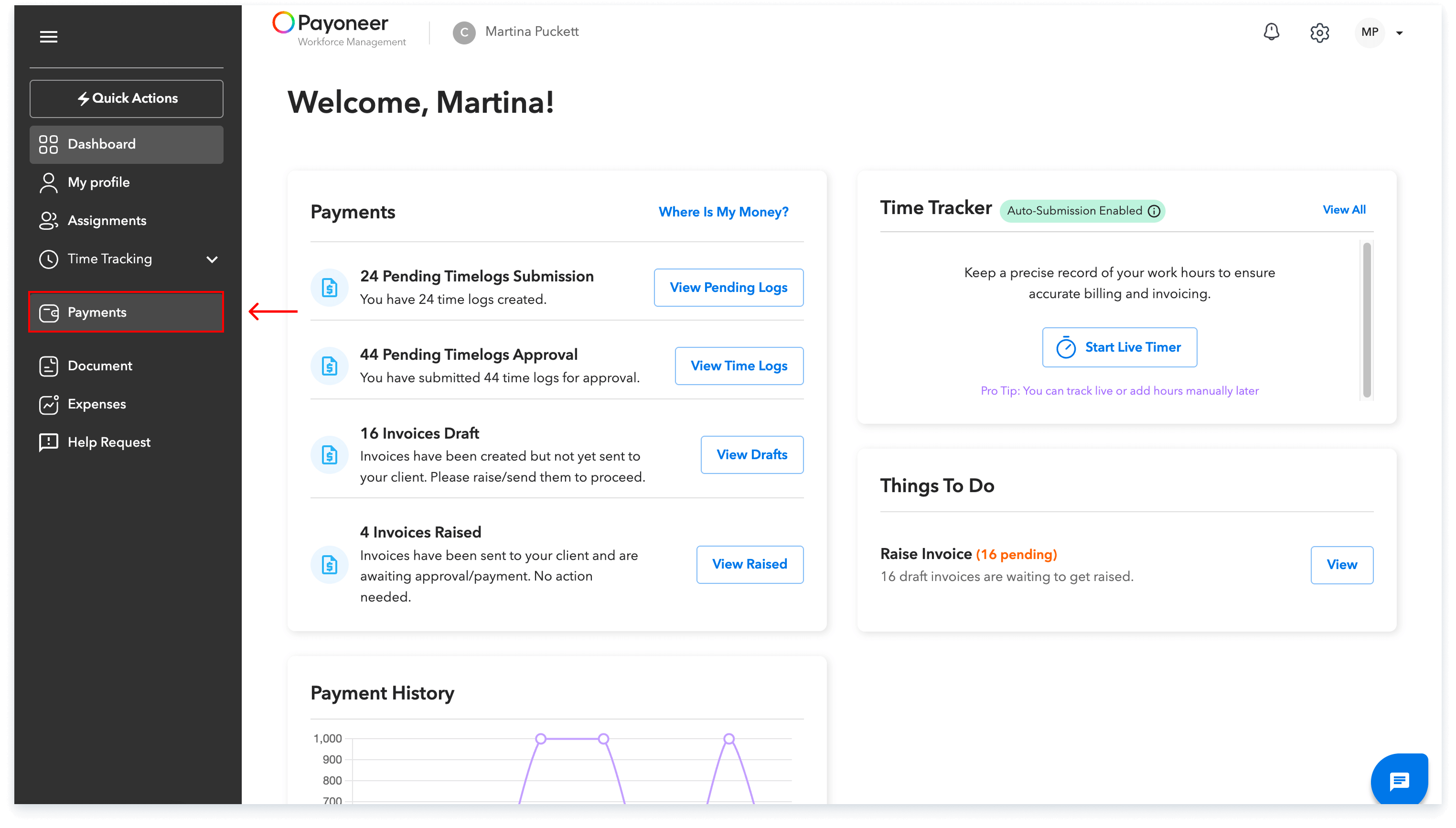
Log into the Payoneer WFM platform.Navigate to the payments section.
Step-2:
Locate the specific raised invoice you wish to recall.Click on the three dots next to the invoice and select “Recall”
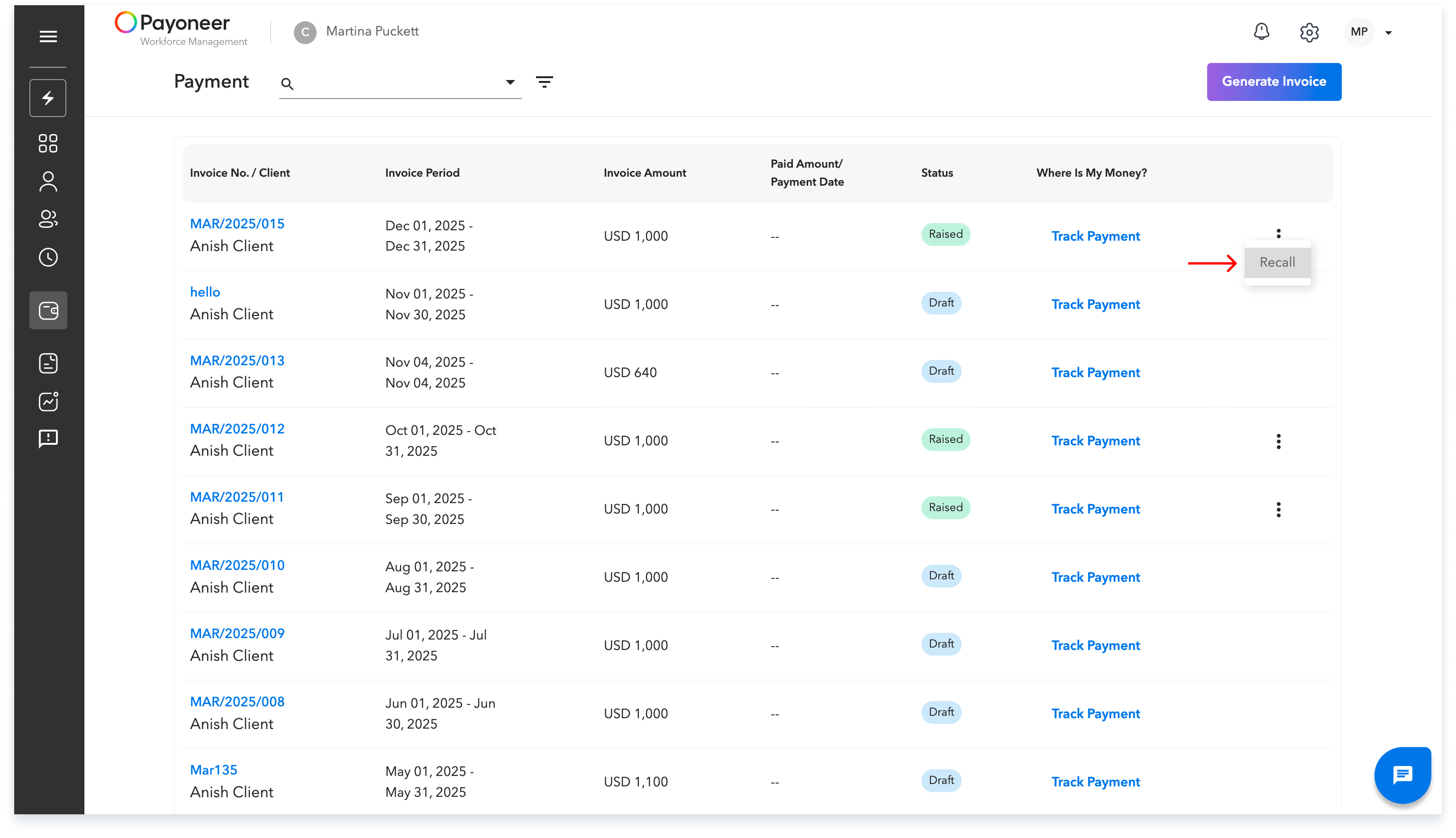
The invoice is now saved as a draft, allowing you to make any required changes before submitting it again.
Global employment, payroll, teams and expansion, simplified.
Request demo