
You can easily import employee and contractor details from an external HRMS system by setting up a direct integration within your Payoneer Workforce Management account.
We have the following integrations available for HRIS :
Step-1 : Log into the Payoneer WFM platform. Navigate to the Integrations section located on the left navigation bar. In the Integrations section, select HRIS. You will now see all the HRIS software available for integration, such as Zoho People, SAP SuccessFactors, and BambooHR.
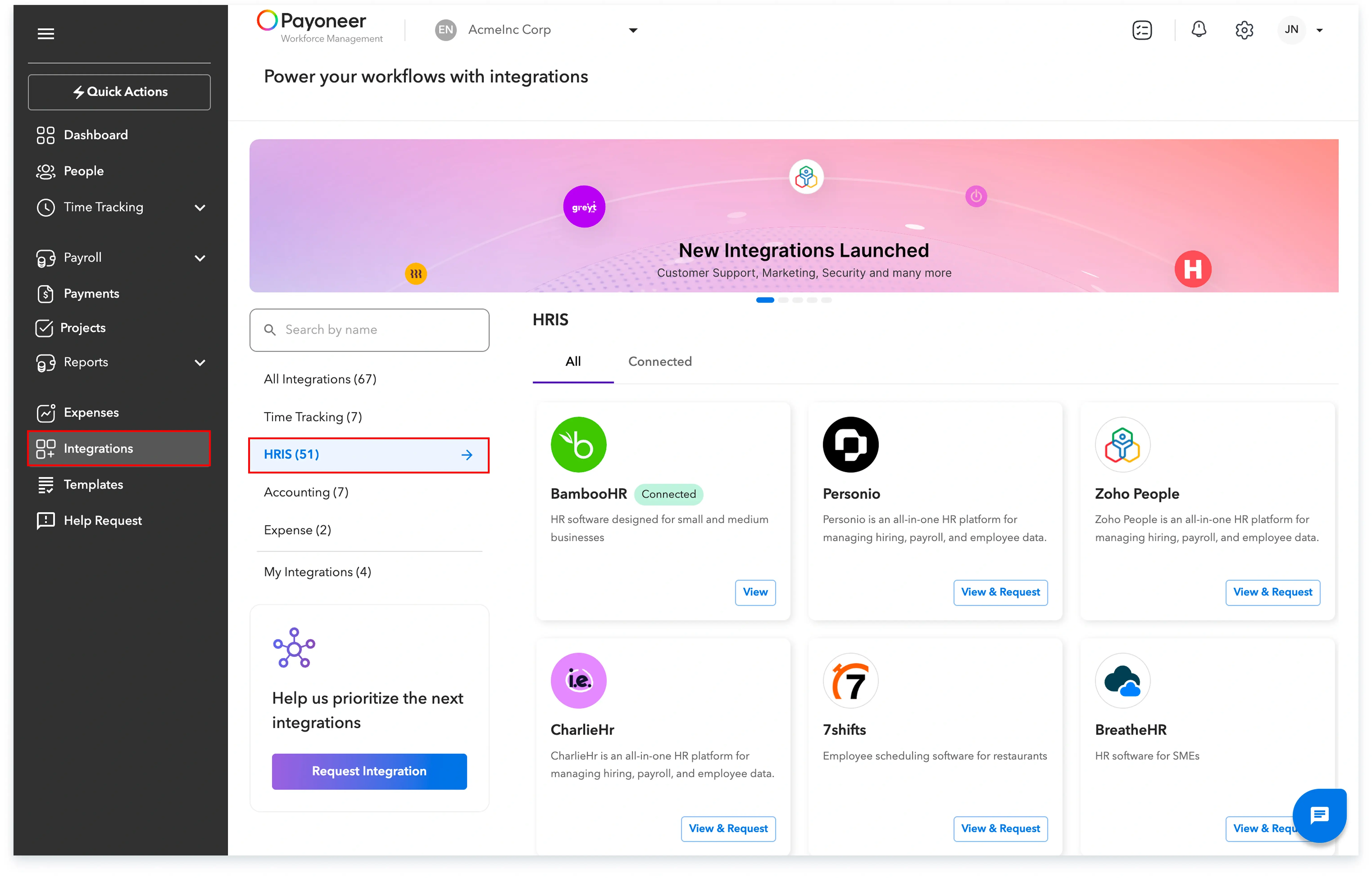
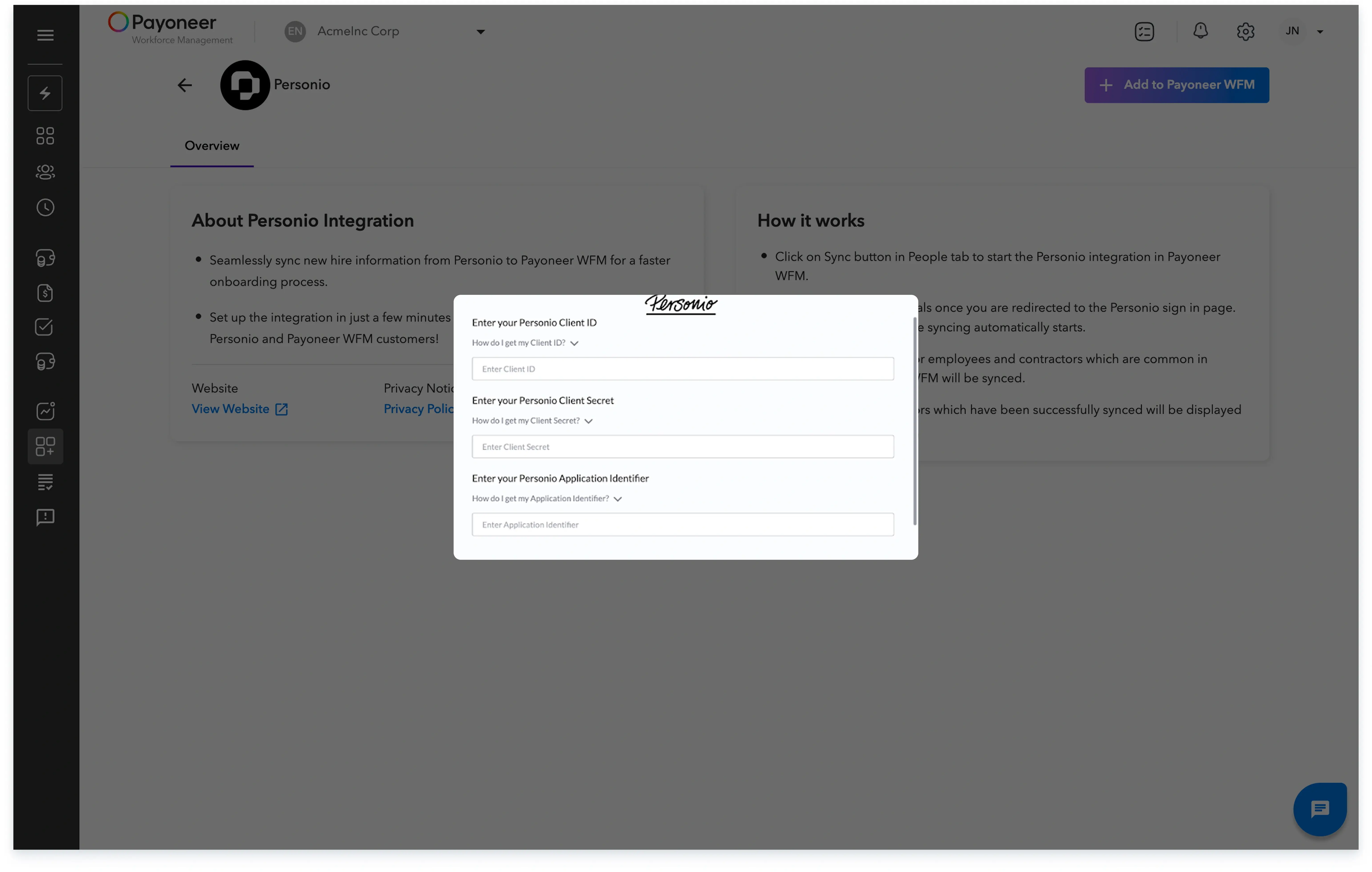
Step-2 : Select the specific HRIS software you intend to integrate, and then click Add to Payoneer WFM located on the top right of the screen.

Step-3: Enter the required details for the integration as prompted. Once the details are confirmed, you will be able to proceed with configuring the integration settings.
Completing these steps will enable a seamless data transfer, ensuring your employee and contractor records are accurately and efficiently managed within the Payoneer WFM platform.
Global employment, payroll, teams and expansion, simplified.
Request demo