
The bulk upload feature allows you to efficiently add several new contractors simultaneously using a structured template, saving you significant time compared to adding them one by one.
Follow the steps given below:
Step-1: Log into the Payoneer WFM platform. Navigate to the Dashboard. Click the down arrow next to Add New Hire and select Import Hires
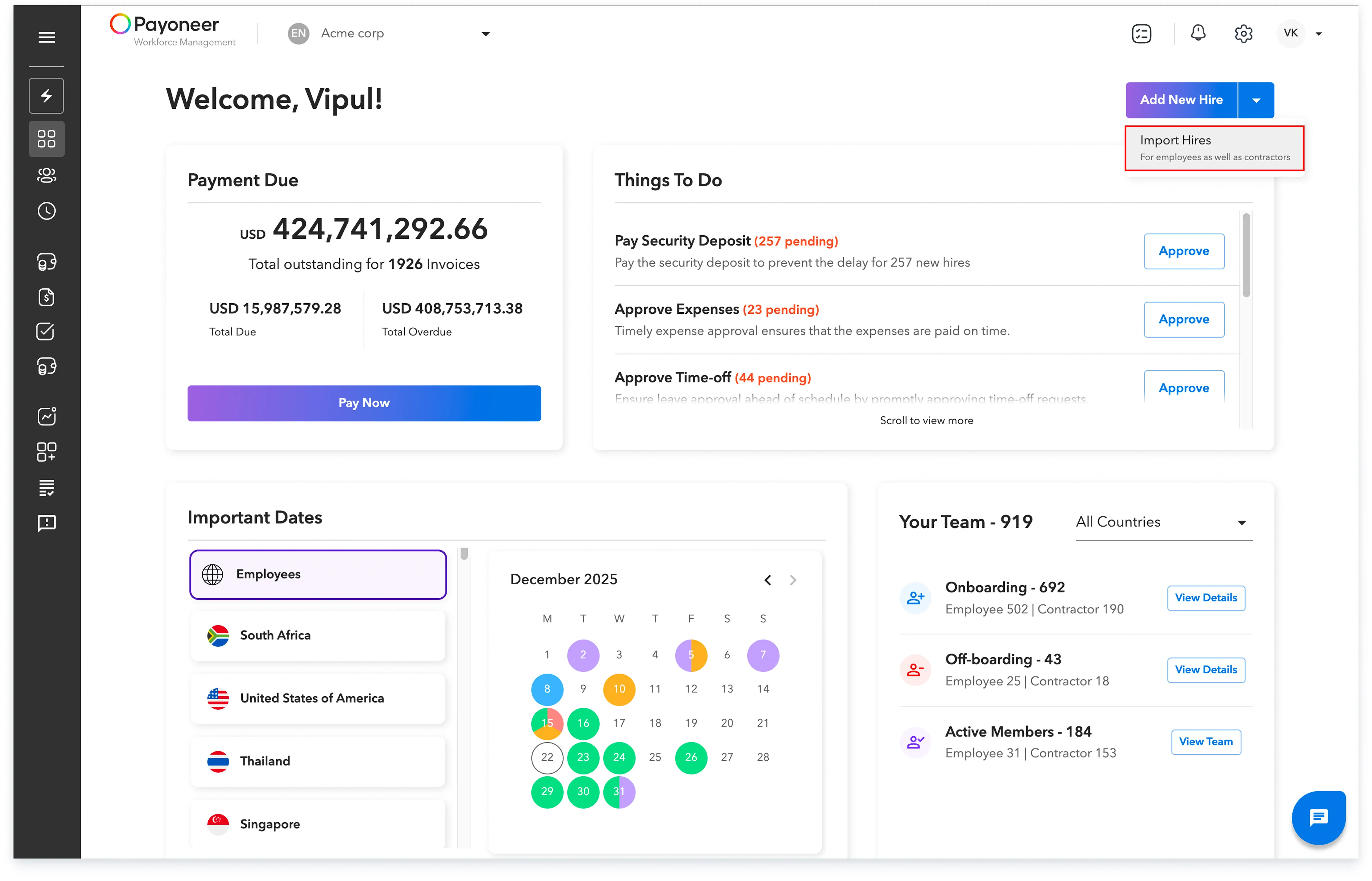
You can also access this feature from the Add New Hire option available in the People section.
Step-2:

Step-3:
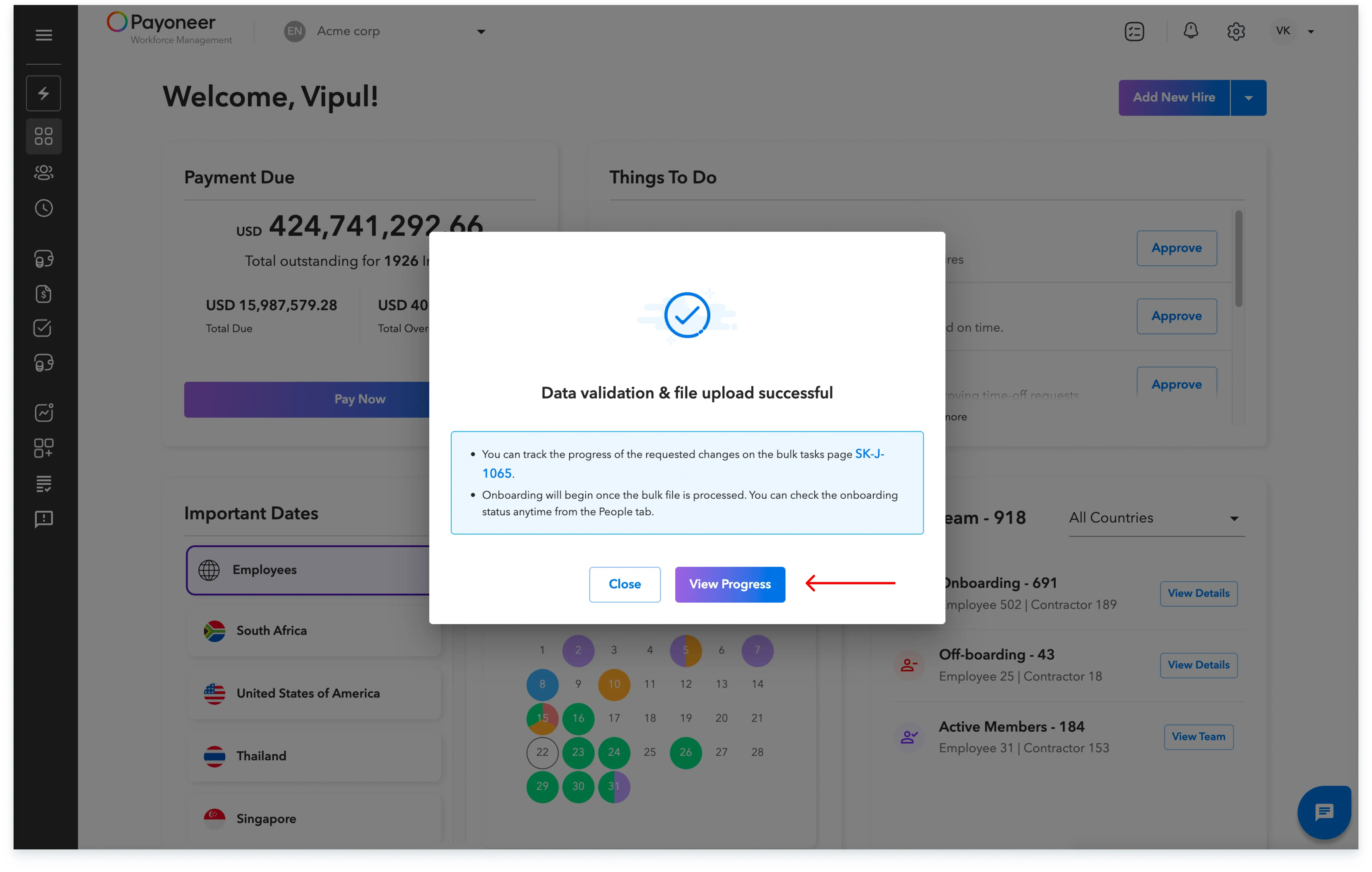
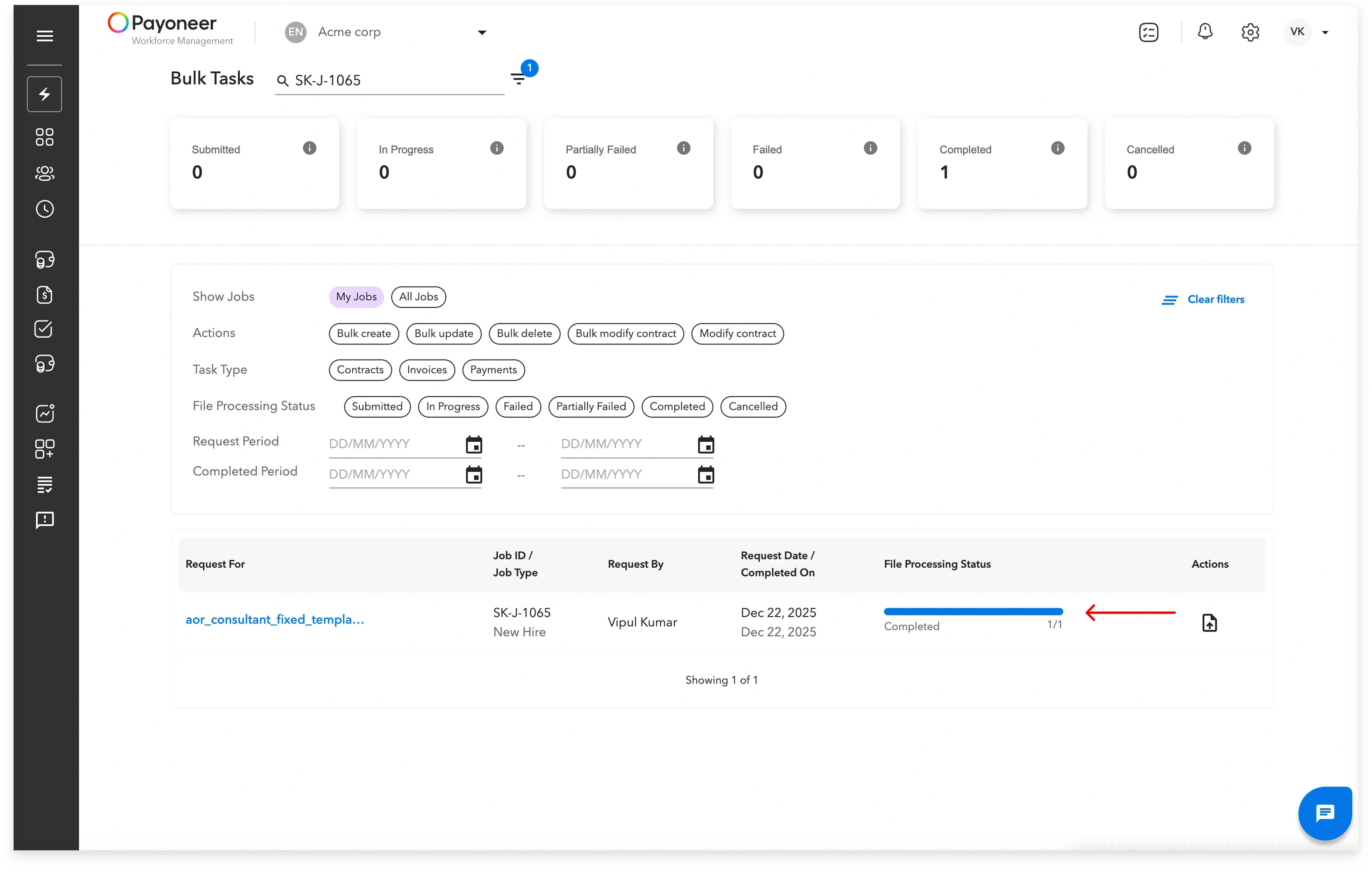
After uploading the file, you will see a message confirming that the file has been uploaded and is now being validated. Click on View Progress to track the upload status.
Step-4:
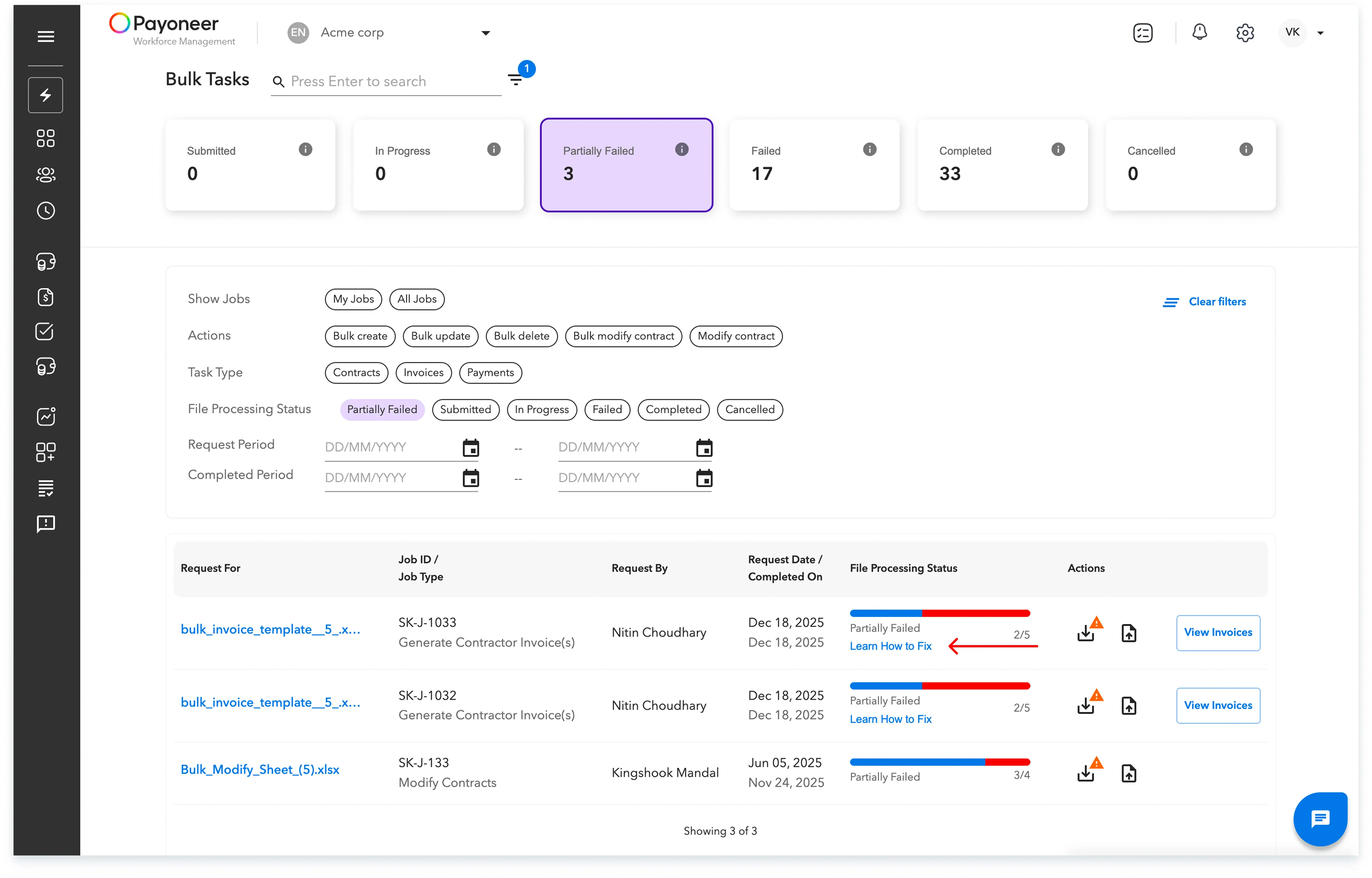
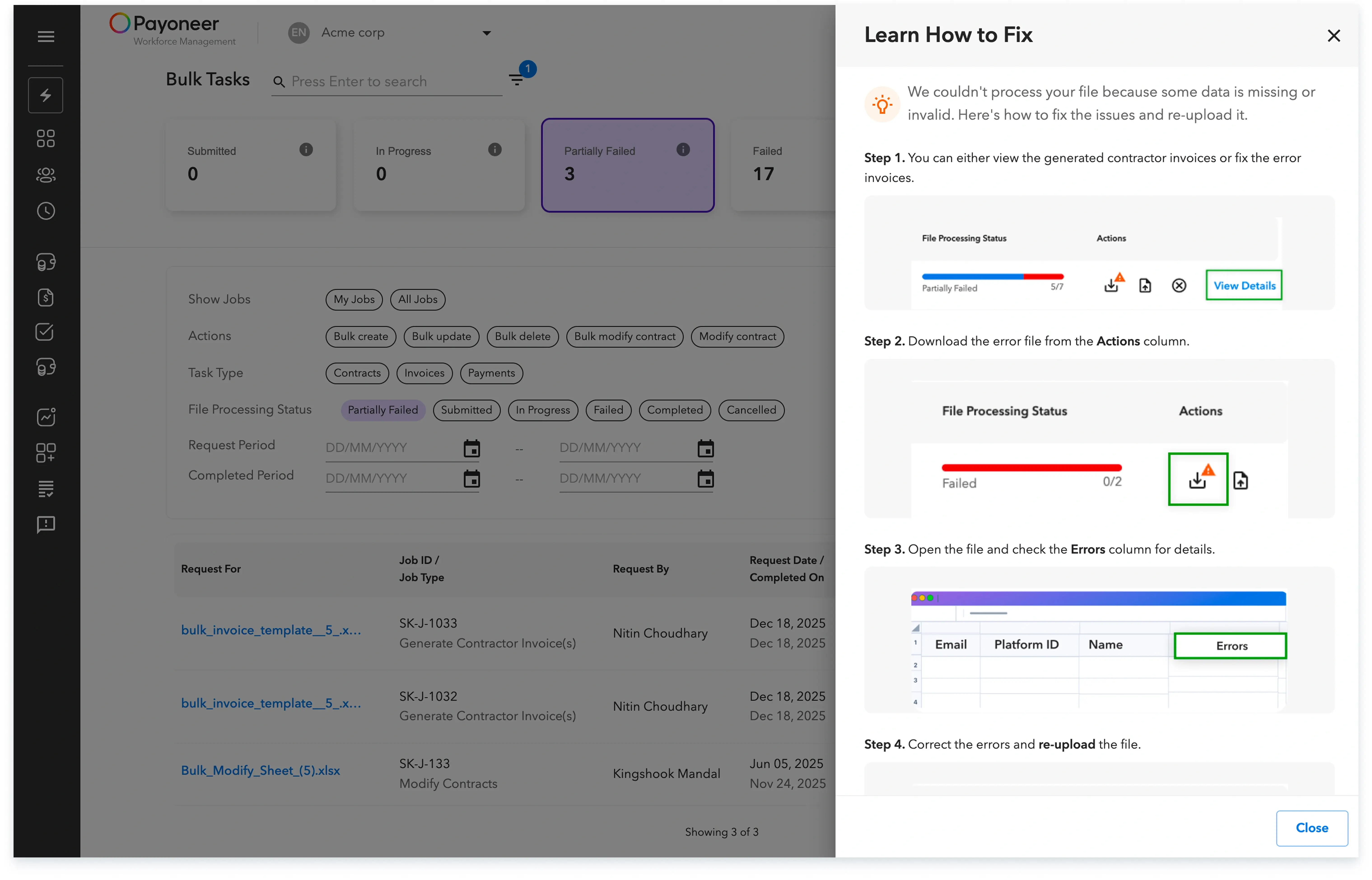
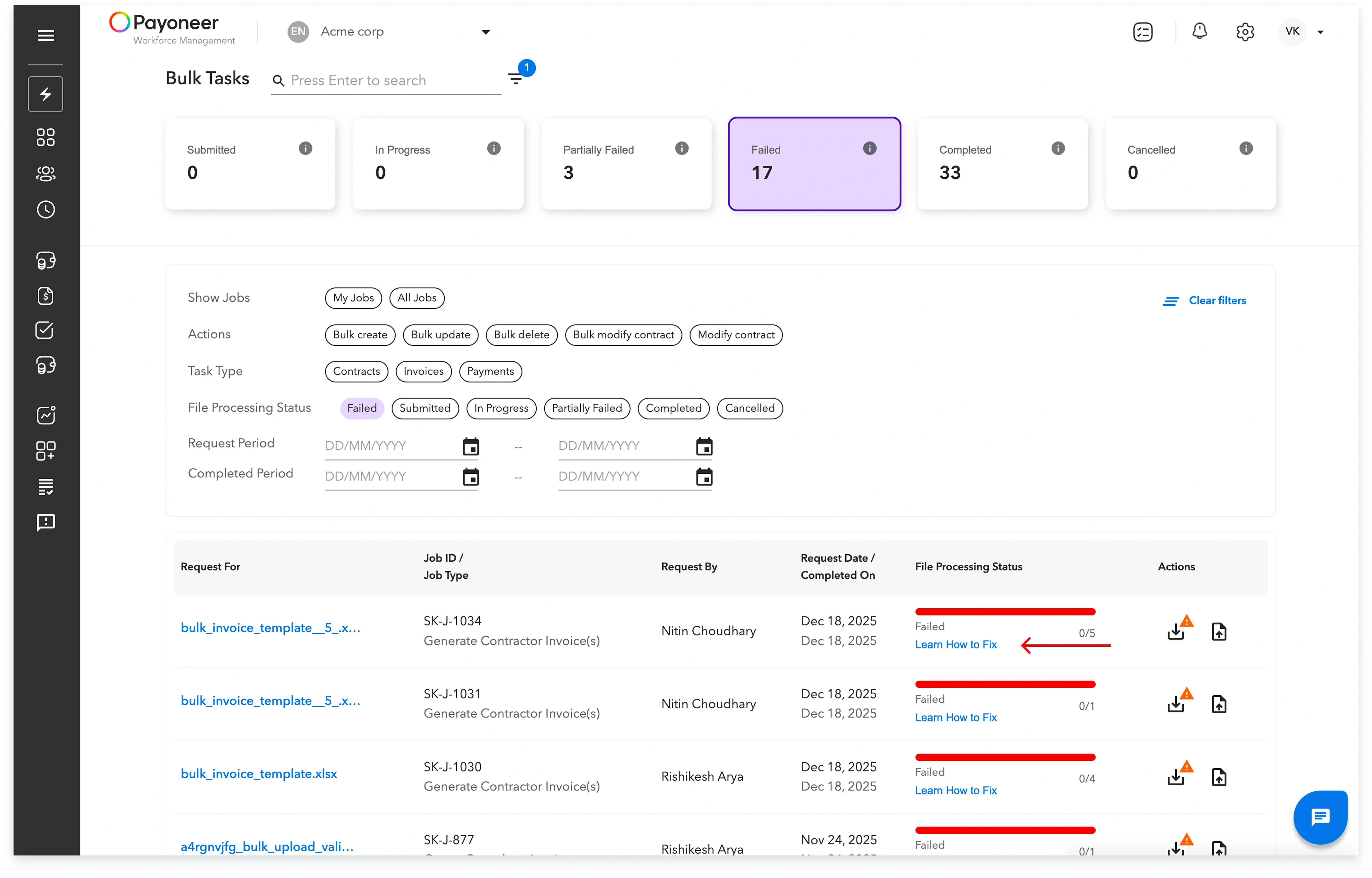
On the progress page, you can view details like the template uploaded, the request date, and the file processing status, which will be updated as Submitted, In Progress, Partially Failed, Failed, Completed, or Cancelled.



Global employment, payroll, teams and expansion, simplified.
Request demo