
You can easily onboard a WFM Shield contractor through the Payoneer WFM platform by following a few simple steps.
Step 1:
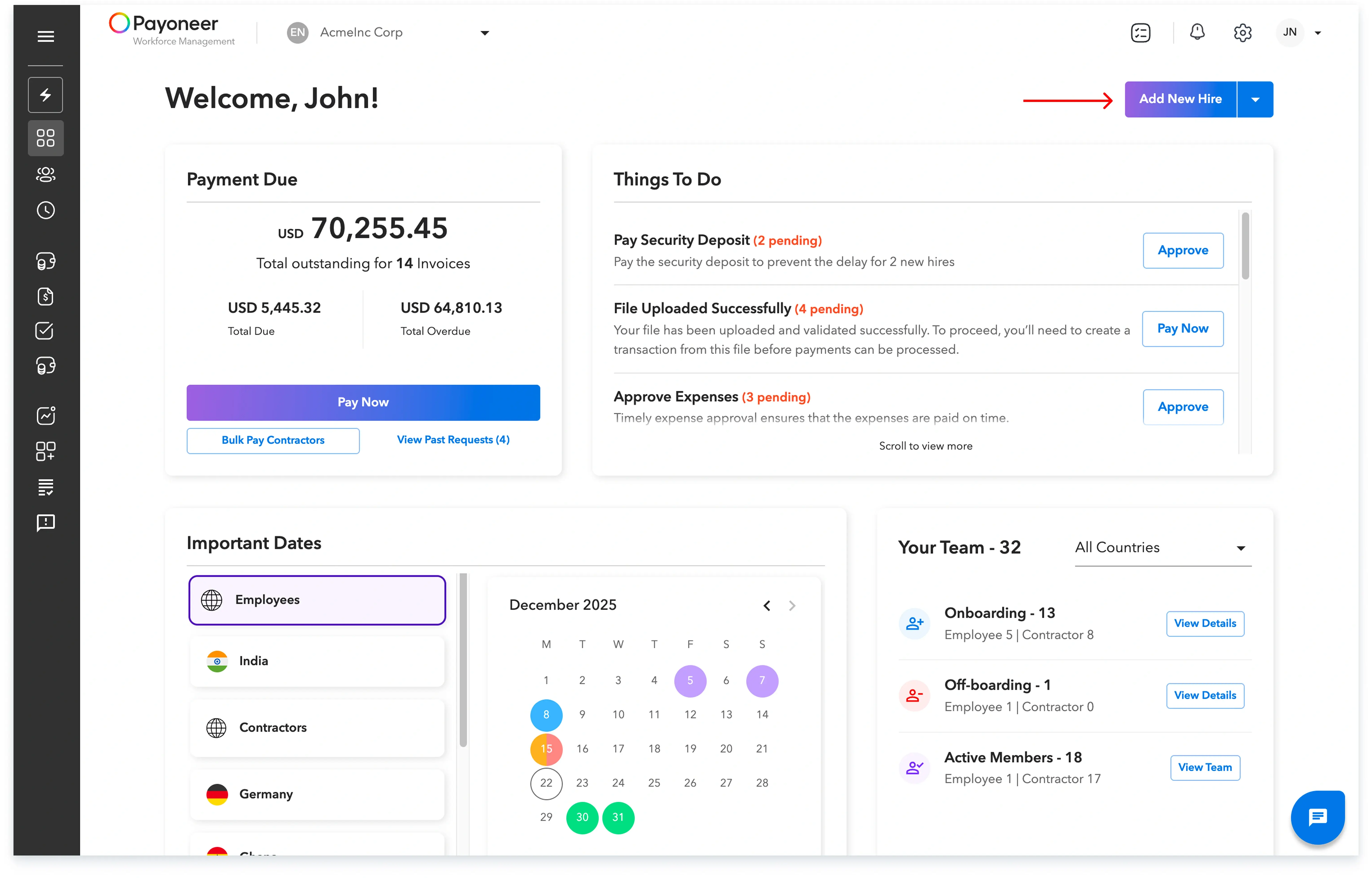
a) Log in to the Payoneer WFM platform. Navigate to the ‘People’ section and click on the ‘Add New Hire’ button. An alternate way is to use the Quick Action and click ‘Add New Hire’
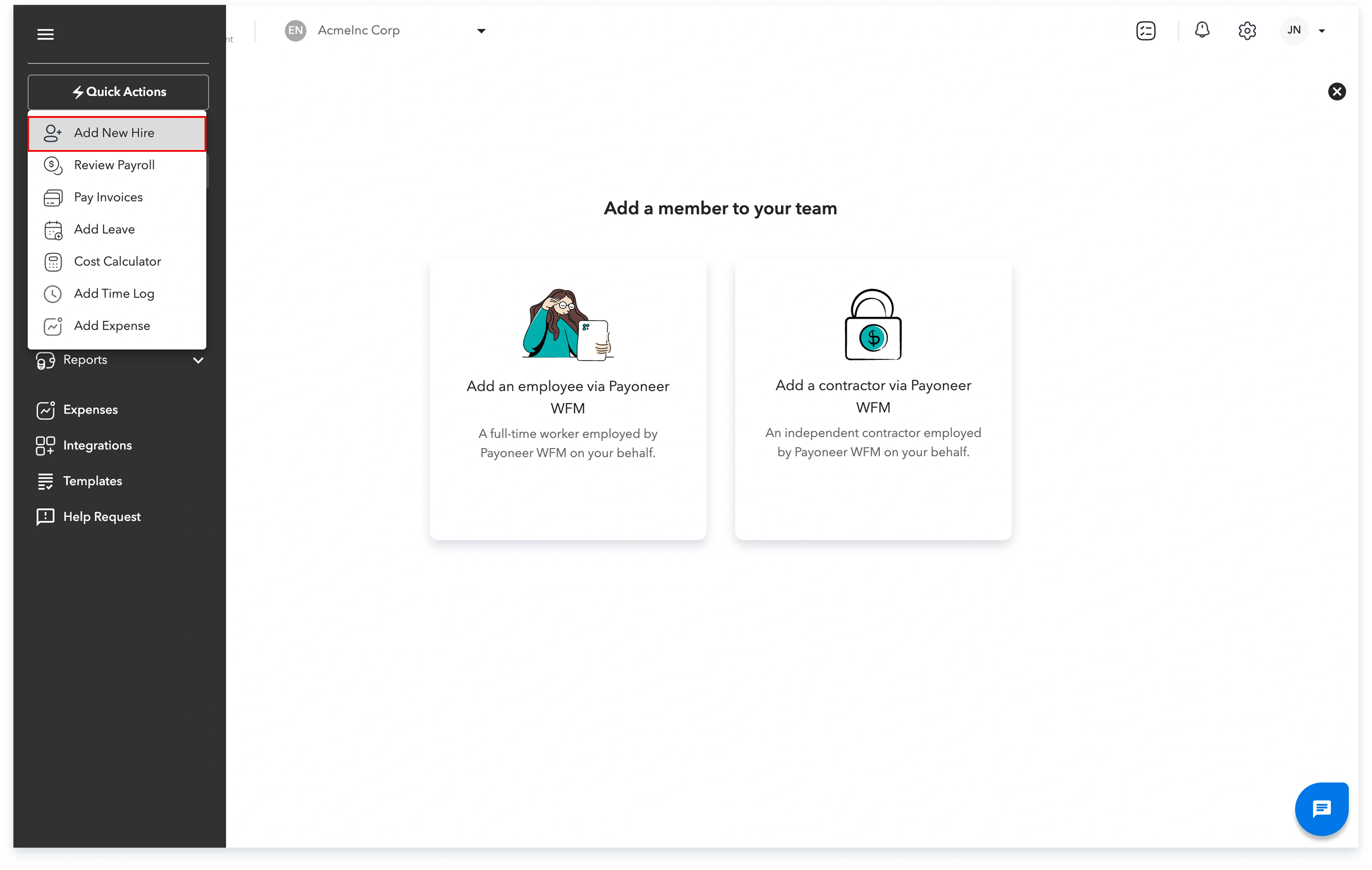
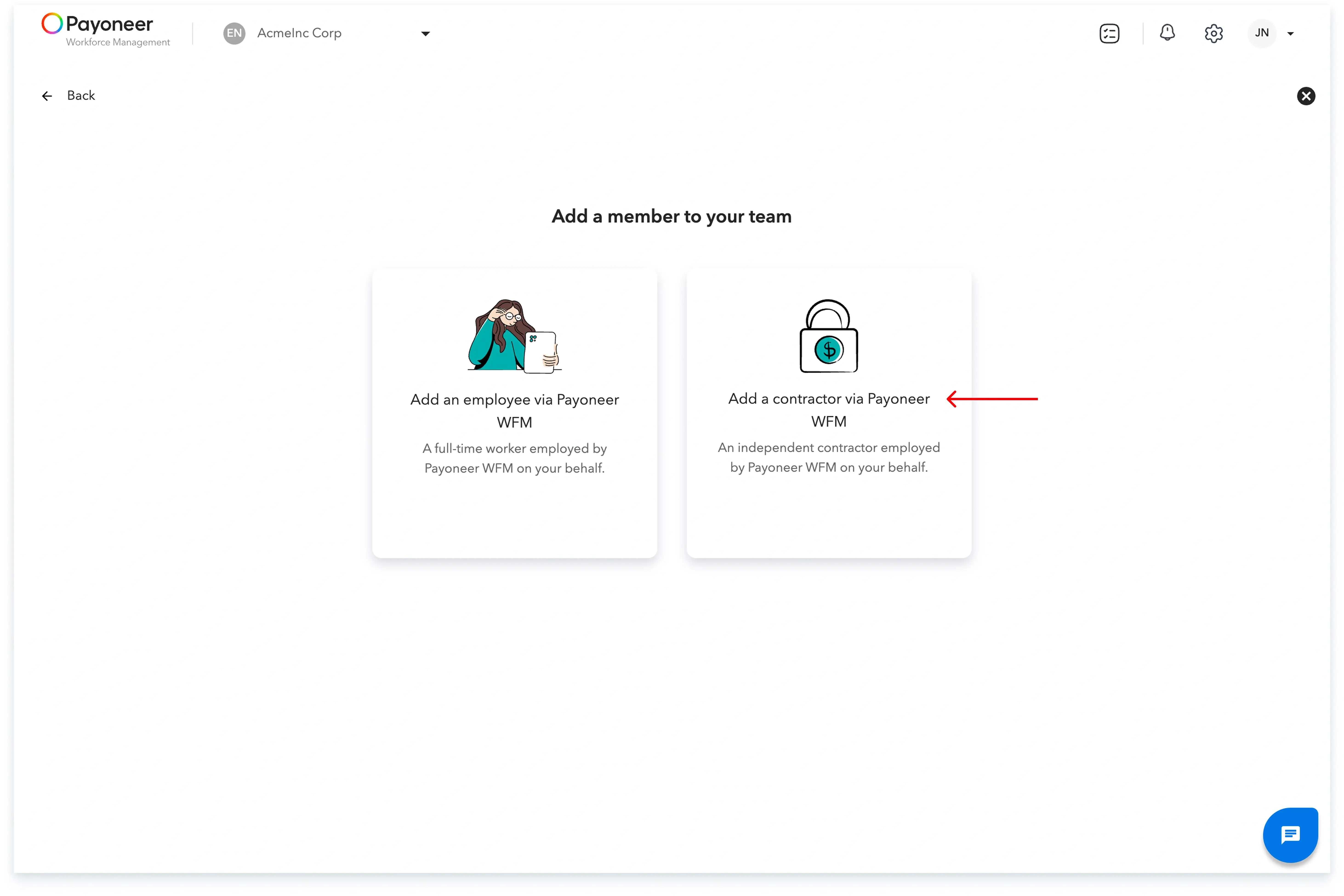
Step 2: Select the option that says ‘Add a contractor via Payoneer WFM’
Step 3: Select ‘Payoneer WFM Shield’ to proceed with adding an AOR contractor.
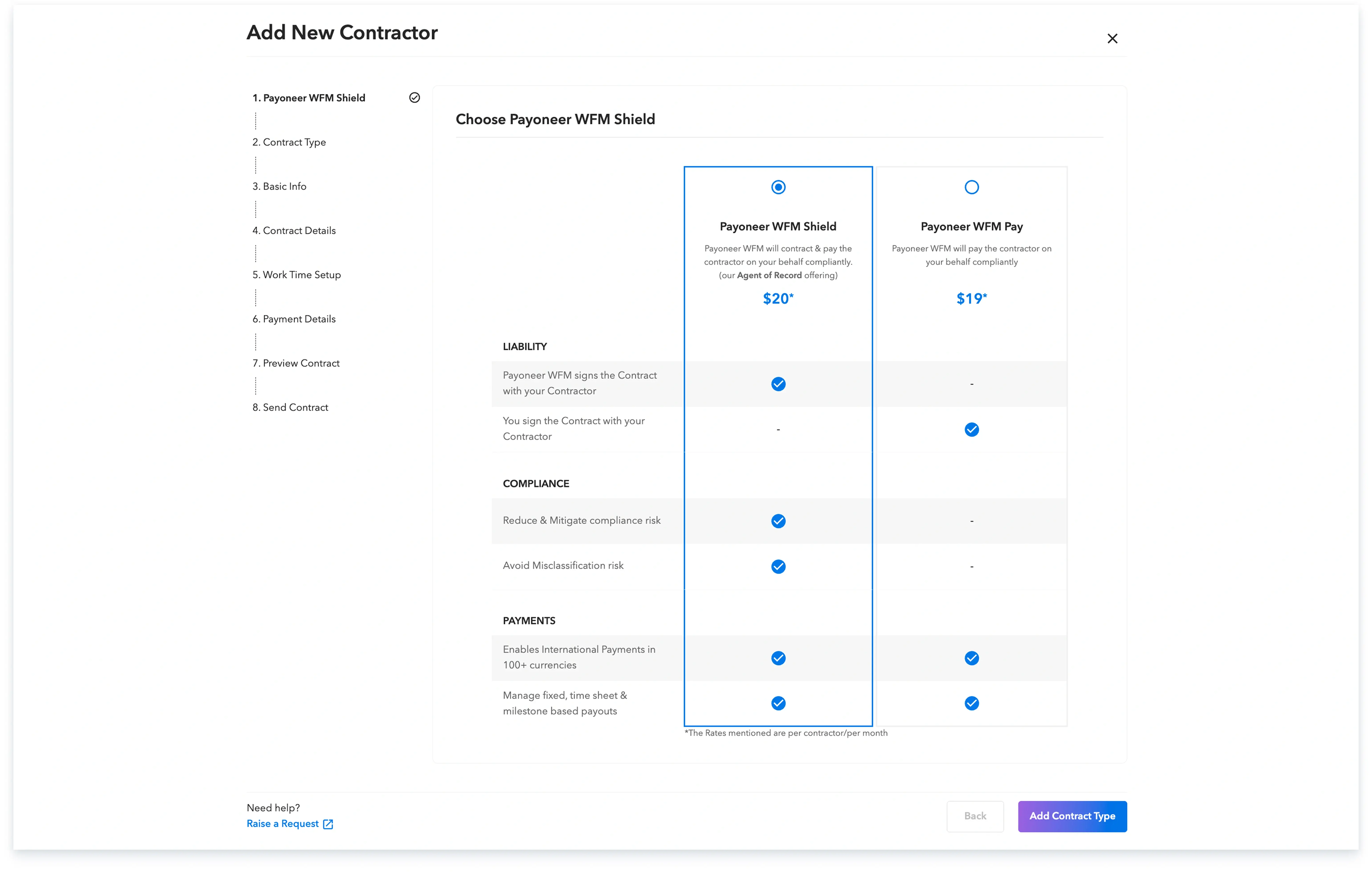
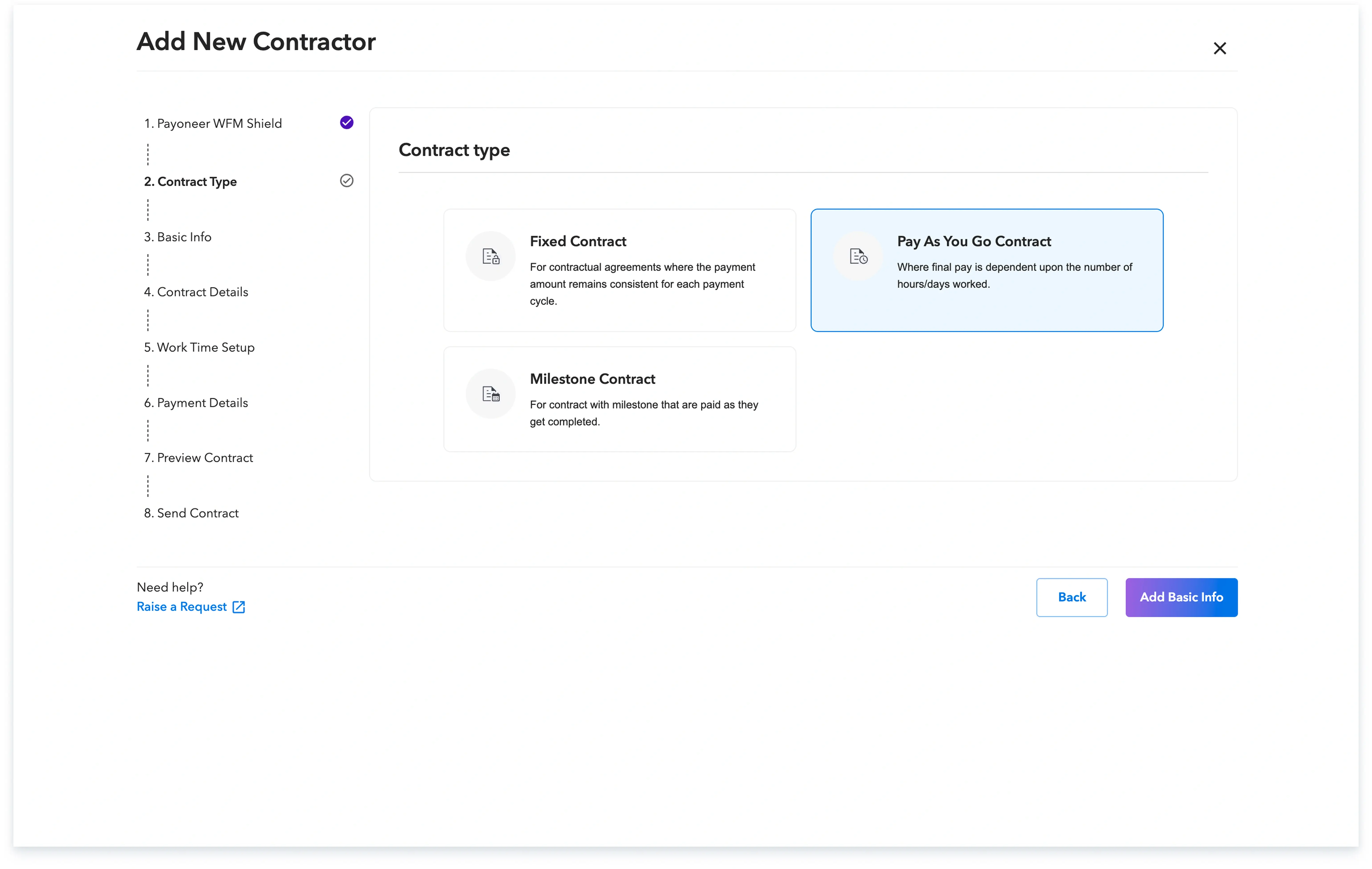
Step 4: Select the type of contract that you want to establish with the contractor.
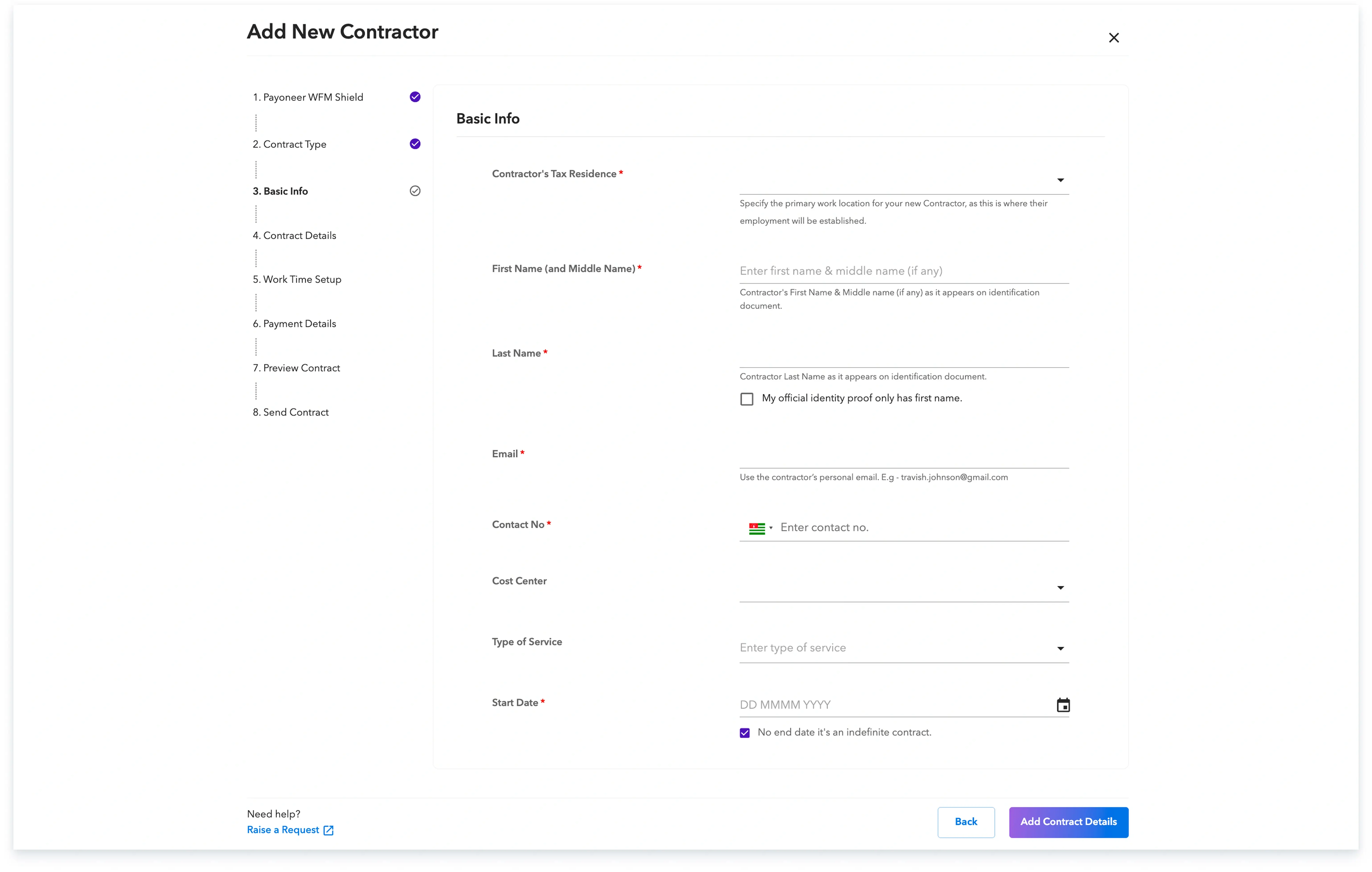
Step 5: Fill in basic identification details of the contractor
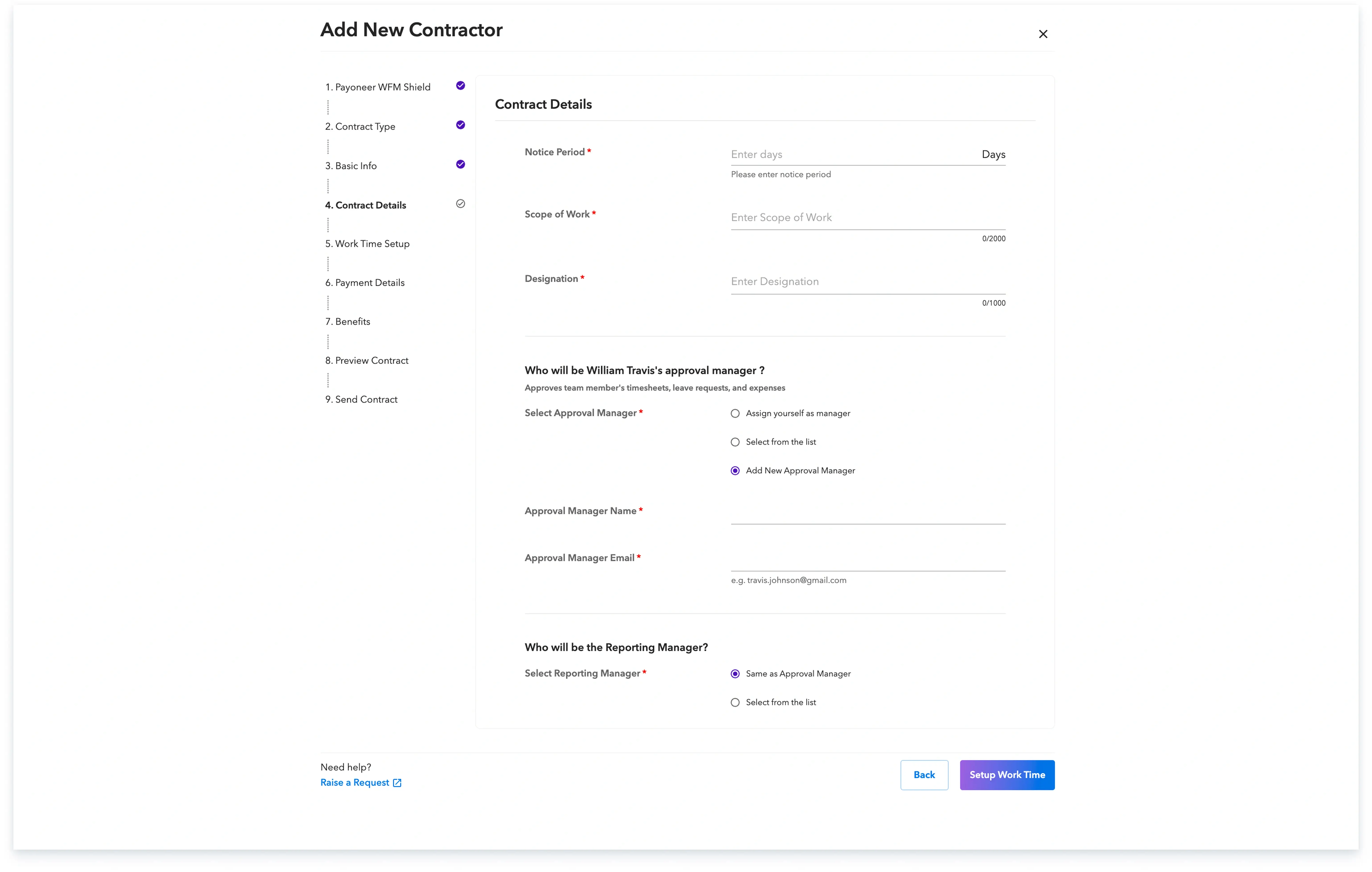
Step 6: Add the required contract details, including the notice period, scope of work, the designation and the details of approval and reporting manager.
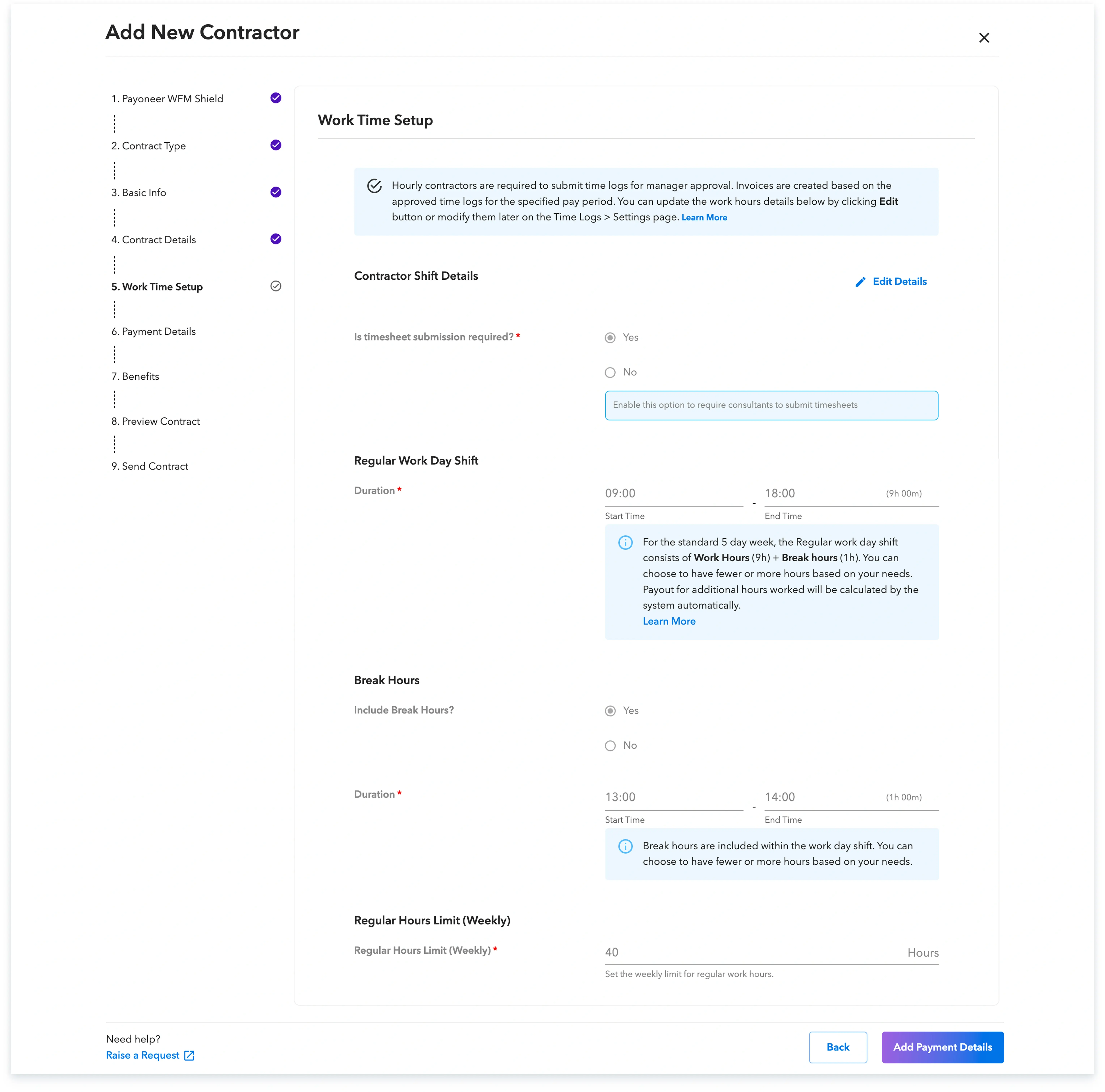
Step 7: Enter the contractor’s work time details.
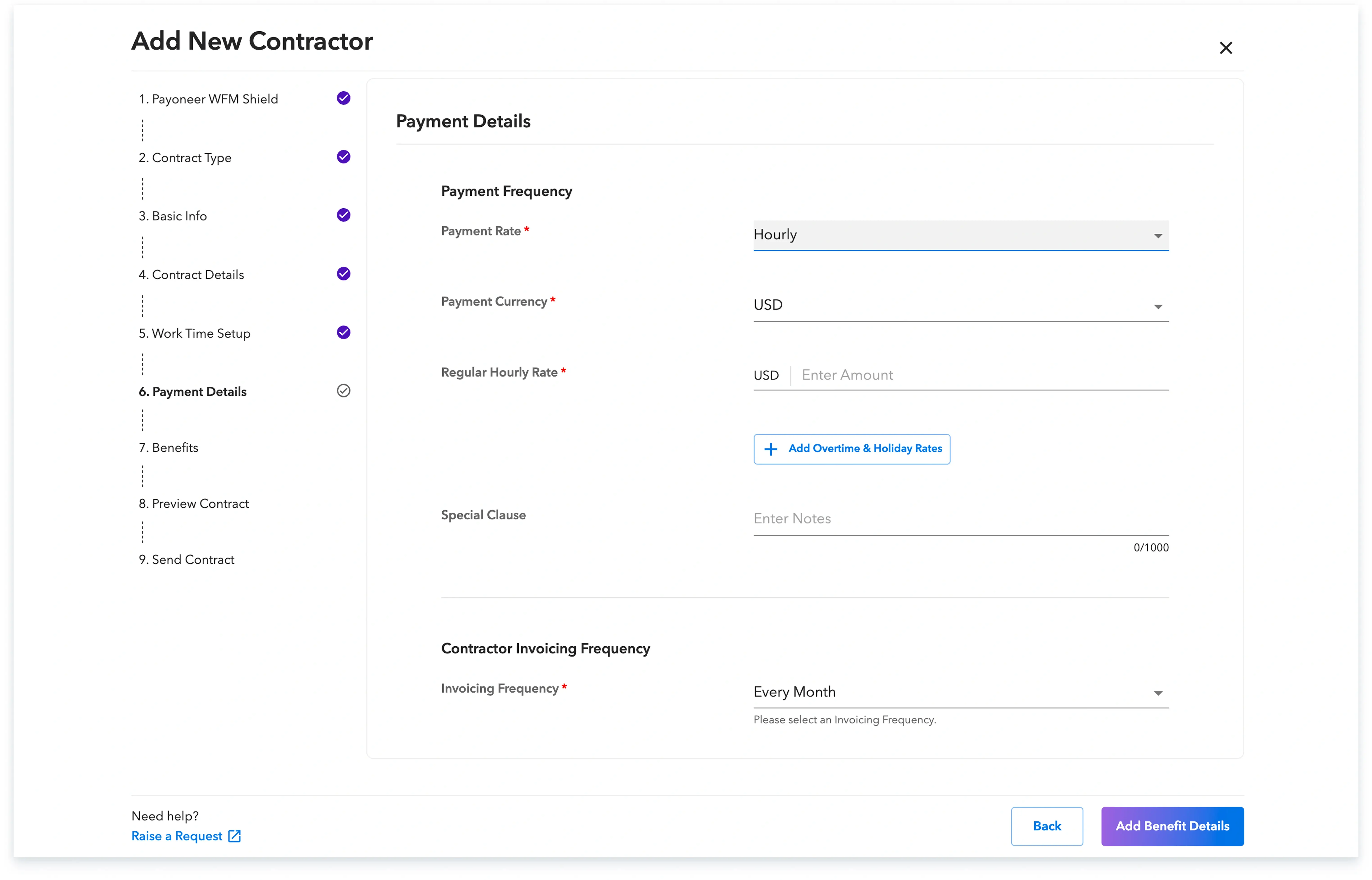
Step 8: Enter the contractor’s payment details
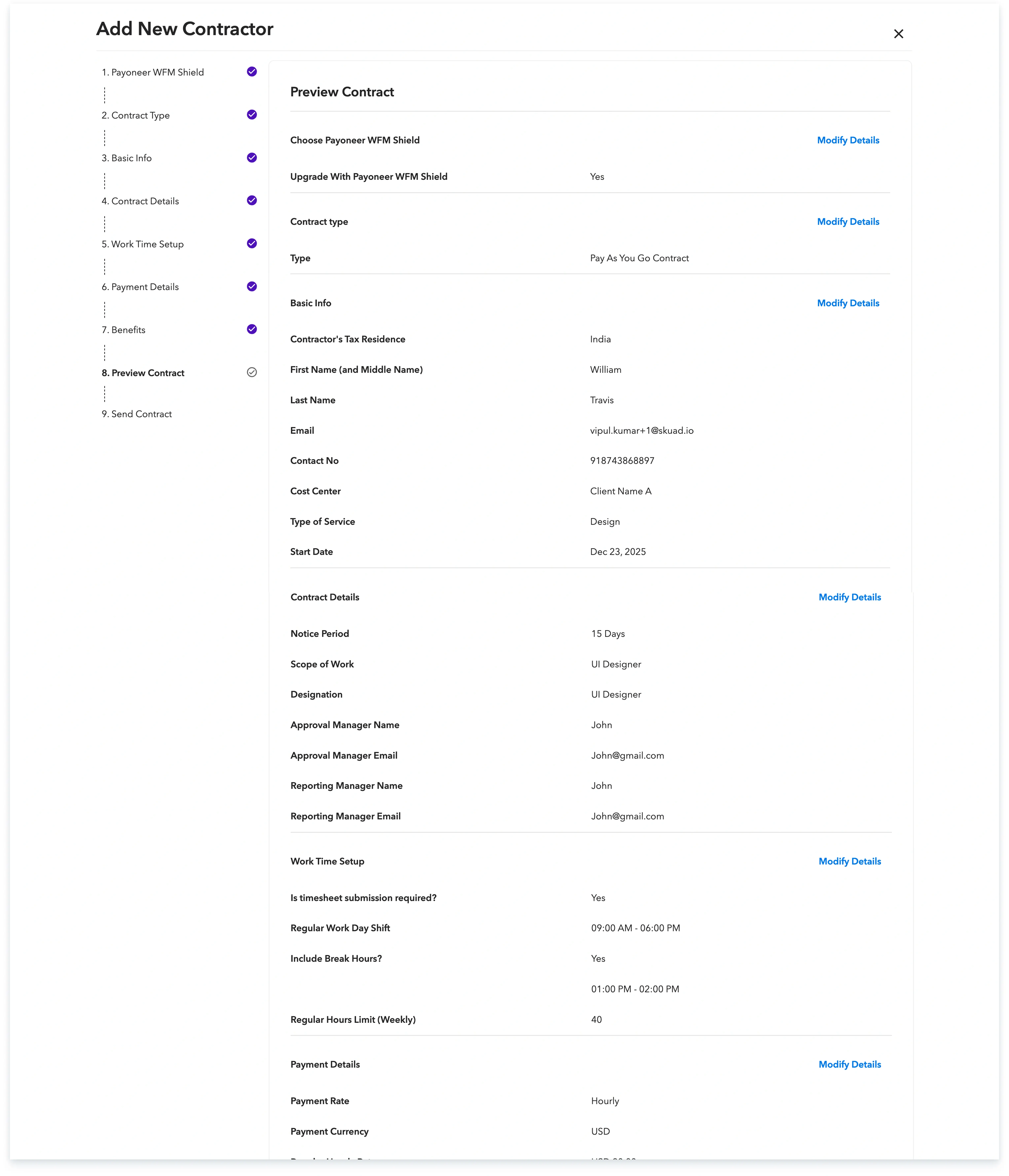
Step 9: Verify that all the details you have entered are correct.
Step-10: Provide final confirmation to send the contract to your contractor by checking the box and clicking on ‘Add Contractor’.
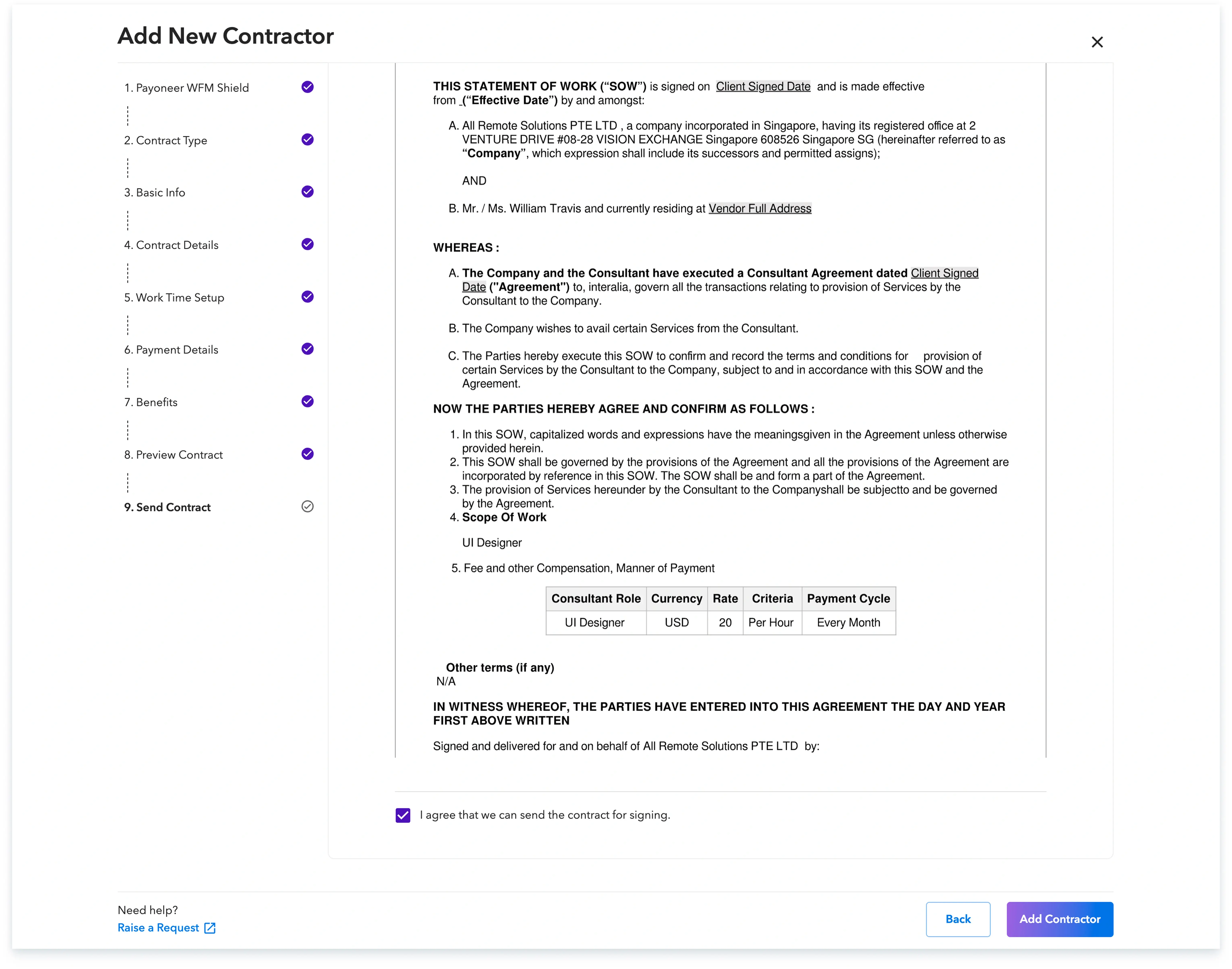
The contract will then be sent to the contractor for signing, along with a sign-up email from Payoneer WFM, and you can track the onboarding progress from the ‘People’ section until signatures are complete.

Global employment, payroll, teams and expansion, simplified.
Request demo