
Verifying your identification details as an employee is a necessary and straightforward process that you can complete directly on the platform by following these steps:
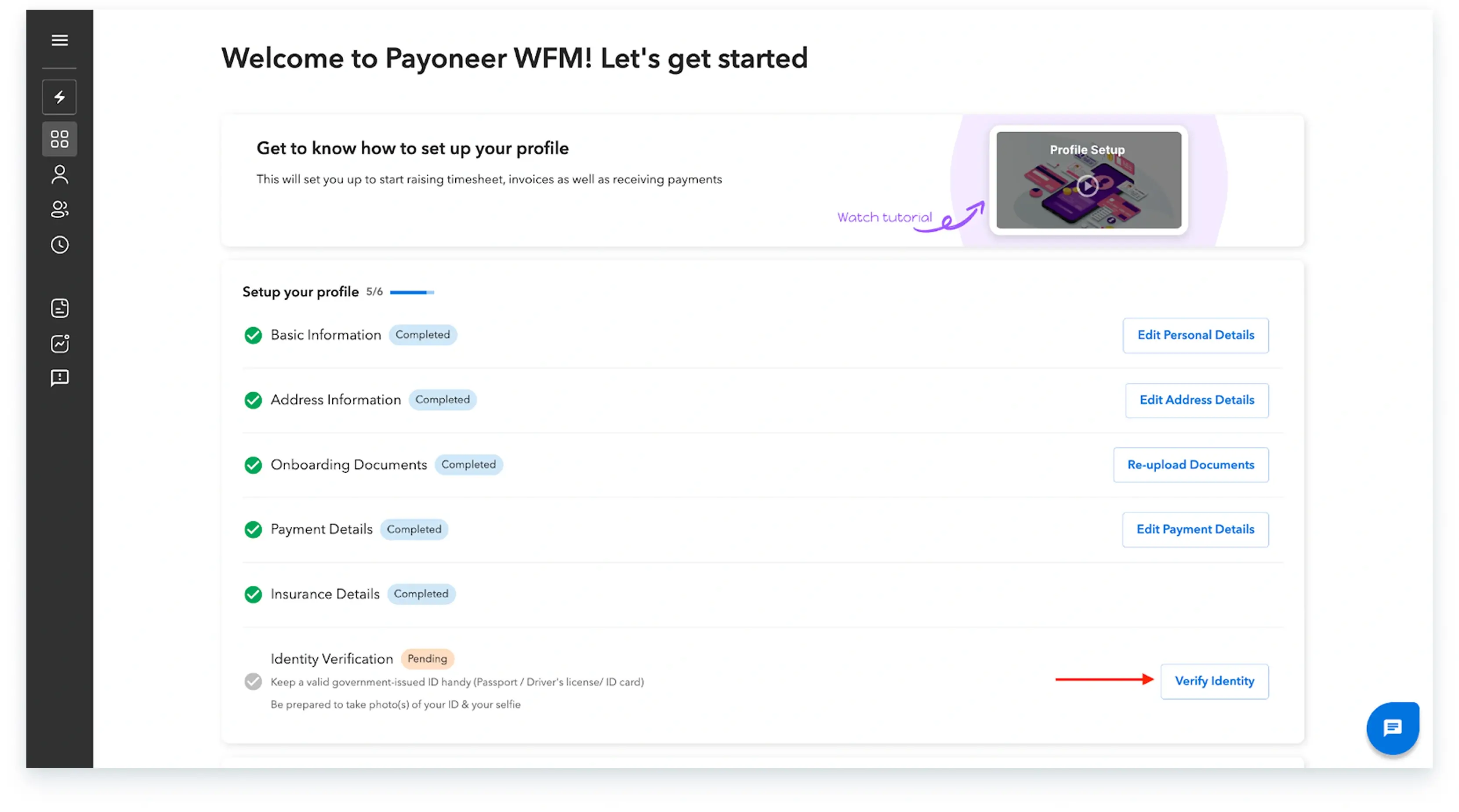
Step 1: Log into the Payoneer WFM platform.Once you are logged in, start by setting up your profile.

Step 2: Under the profile setup section, navigate to the document verification area and click on the ‘Verify Identity’ button.
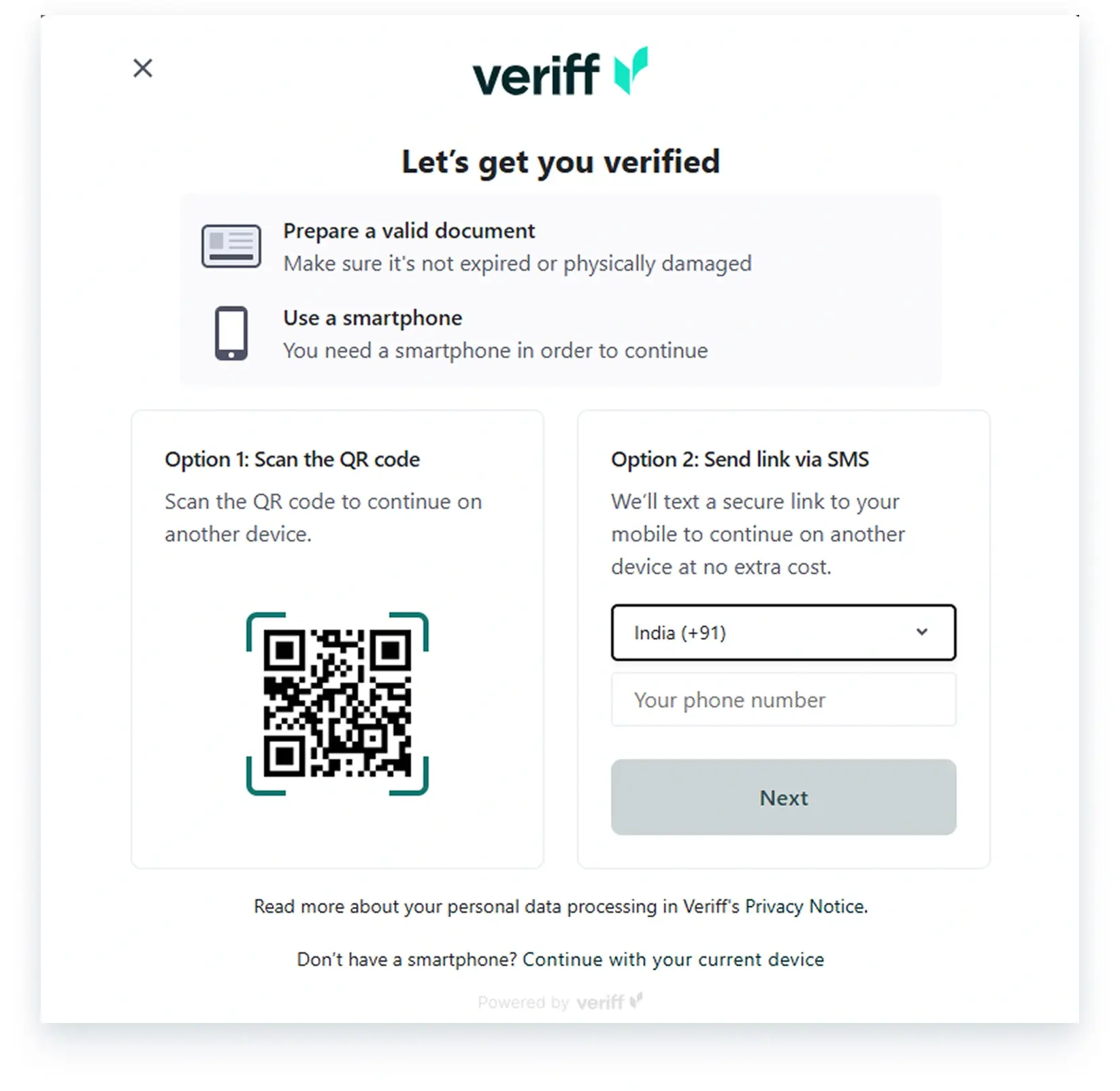
Step 3: For the next step you can use your phone or can continue with your existing device. Add your phone number or scan the QR code to proceed further.
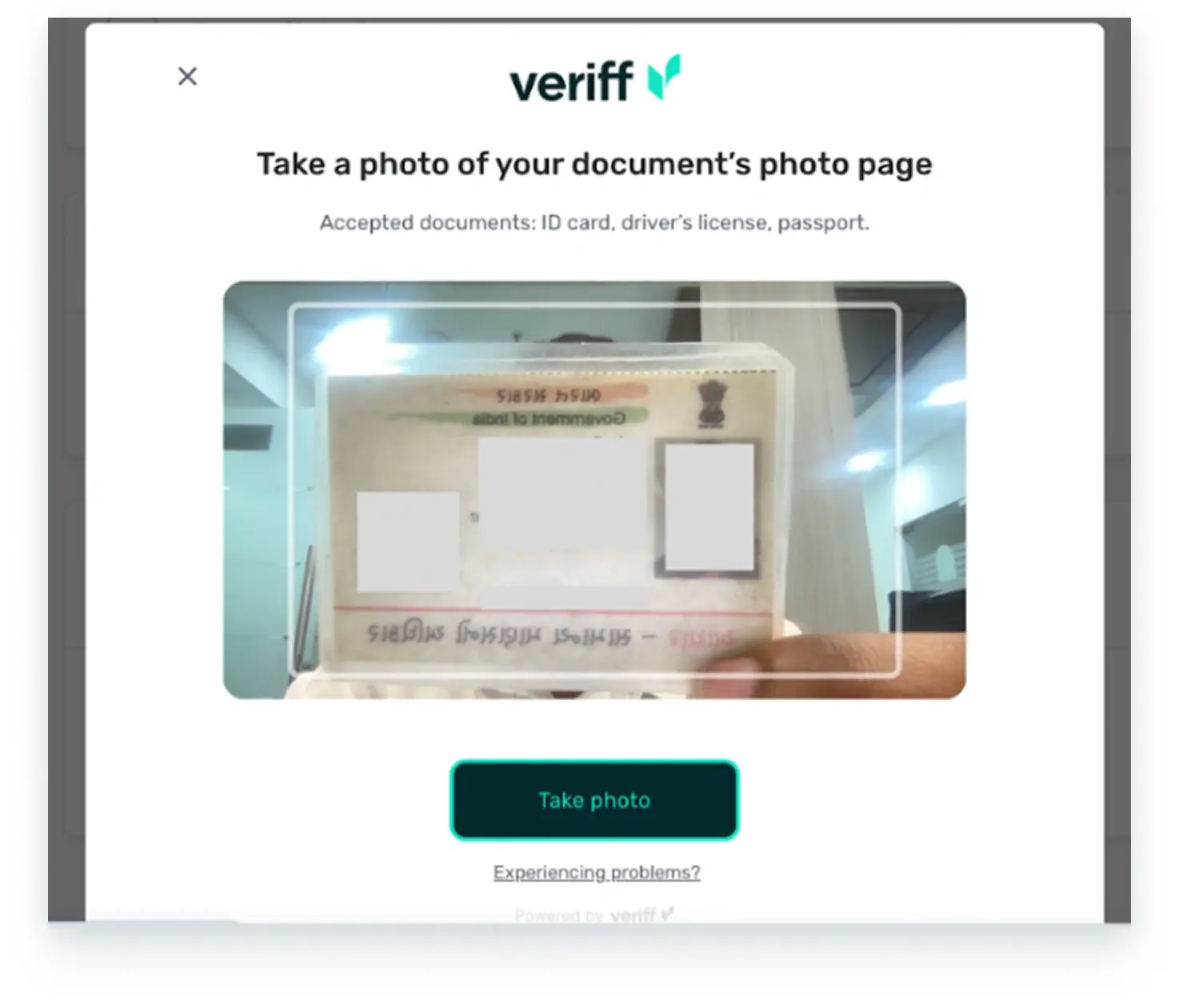
Step 4: Next, you must take a clear picture of your government-issued ID proof.
Step 5: The last step requires you to take a picture of yourself.

Once these steps are completed, your verification will be successful. If there is any mismatch between the given name in your profile and the name on your identity proof, you will need to either re-verify or update the name in the platform to ensure an exact match with your ID.
Global employment, payroll, teams and expansion, simplified.
Request demo