
You can remove a team member and revoke their access to your team's WFM platform by following a simple, step-by-step process.
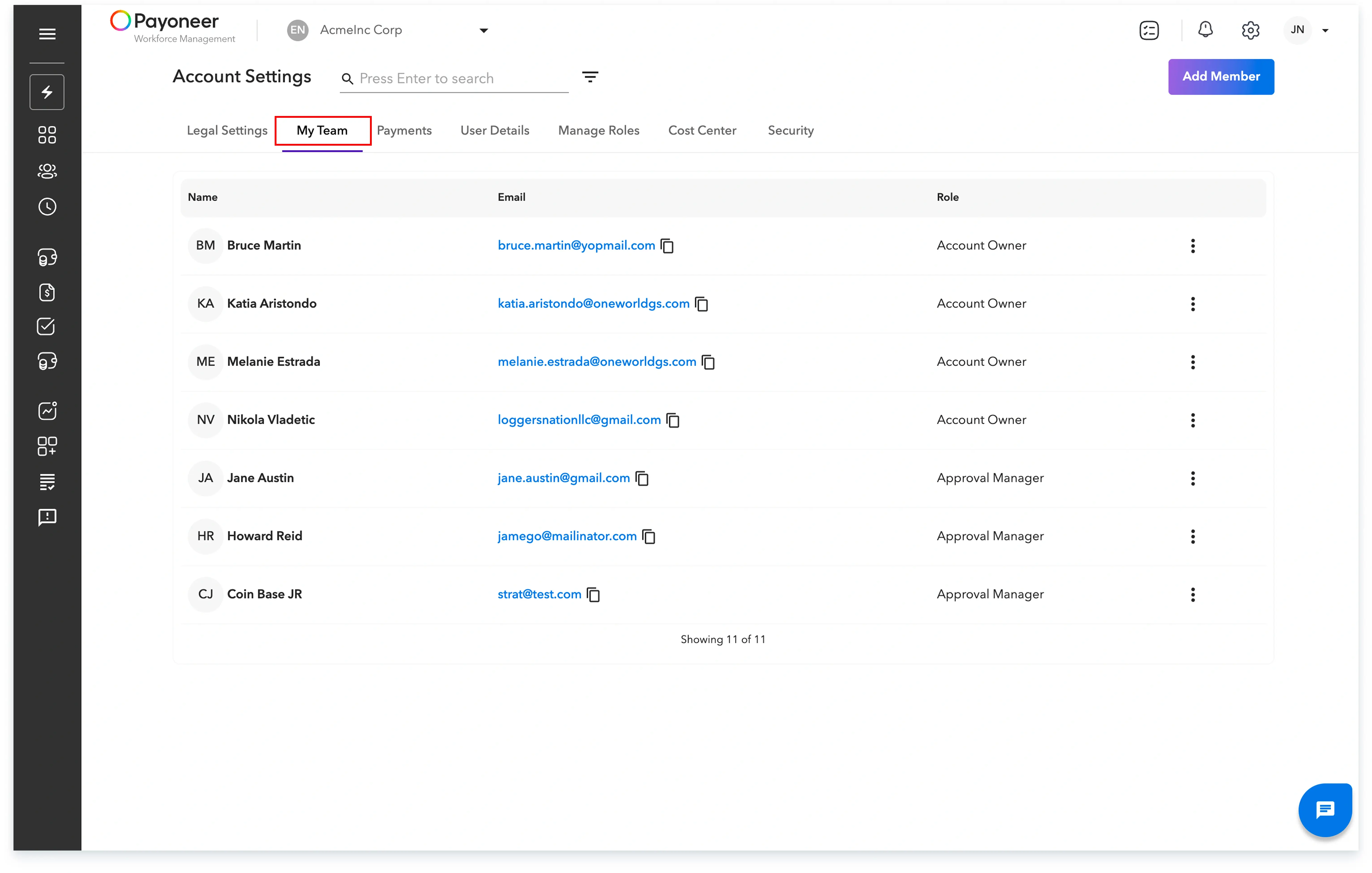
Step 1: Log in to the Payoneer WFM platform and Click on the Settings icon in the top-right corner of the platform.

Step 2: In the Settings menu, select the My Team tab to view the list of your internal team members and their roles.
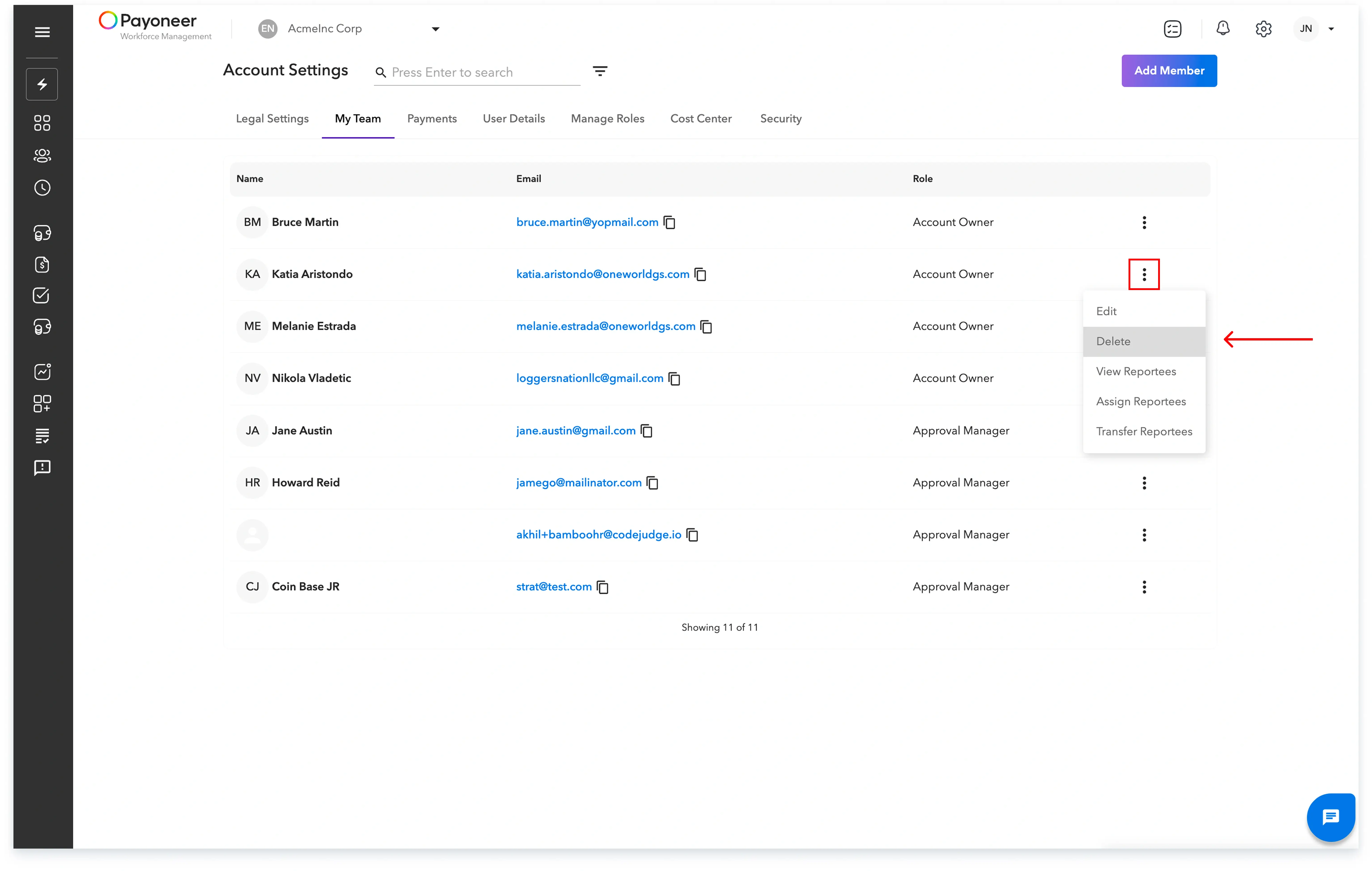
Step 3: Locate the person you want to remove, and click on the three dots on the right-hand side of their row. Select Delete from the menu that appears.
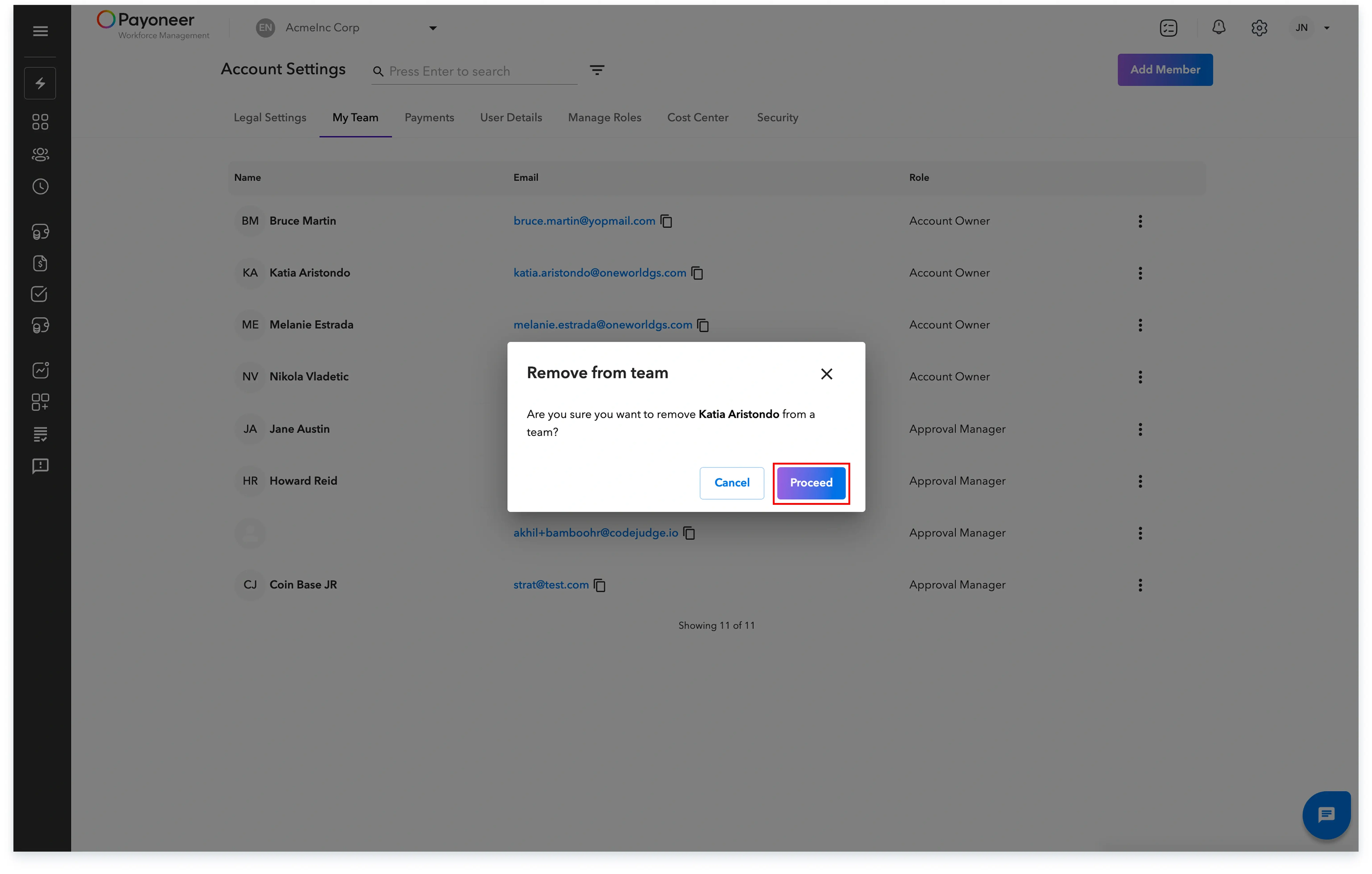
Step 4: A confirmation prompt will appear. Click Proceed to confirm the removal.
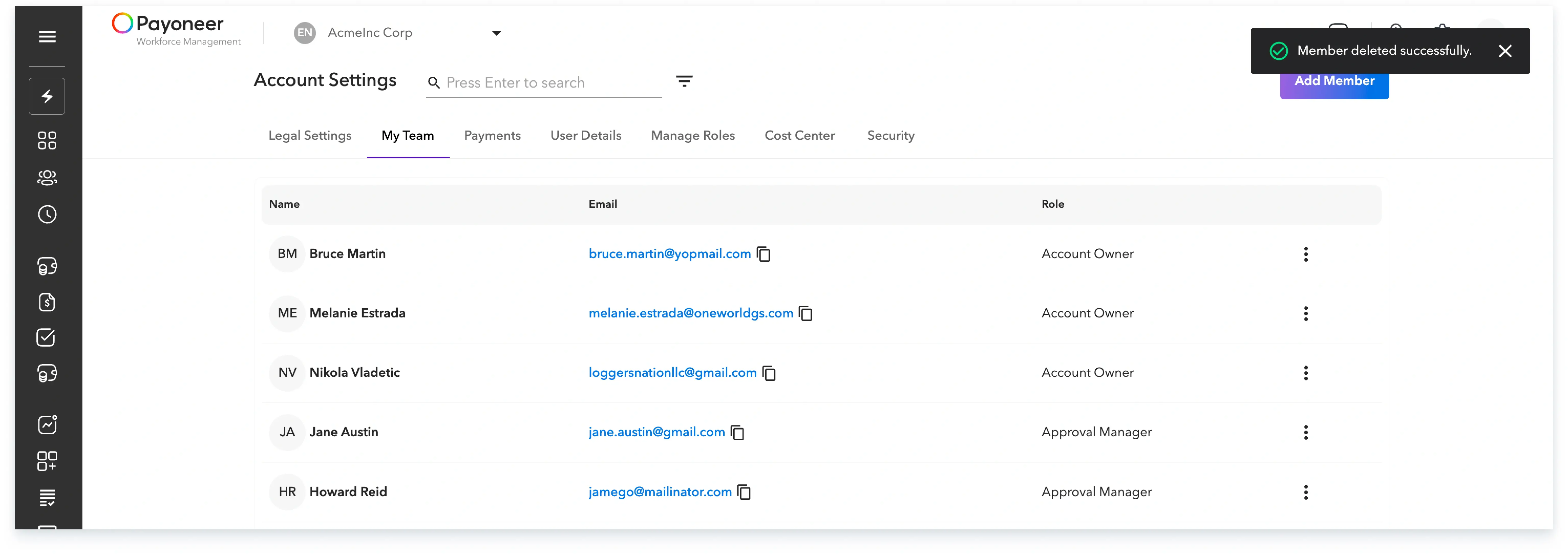
The team member will then be successfully removed from your team and will immediately lose access to the WFM platform as a team member.
Global employment, payroll, teams and expansion, simplified.
Request demo