
You can easily add a new member to your team by following these steps in the platform.
Step 1: Log into the Payoneer WFM platform.
Step 2: Navigate to "Account Settings."
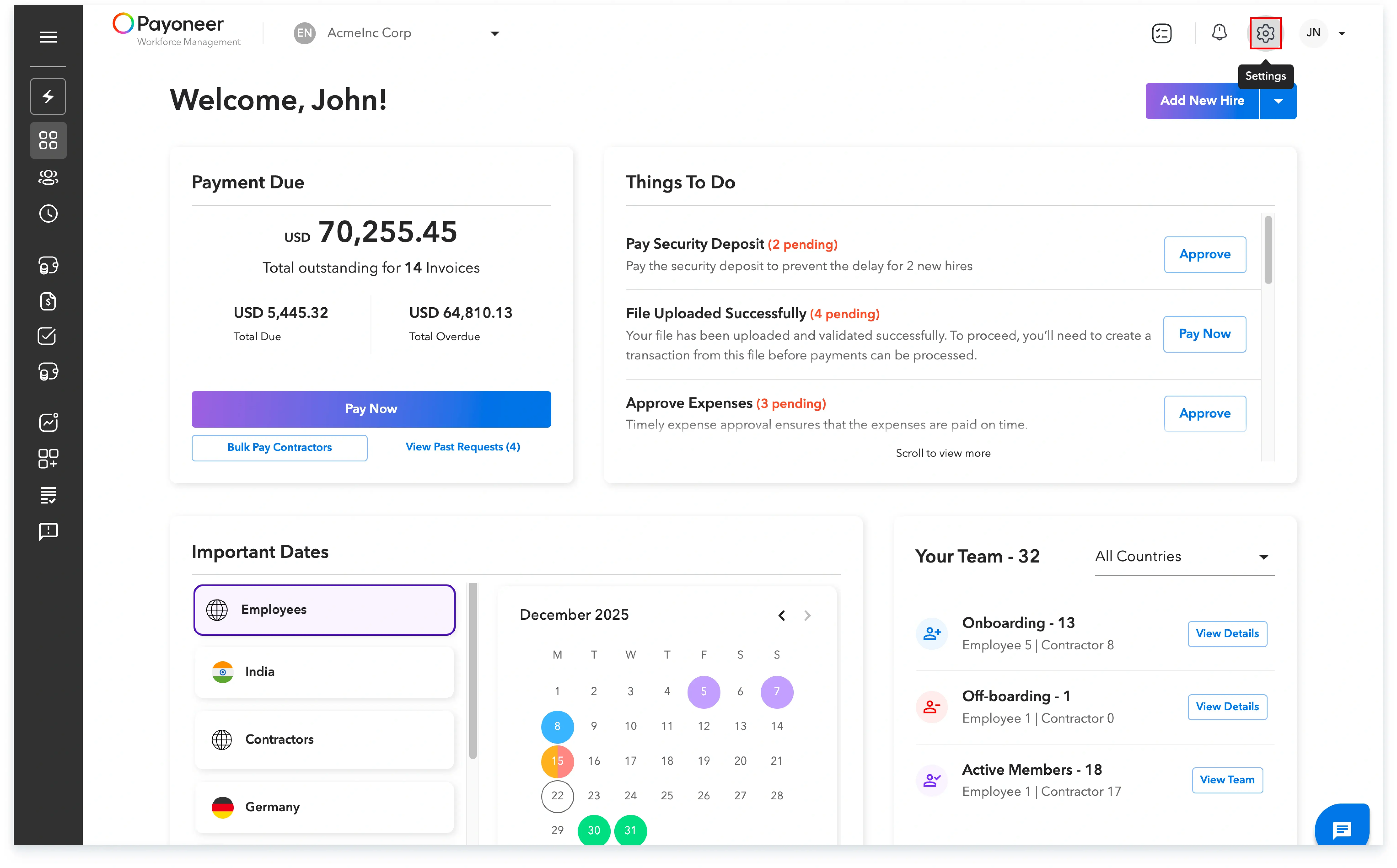
Step 3: Proceed to the "My Team" section where you can review your current team members and their respective access levels.
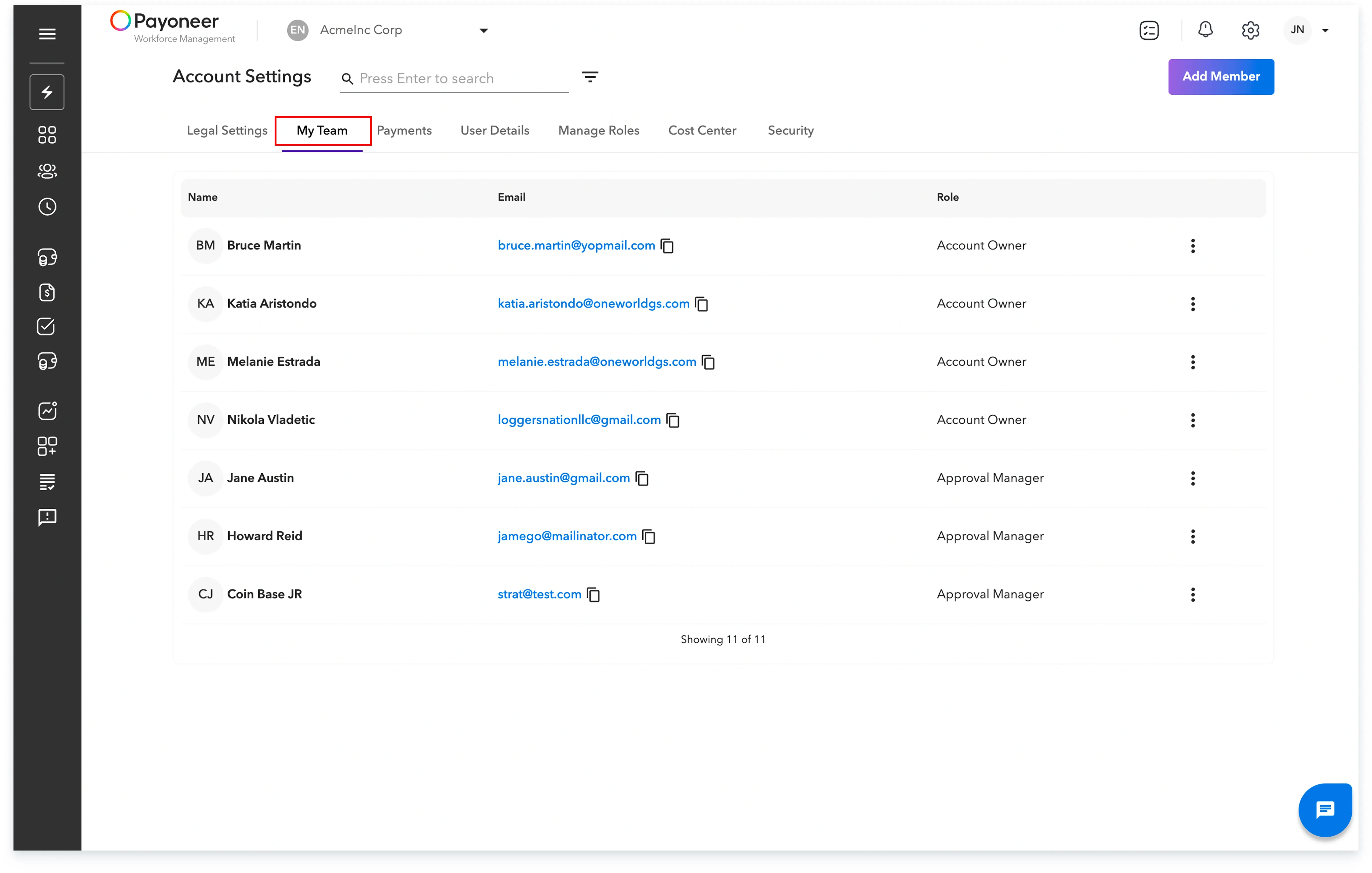
Step 4: Click the "Add Member" button located on the upper right side of the screen.

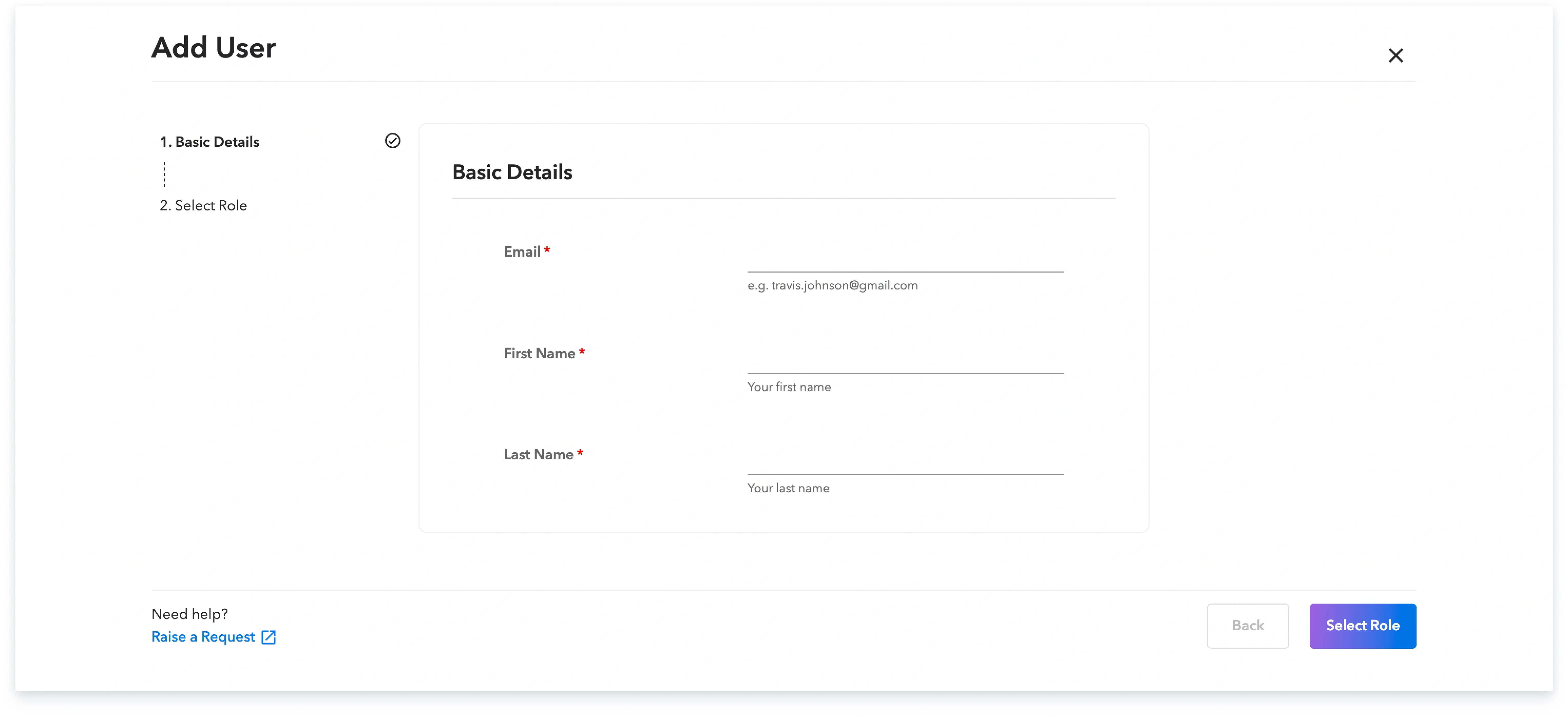
Step 5: Input the new team member's email address, first name, and last name, then click on "Select Role."
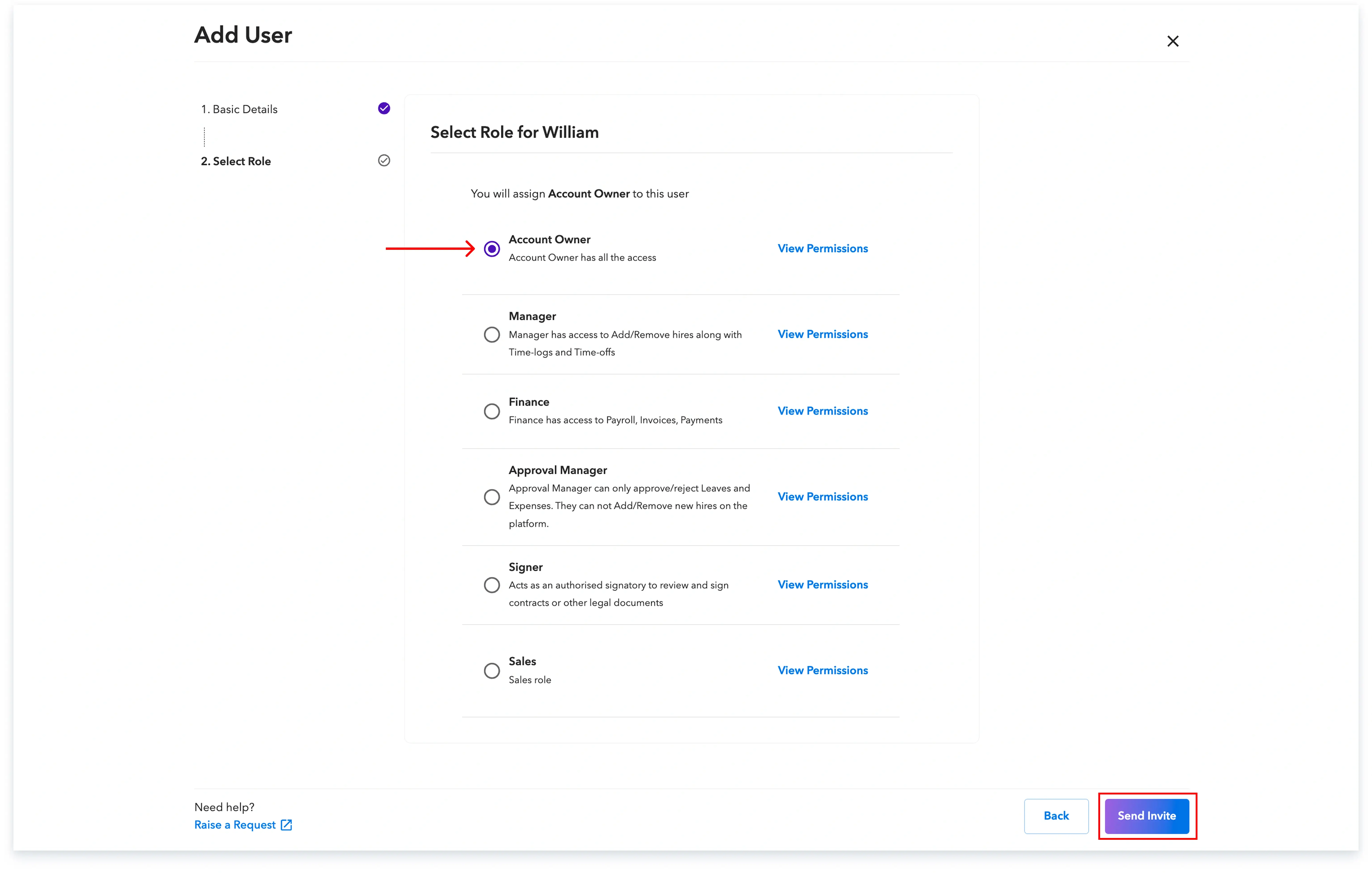
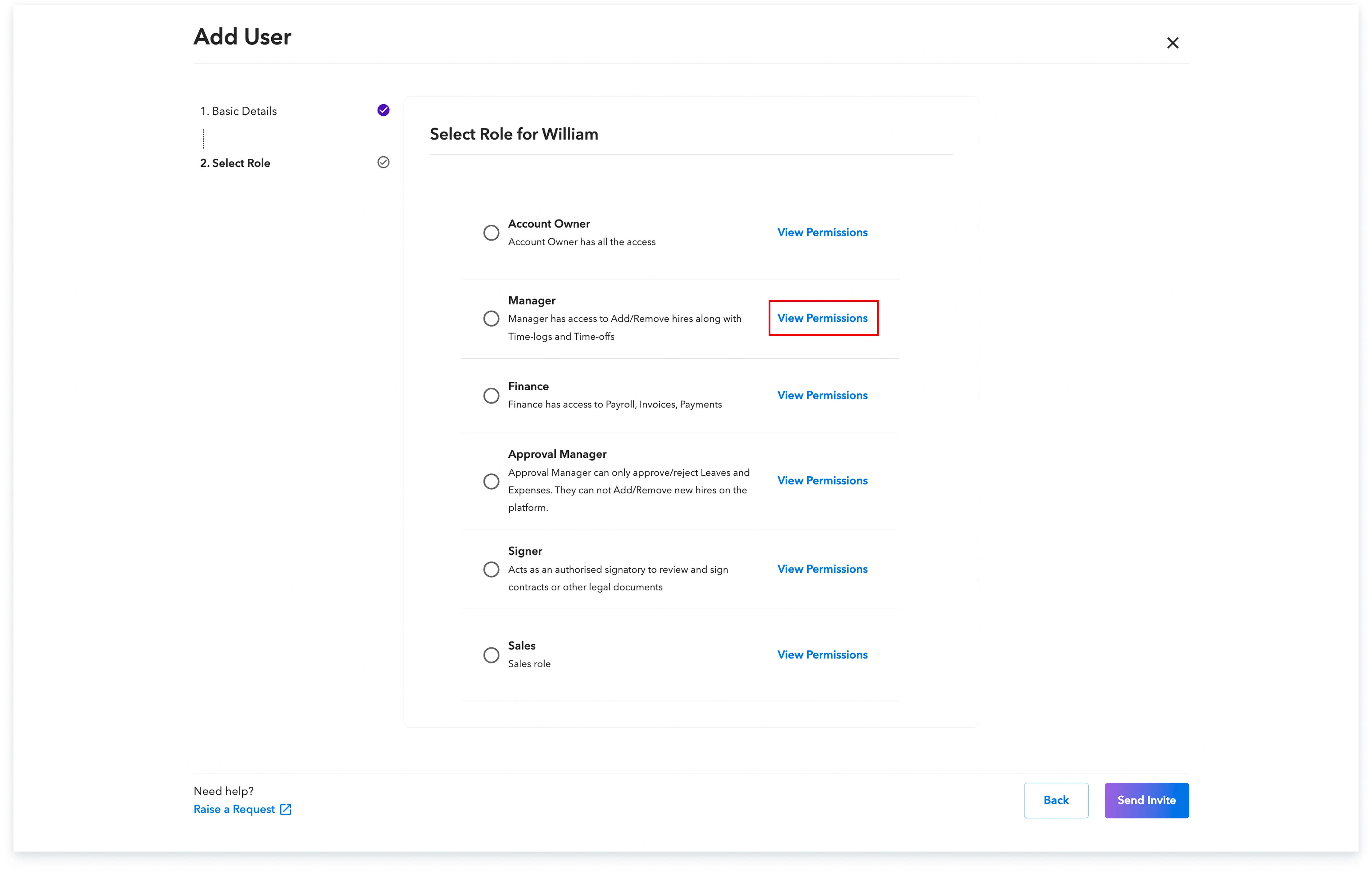
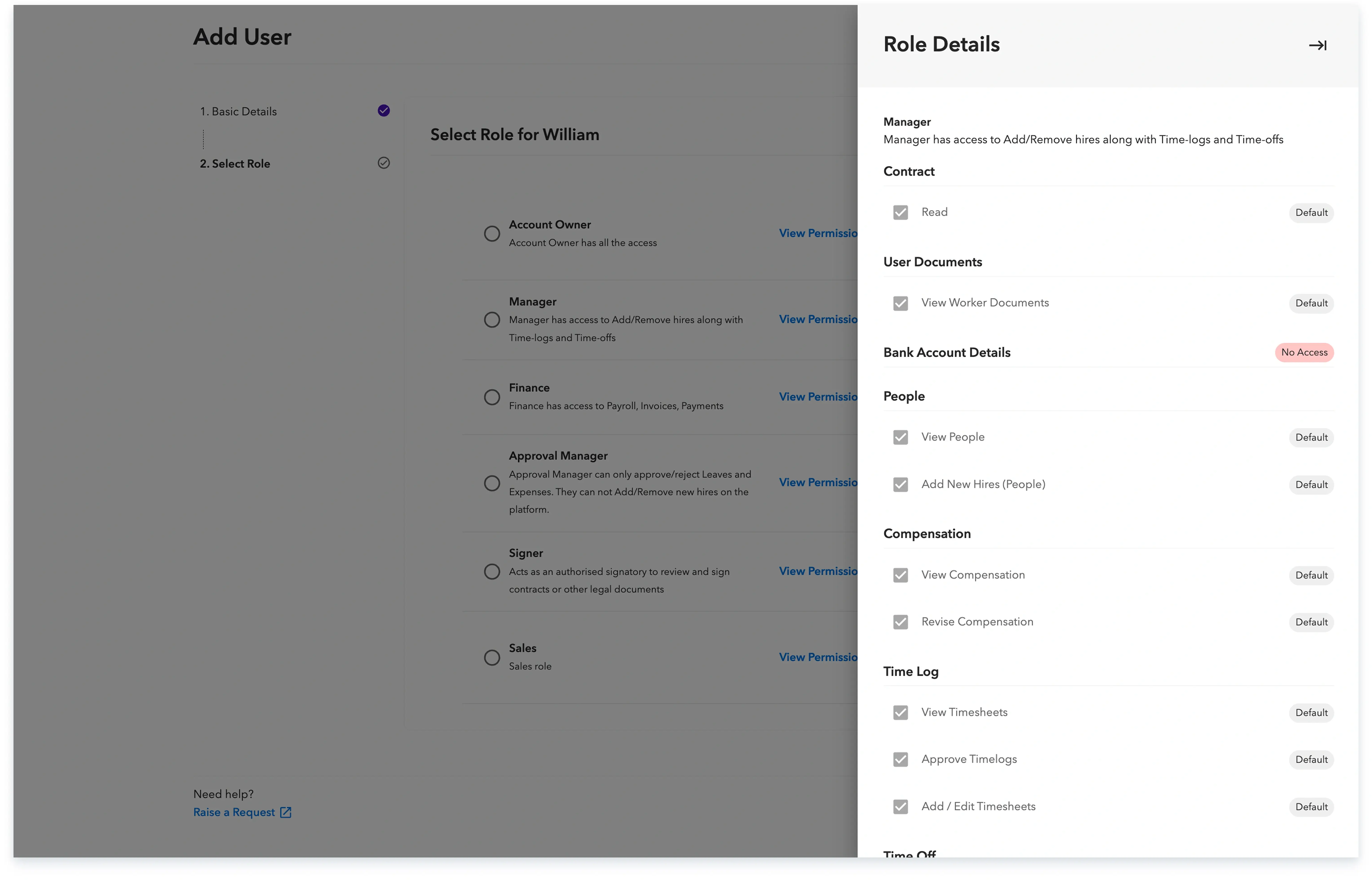
Step 6: Choose the relevant role for the new member and click "Send Invite" to complete the process. If you are unsure which role to select, you can view the specific permissions for each role by clicking "View Permissions."
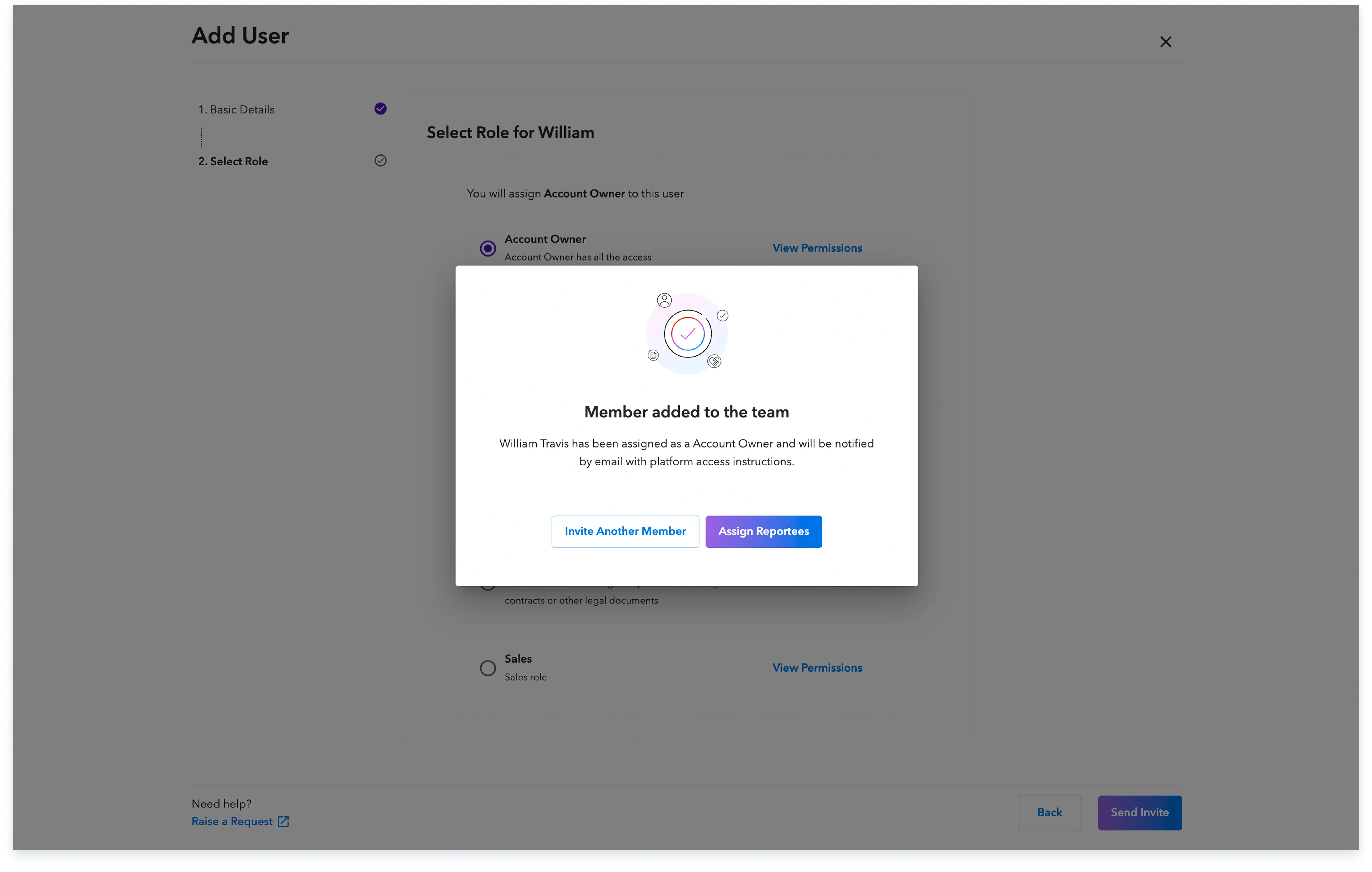
Once the invitation is successfully sent, the new team member will receive an email invitation to sign up and begin utilizing the platform.
Global employment, payroll, teams and expansion, simplified.
Request demo