
You can easily view your compensation details by navigating through your profile settings in the Payoneer WFM platform.
Step-1
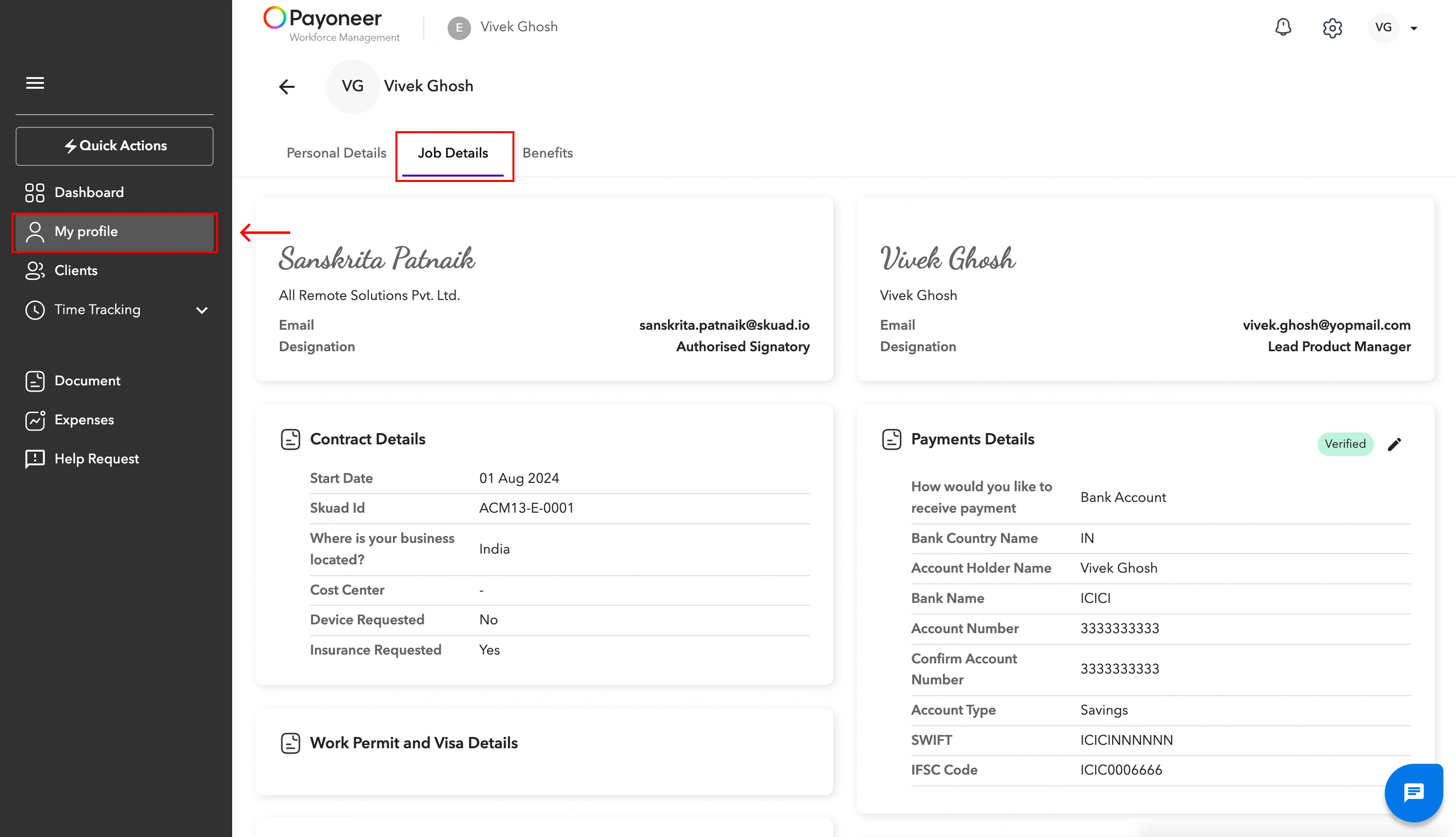
Log into the Payoneer WFM platform. Navigate to the My Profile section using the left navigation bar.
Step-2
Scroll down on the Job Details tab to locate and view your detailed compensation information.

This straightforward process ensures you always have access to your current compensation information.
Global employment, payroll, teams and expansion, simplified.
Request demo