
You can raise an invoice that has been automatically generated as a draft in the platform’s Payments Section.
Step-1:
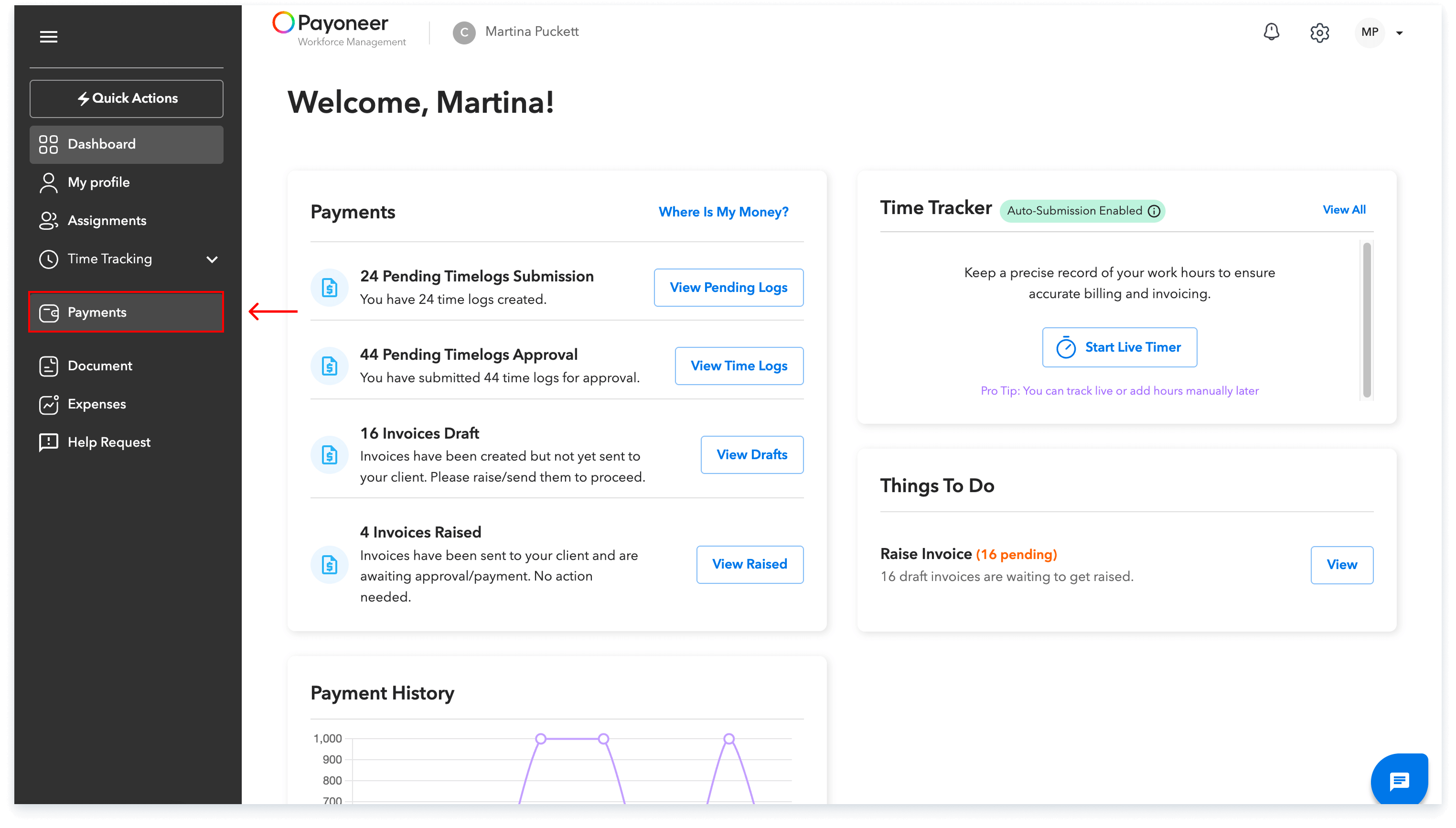
Log in to the Payoneer WFM platform and Navigate to the Payments Section.
Step-2:
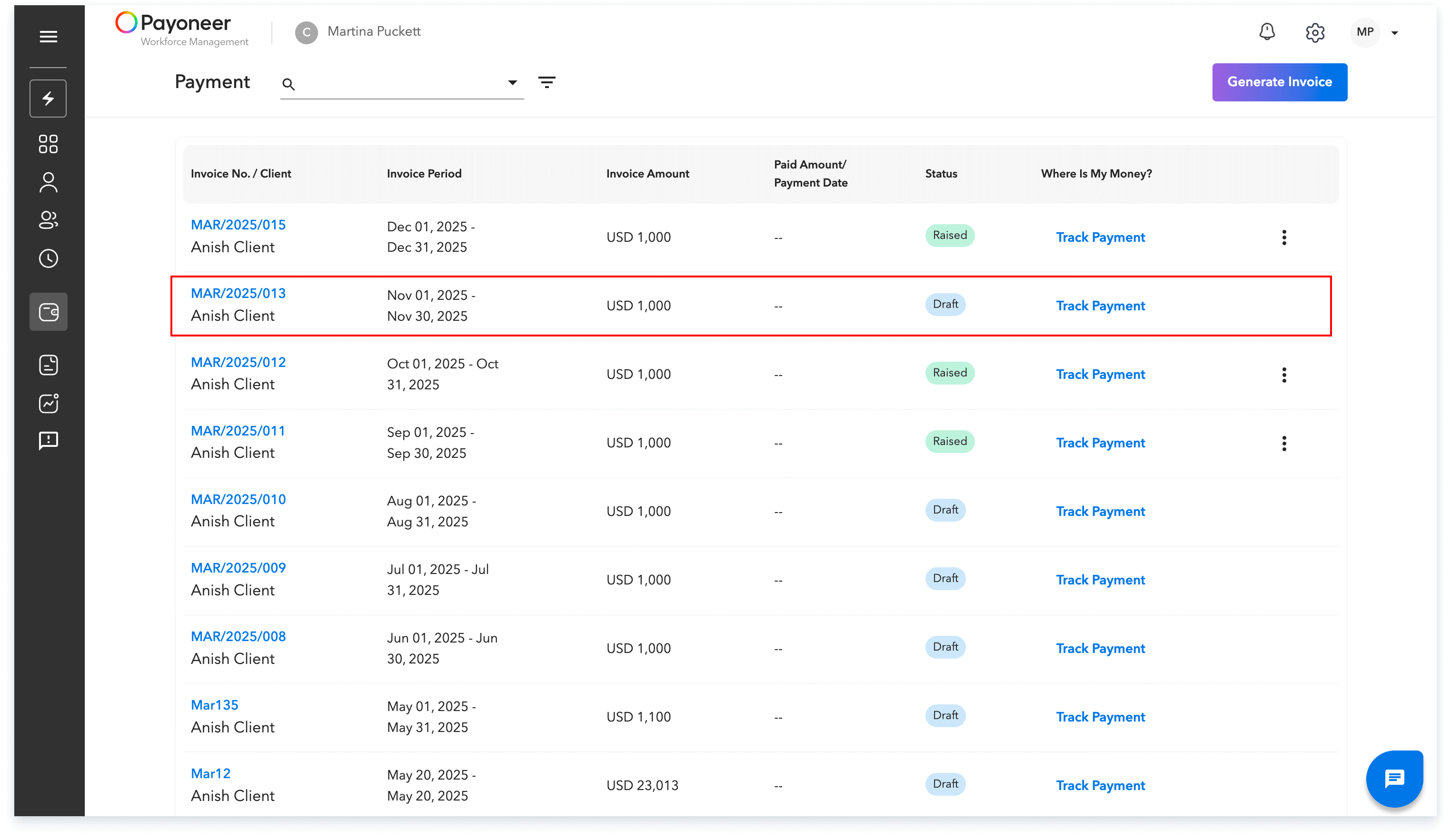
Locate the invoice that has been saved as a draft, which is generated based on your specific contract type.Click on the draft invoice to open it.
Step-3:
Within the opened invoice details, you may choose to either resync the invoice or raise the invoice directly.
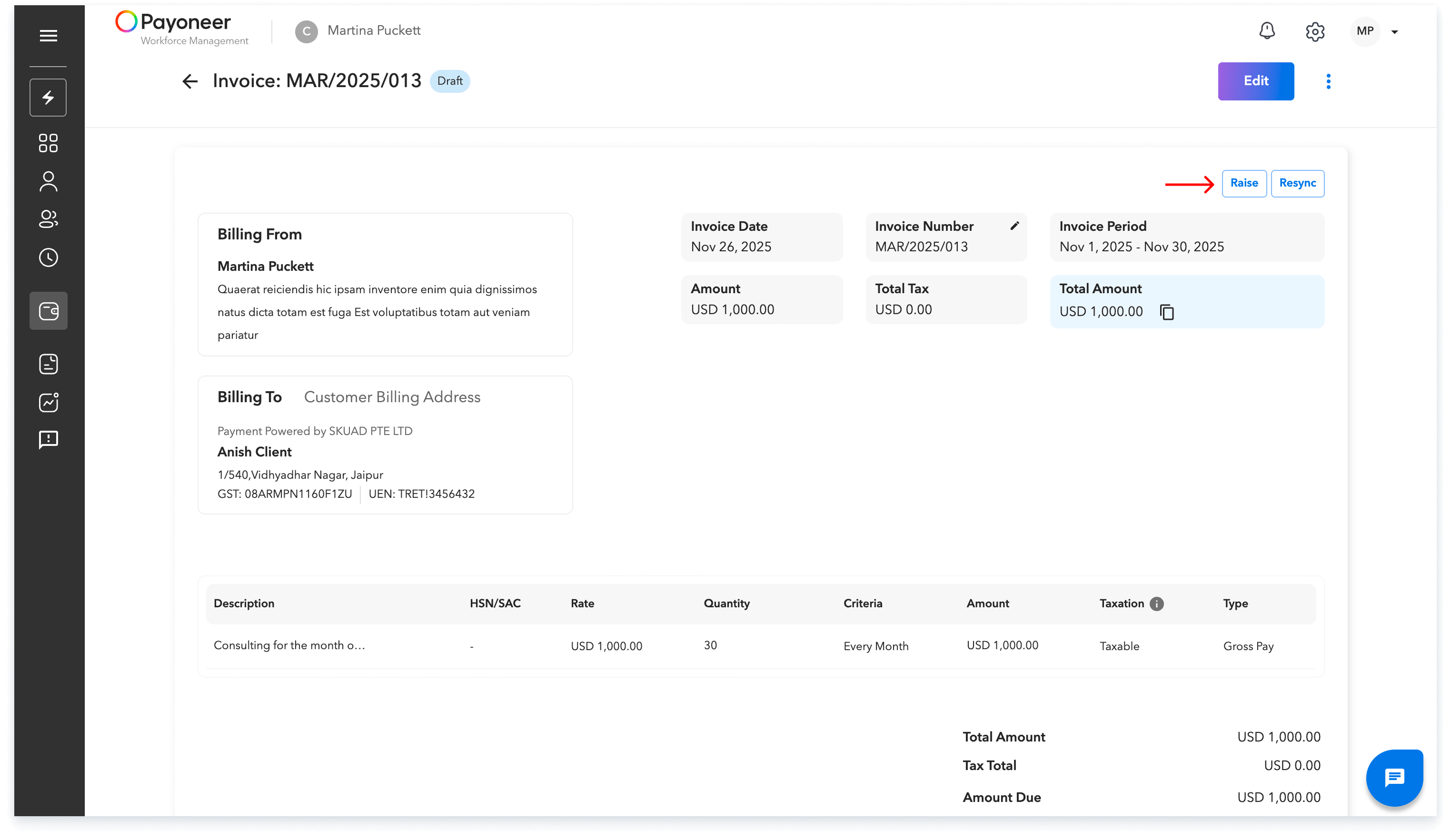
Once you have successfully raised the invoice, its status label will change to “Raised.”
Global employment, payroll, teams and expansion, simplified.
Request demo