
You can raise your own invoices as a contractor only if you are a pay as you go/ Milestone contractor type.
To raise your invoice, kindly follow the following steps:
Step-1:
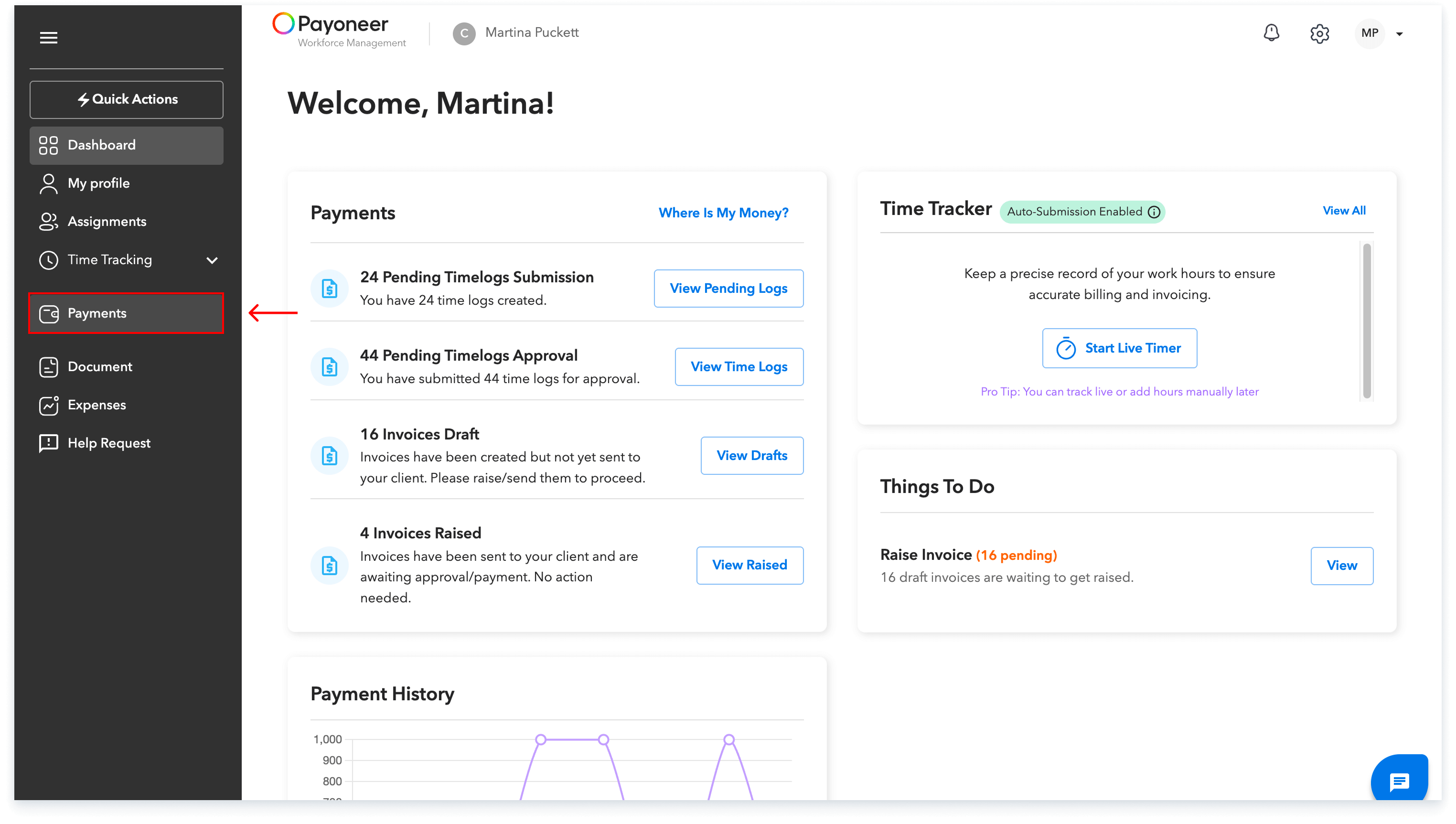
Navigate to the payments section from the navigation bar on the left.
Step-2:
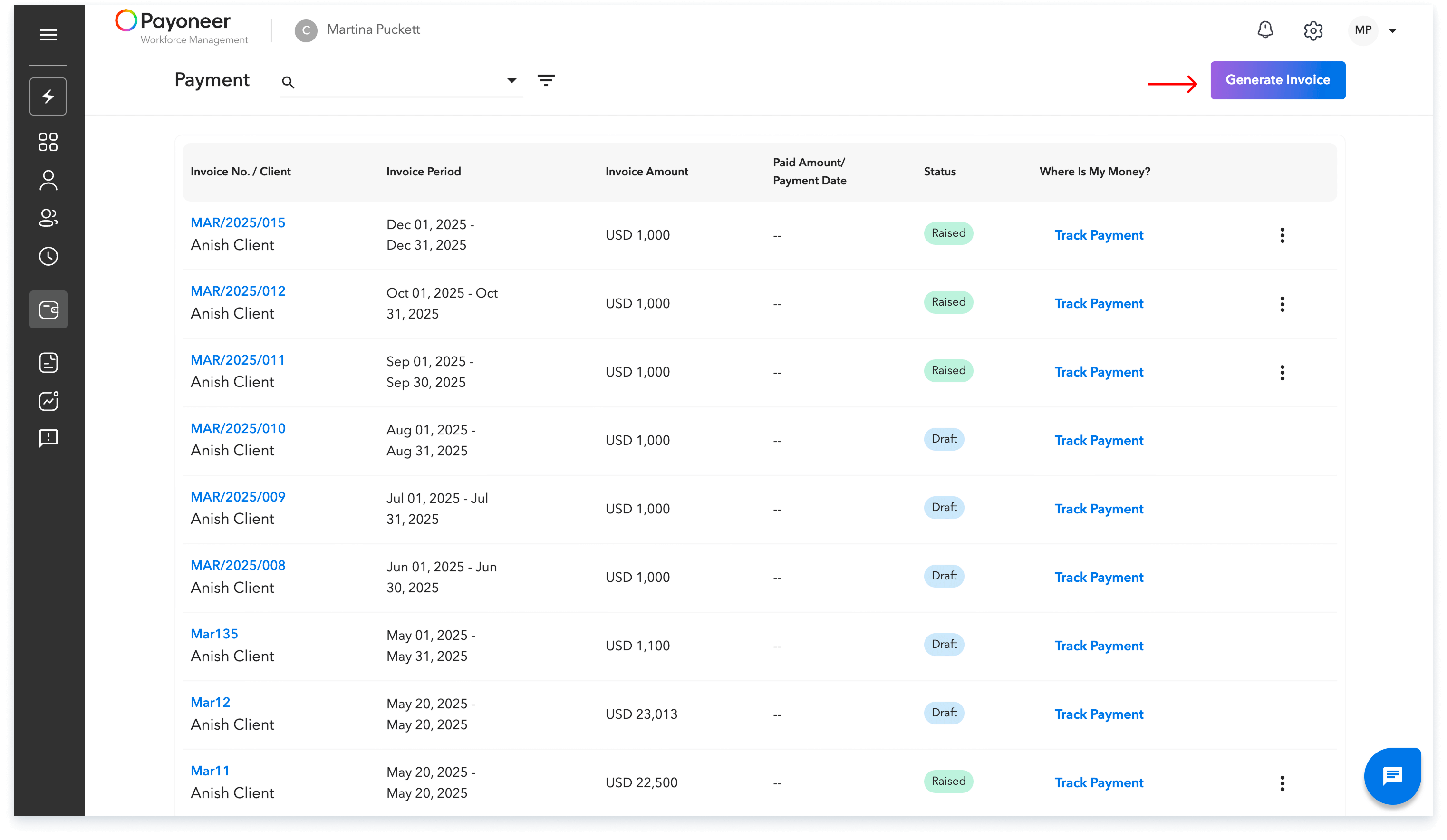
Click on generate invoice
Step-3:
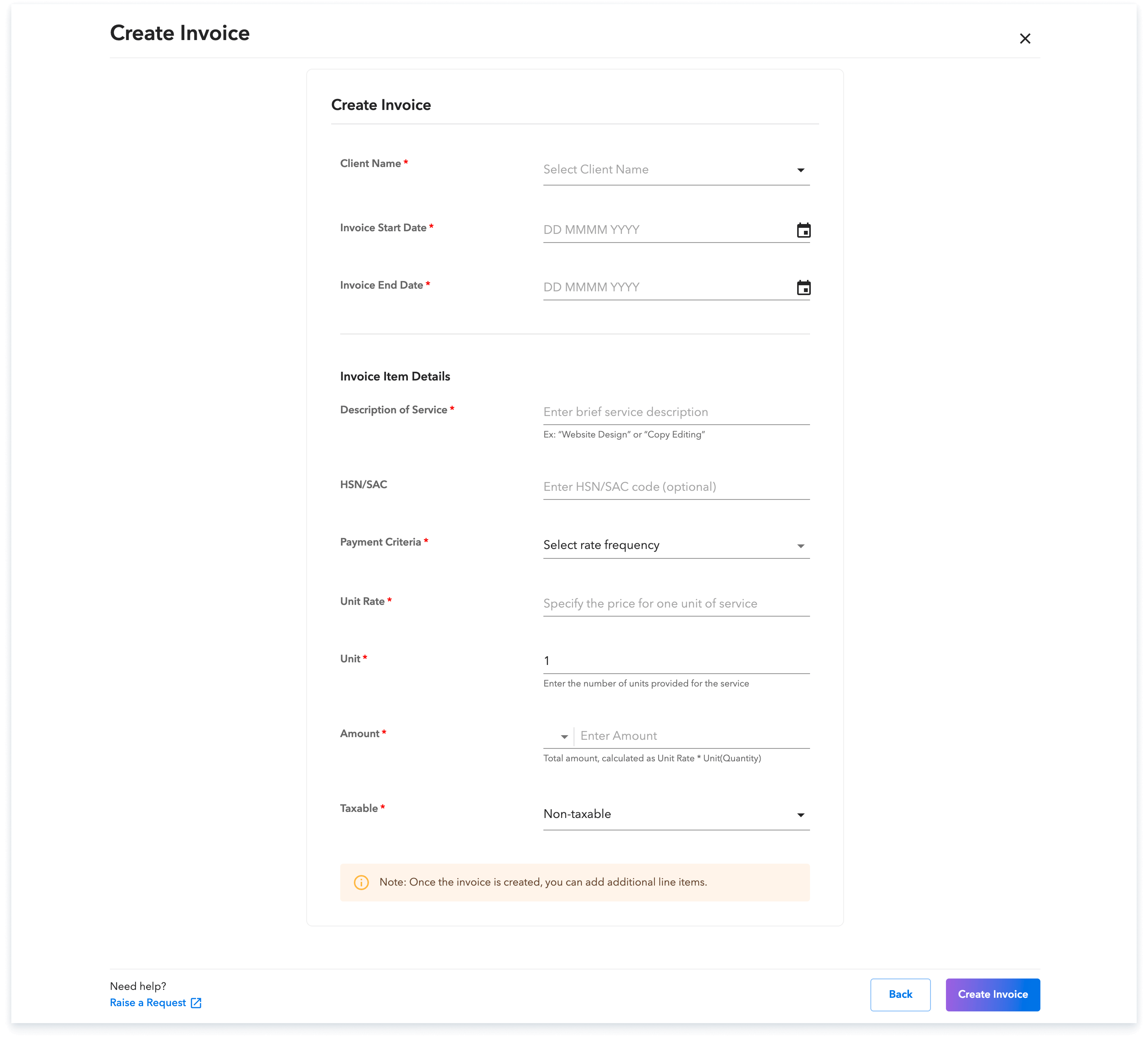
Enter all details about the invoice
Step-4:
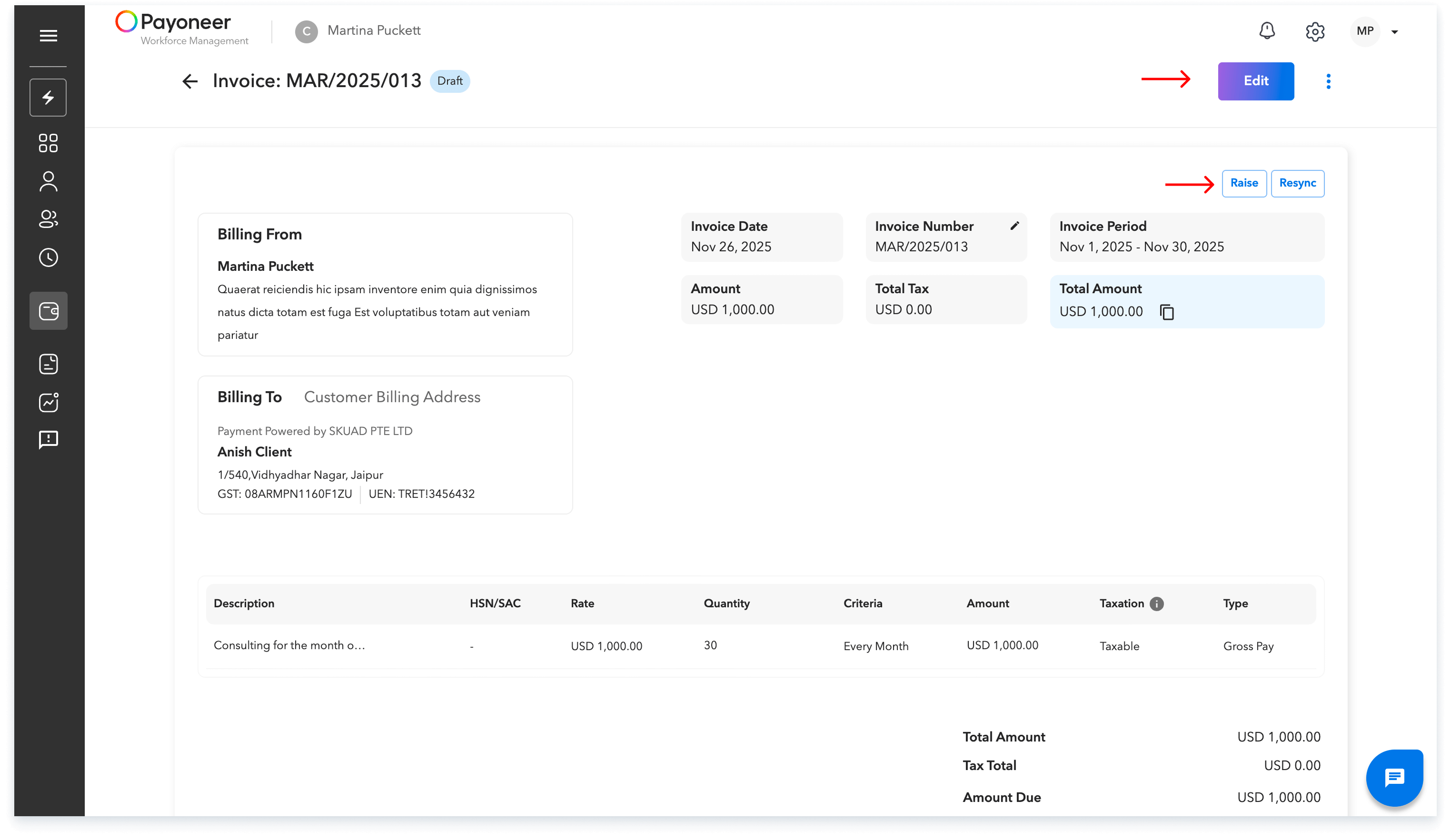
Check all details . If you need any change then click on edit, else click on raise invoice to raise it.
Step-5:
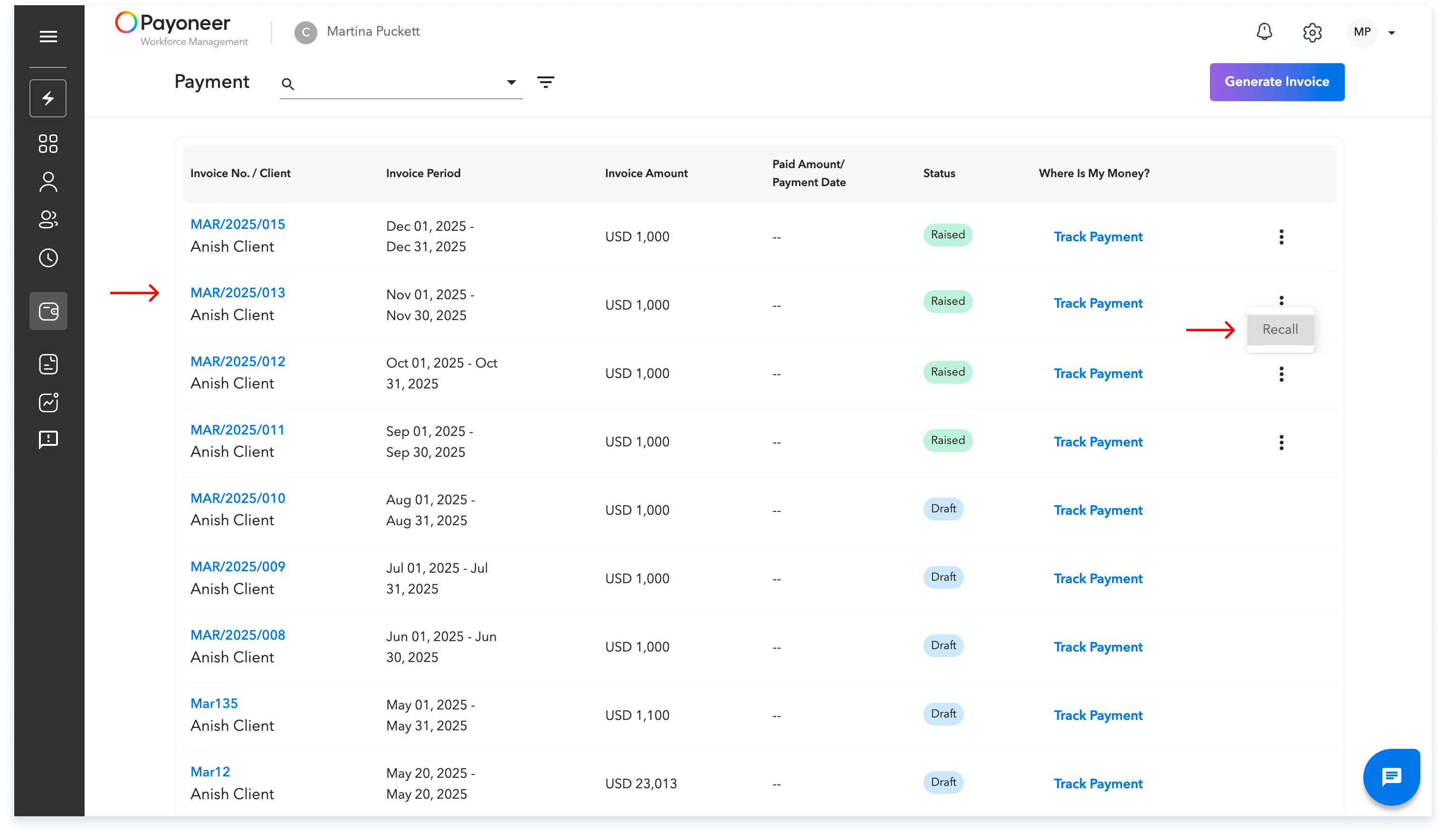
The raised invoice will now be visible under the payments module. If you wish to recall the invoice, then click on three dots and click on recall. This invoice will then be saved as draft and you can make the desired changes
Global employment, payroll, teams and expansion, simplified.
Request demo