
You can efficiently raise contractor invoices directly within the Payoneer WFM platform. The system enables you to complete this task from your end with a few steps:
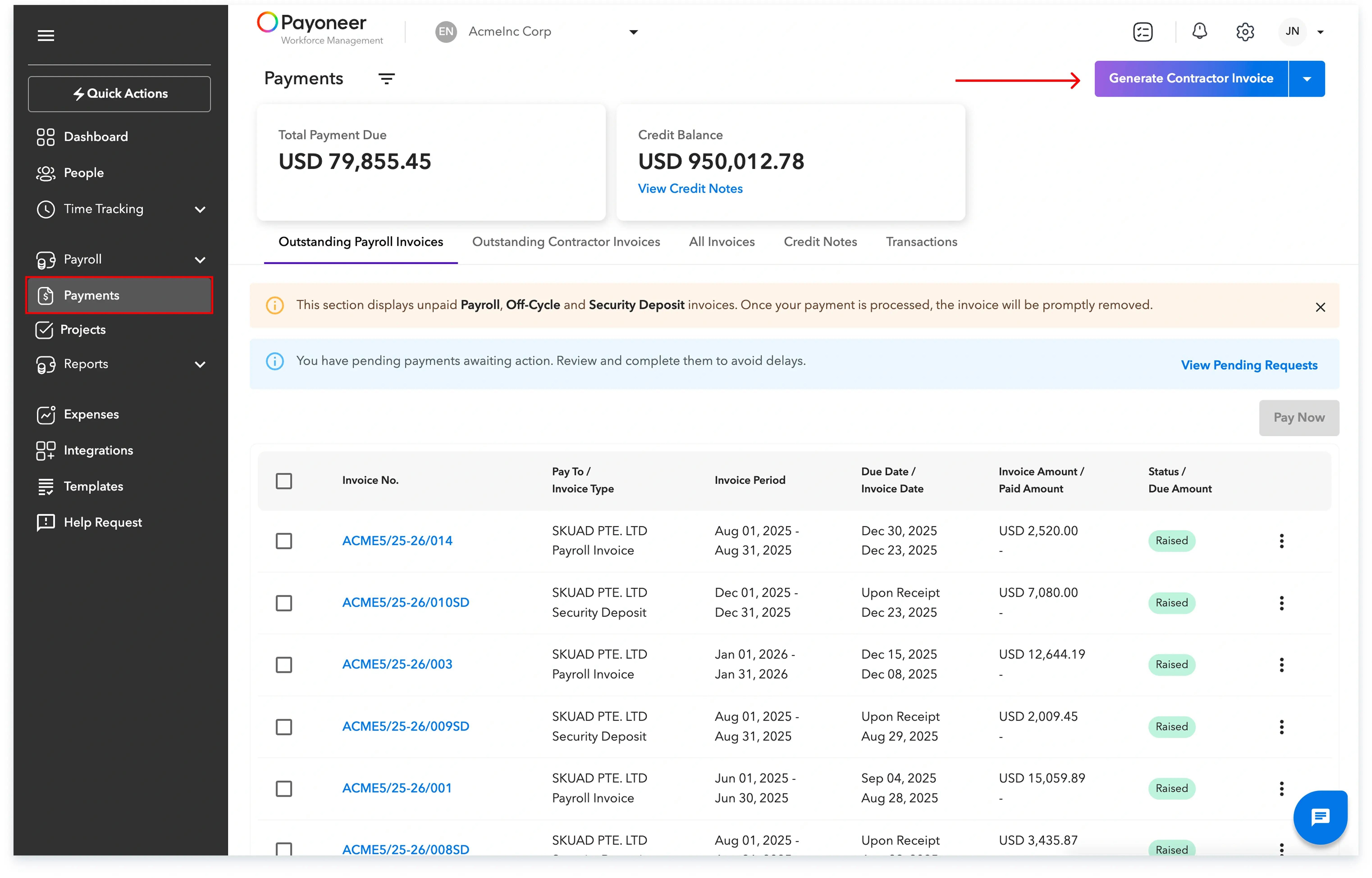
Step-1: Log in to your Payoneer WFM platform account.Navigate to the Payments tab located on the left-hand menu. Here click on Generate Contractor Invoice
Step-2: Fill in all the necessary invoice details as prompted and create Invoice

Following these simple steps allows you to manage and raise contractor invoices directly from your account.
Global employment, payroll, teams and expansion, simplified.
Request demo