
You can easily approve a contractor invoice by following these specific steps within the platform.
Step-1: Log into the Payoneer WFM platform. Navigate to Outstanding Contractor Invoices under the Payments Section.
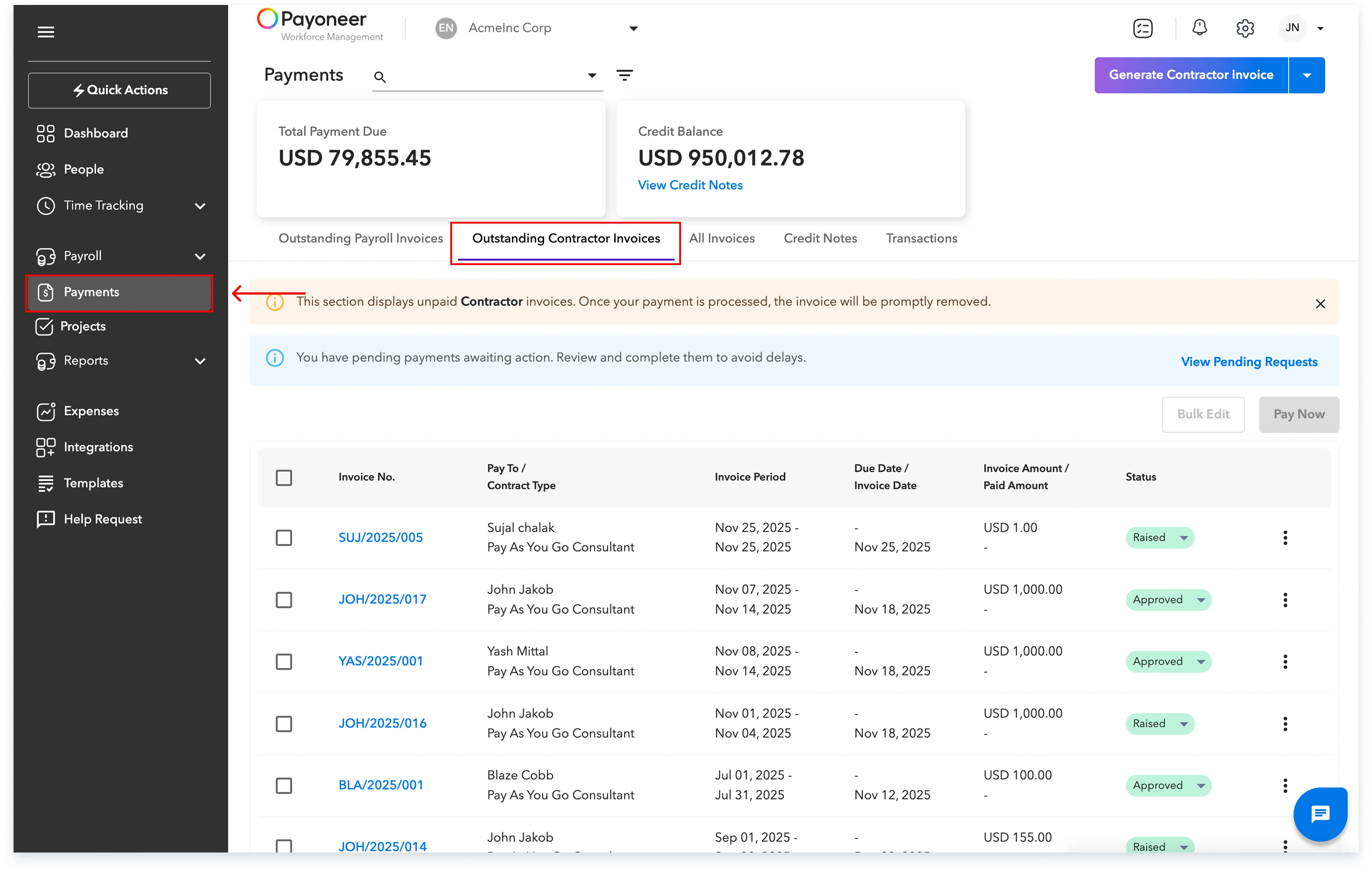
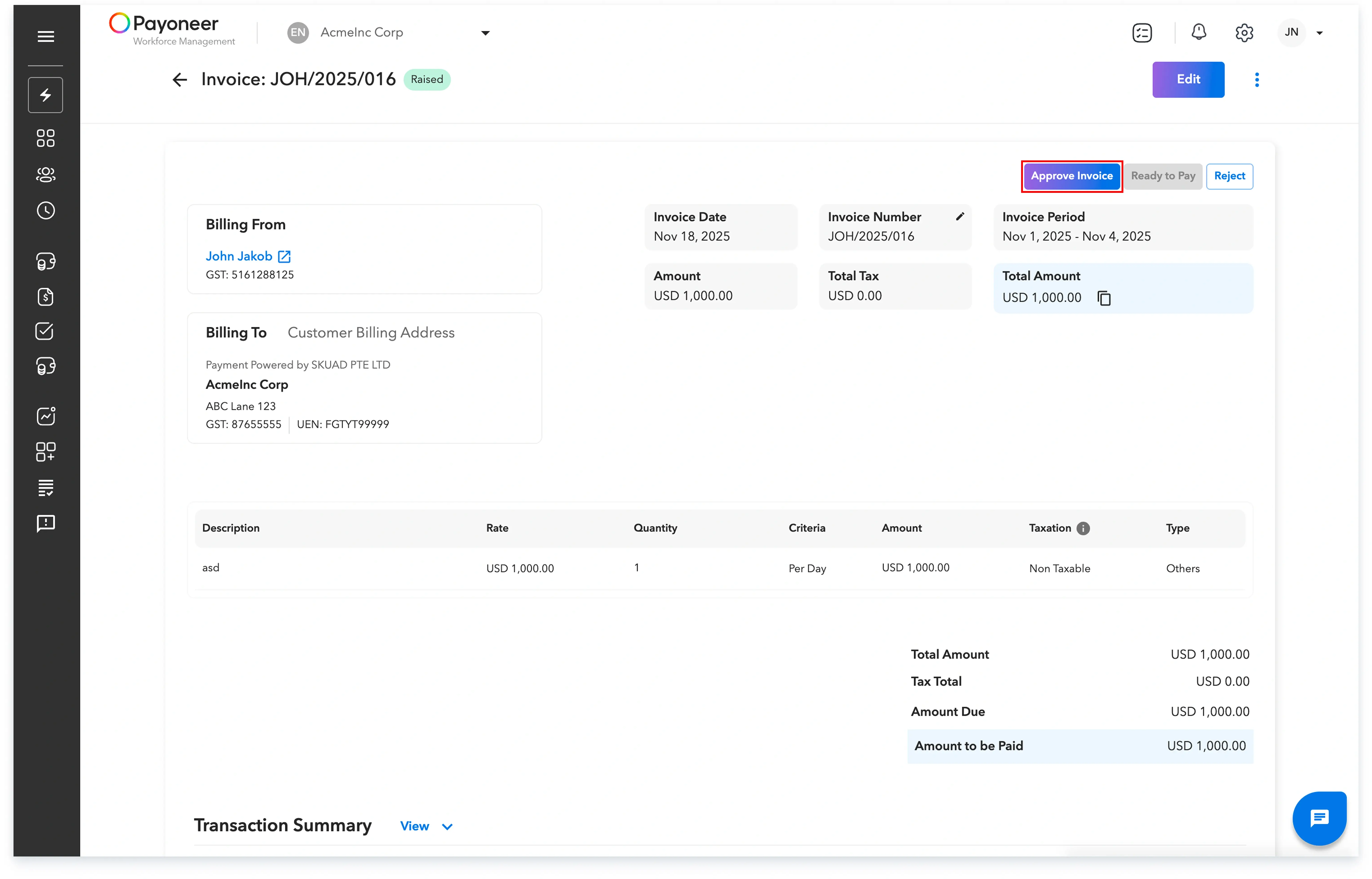
Step-2: Select any invoice that currently has the status 'Raised'.Carefully go through the details of the invoice and click on Approve Invoice located on the top right of the screen.
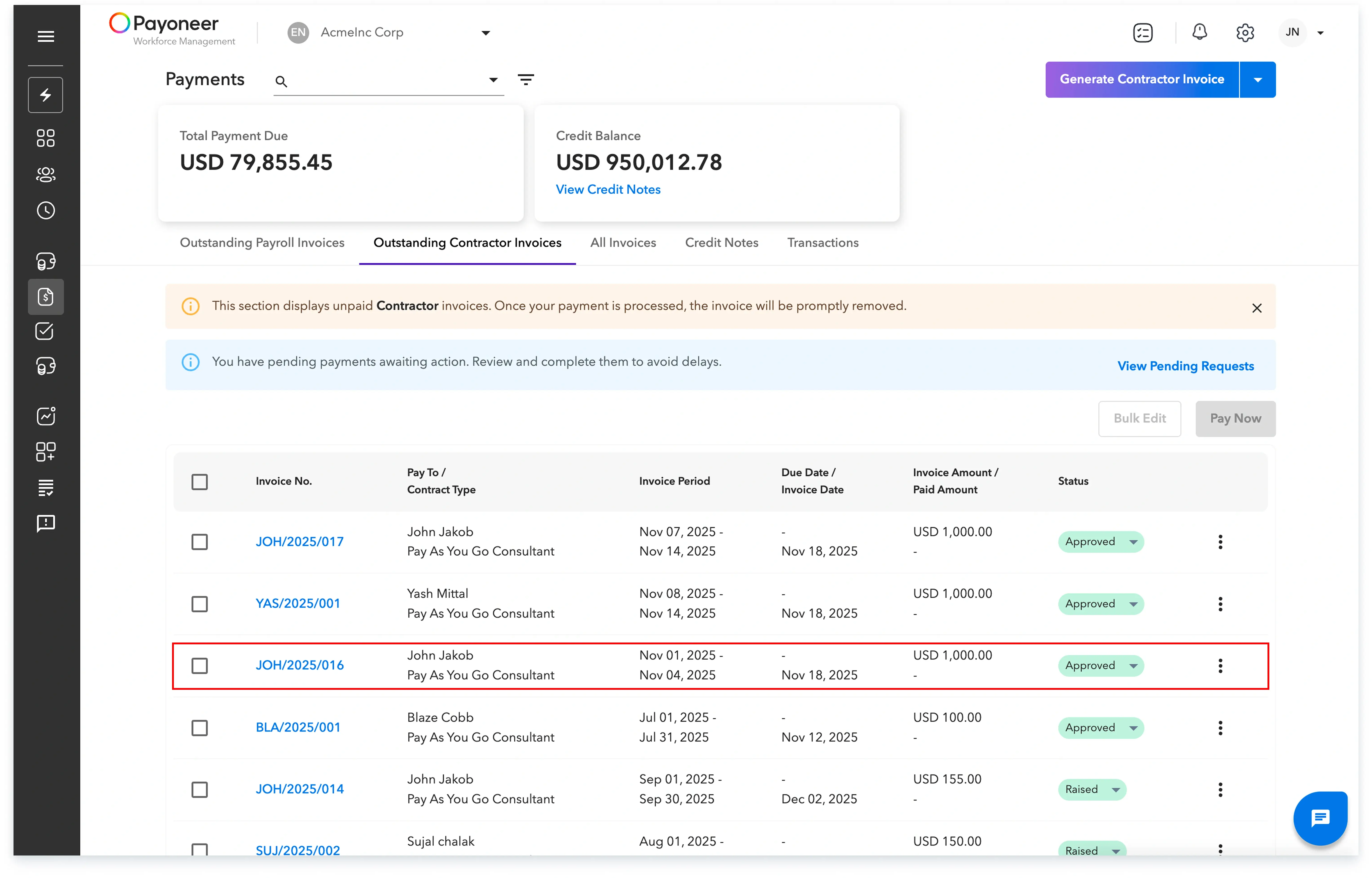
Upon completing these steps, the invoice will be successfully approved and will display the new status: Approved.
Global employment, payroll, teams and expansion, simplified.
Request demo