
You can conveniently process your contractor payments through a few straightforward steps within the platform.
Step-1: Log into your Payoneer WFM platform account. Navigate to the Outstanding Contractor Invoices section in the Payments area.
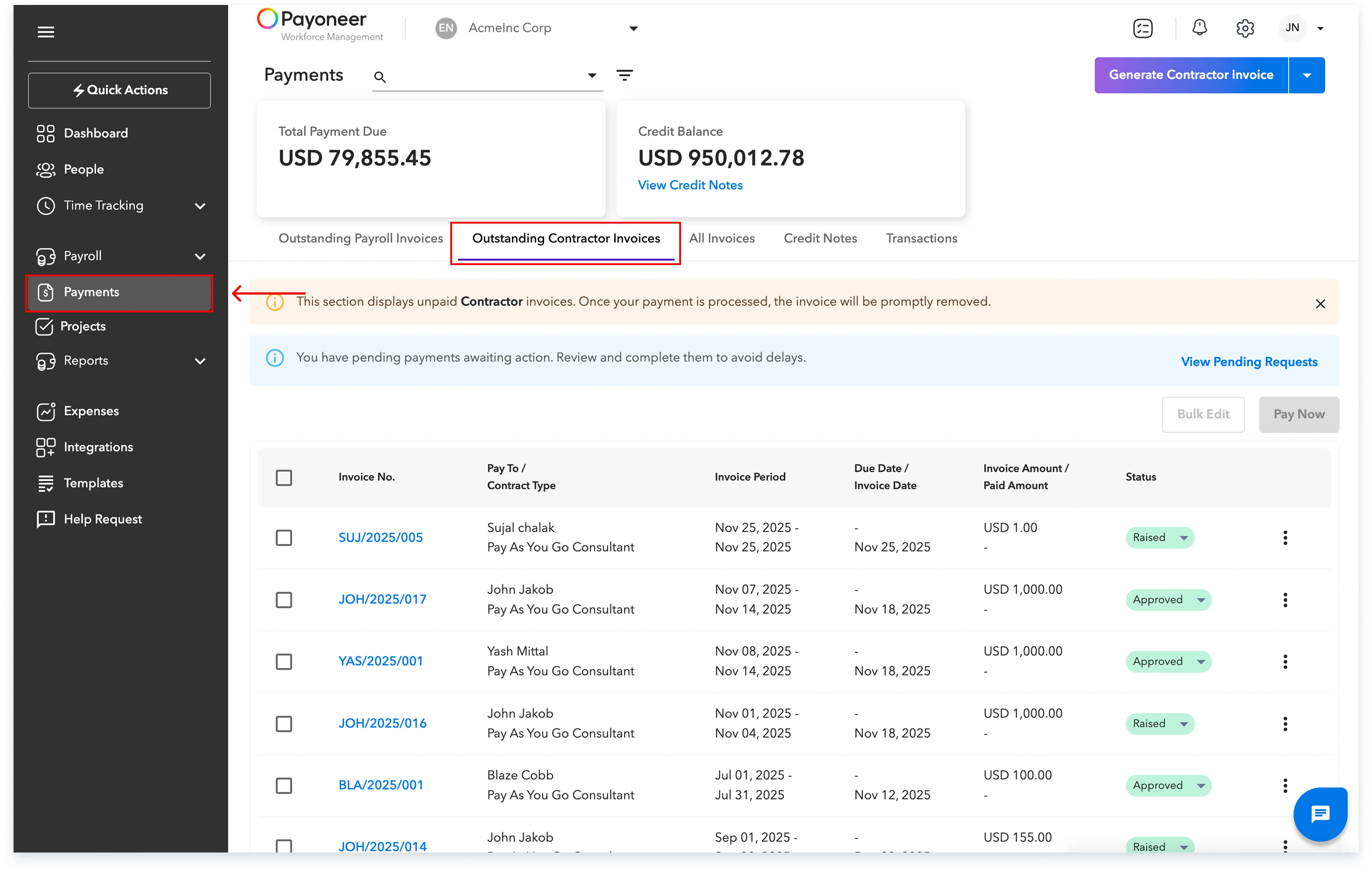
Step-2: Select the specific contractor invoices you wish to pay and click on the Pay Now option.

Step-3: Review the invoice summary, and then click on Choose Credit notes.
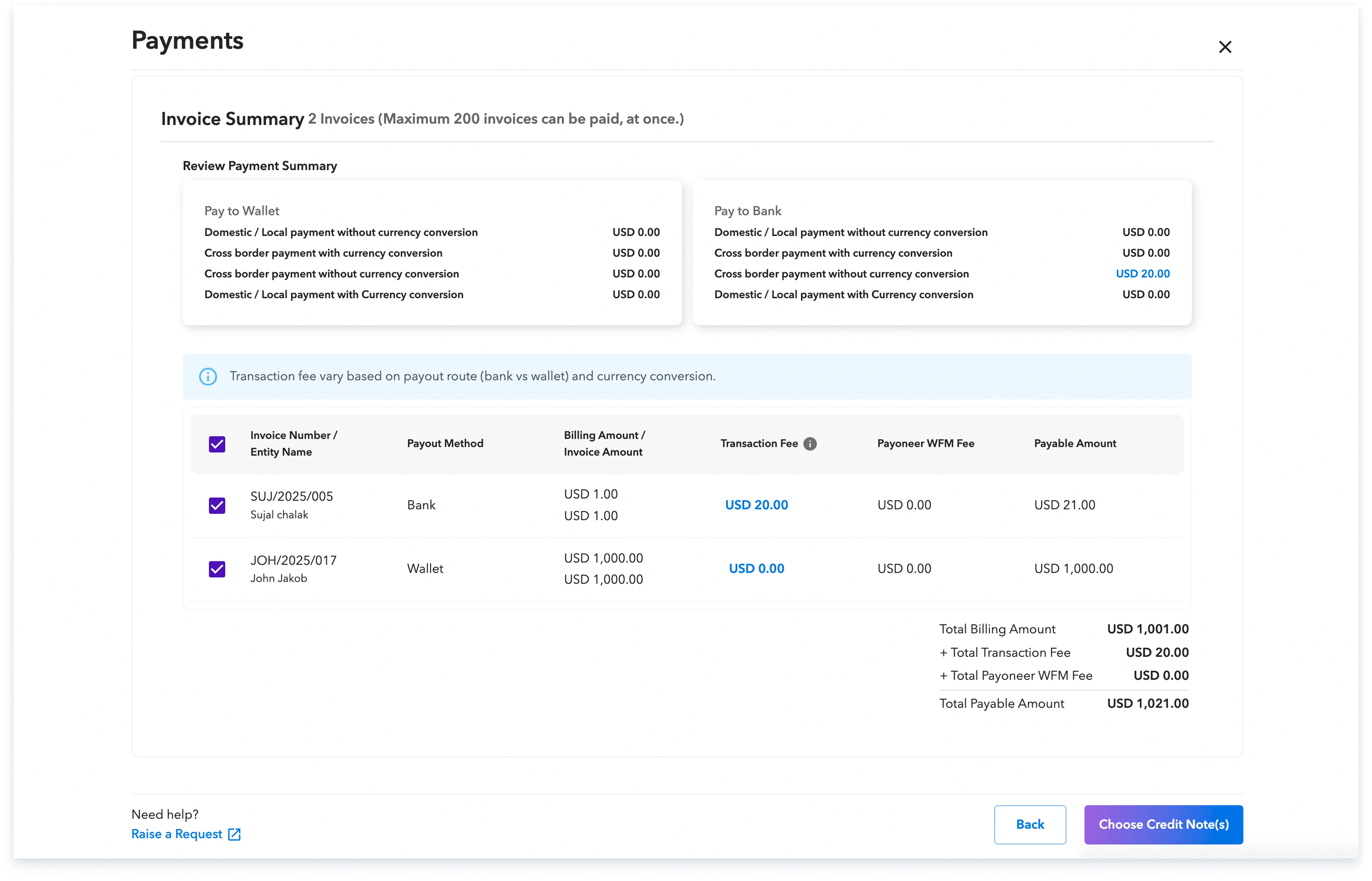
Step-4: Select any available credit notes if you intend to utilize them to adjust the payable amount.

If the payable amount is not fully covered by credit notes, or if you choose to pay the entire amount, select your preferred Payment Method.
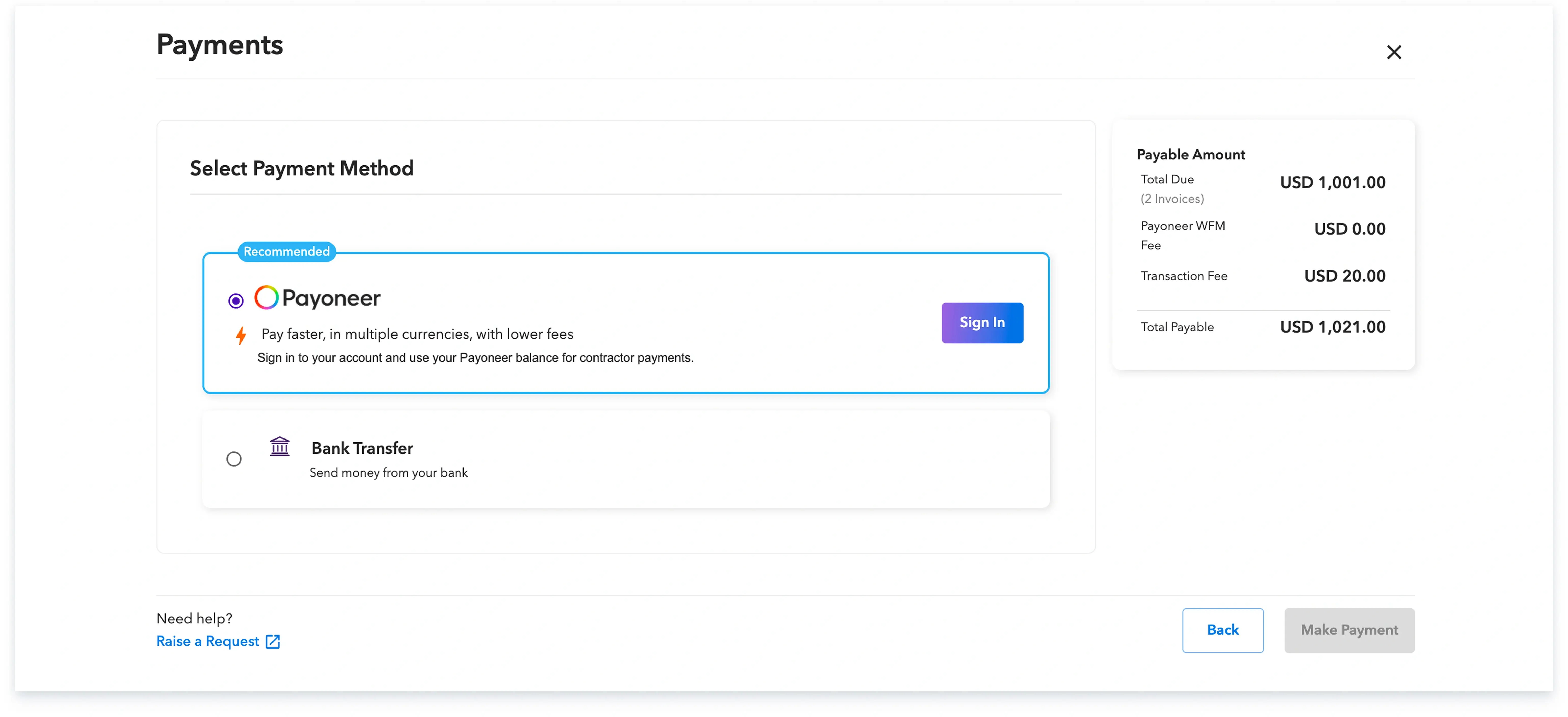
If you select Bank Transfer, the platform will display the account details for you to complete the transaction. Once the transaction is finalized, you must confirm the payment on the platform.
Alternatively, if you select Payoneer as a payment method, you can proceed by logging into your payoneer account to make the payment. The status of the invoice will change to Paid once the funds have been successfully received. By following these steps, you can ensure your contractors are paid accurately and efficiently.
Global employment, payroll, teams and expansion, simplified.
Request demo