
Uploading other documents to your profile is a straightforward process within the platform.
Step-1:
Log into the Payoneer WFM platform.
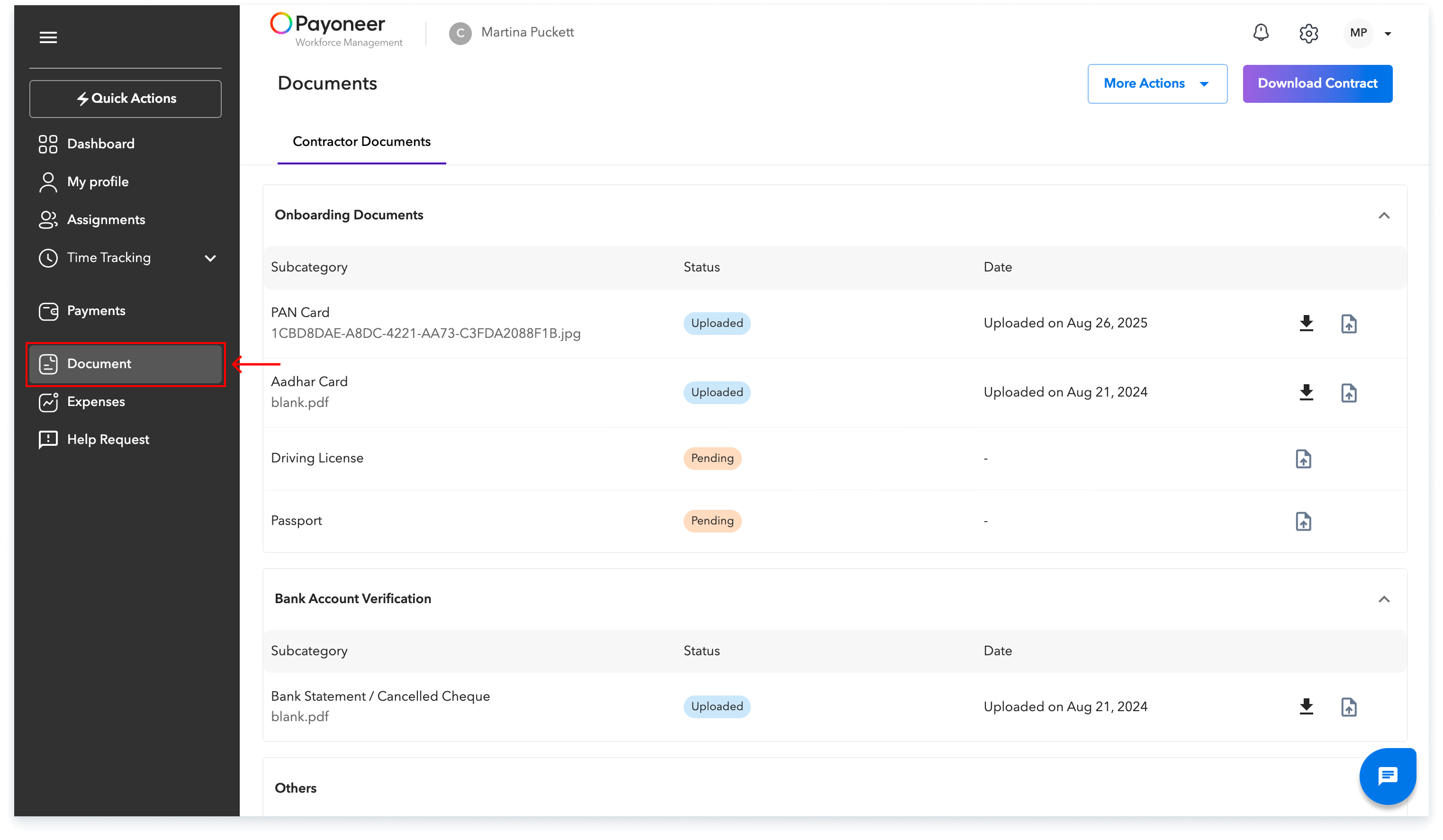
Navigate to the Documents section using the left navigation bar.
Step-2:
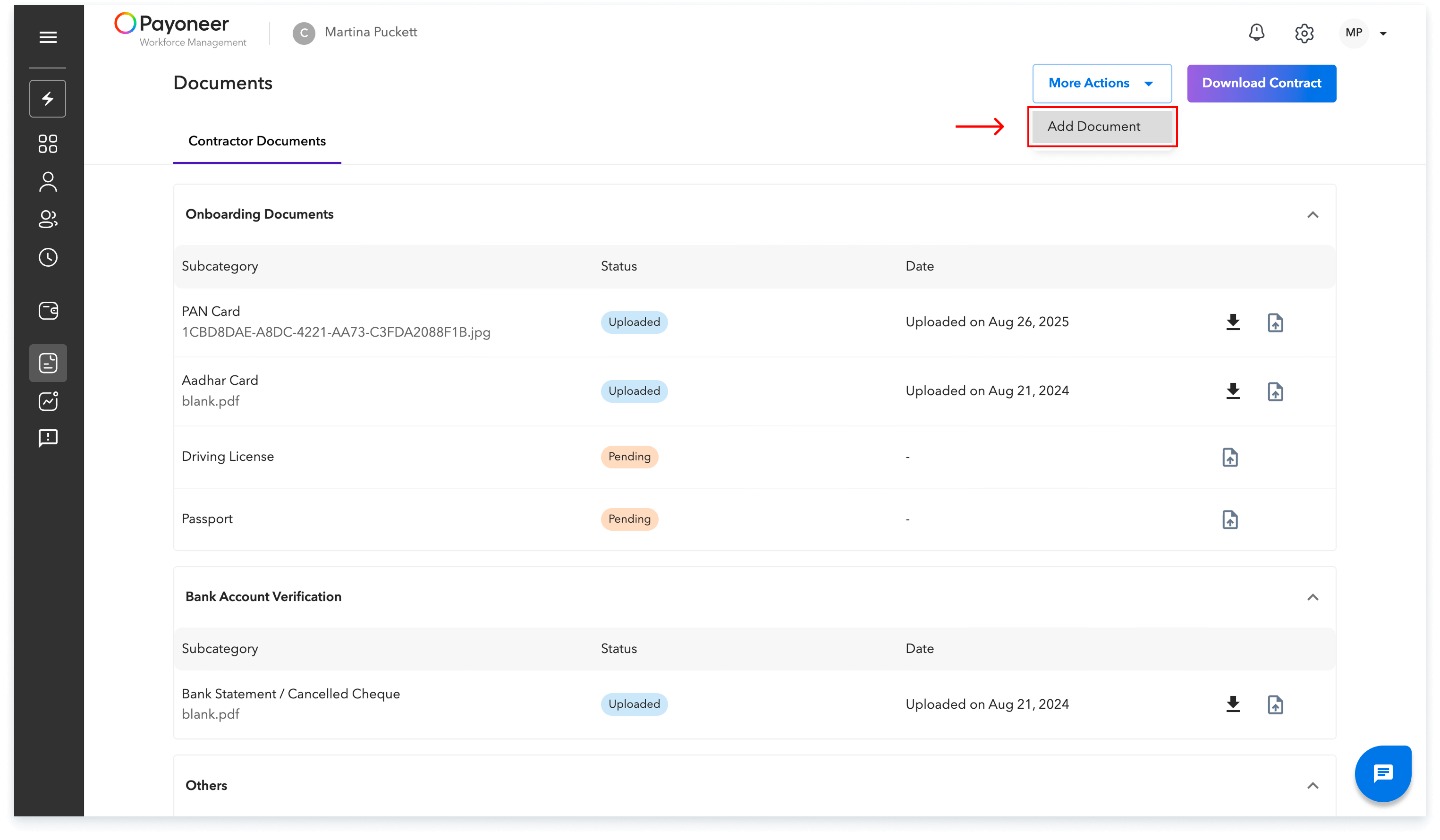
Click on More Actions located on the top right of the screen and Select Add documents from the dropdown.
Step-3:
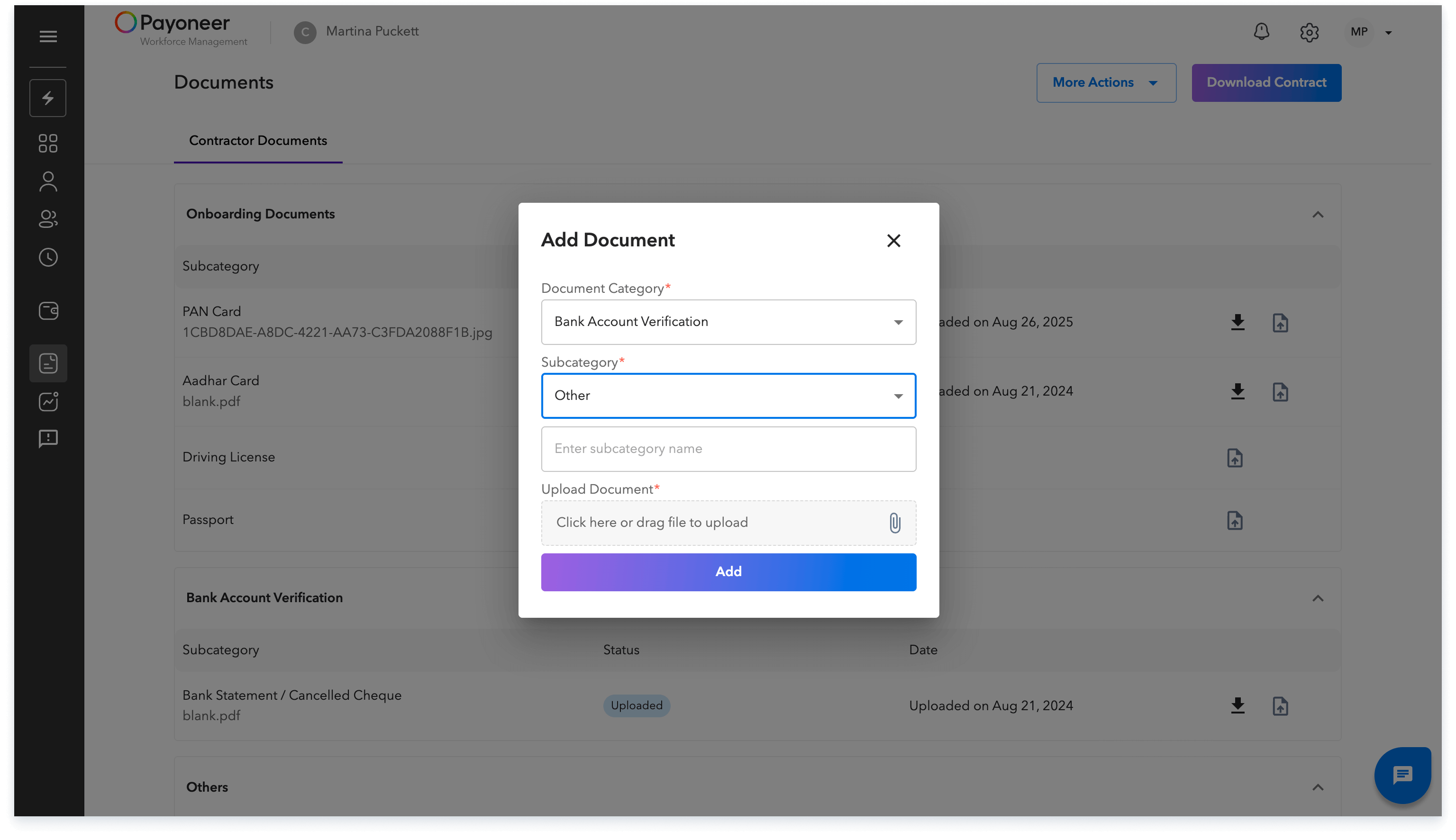
Choose the relevant category and sub-category for your document and Upload your file.
Your uploaded document will now be visible under the Documents section for your review.
Global employment, payroll, teams and expansion, simplified.
Request demo