
You can easily upload or update your Onboarding documents by following a few simple steps within the platform.
Step-1:
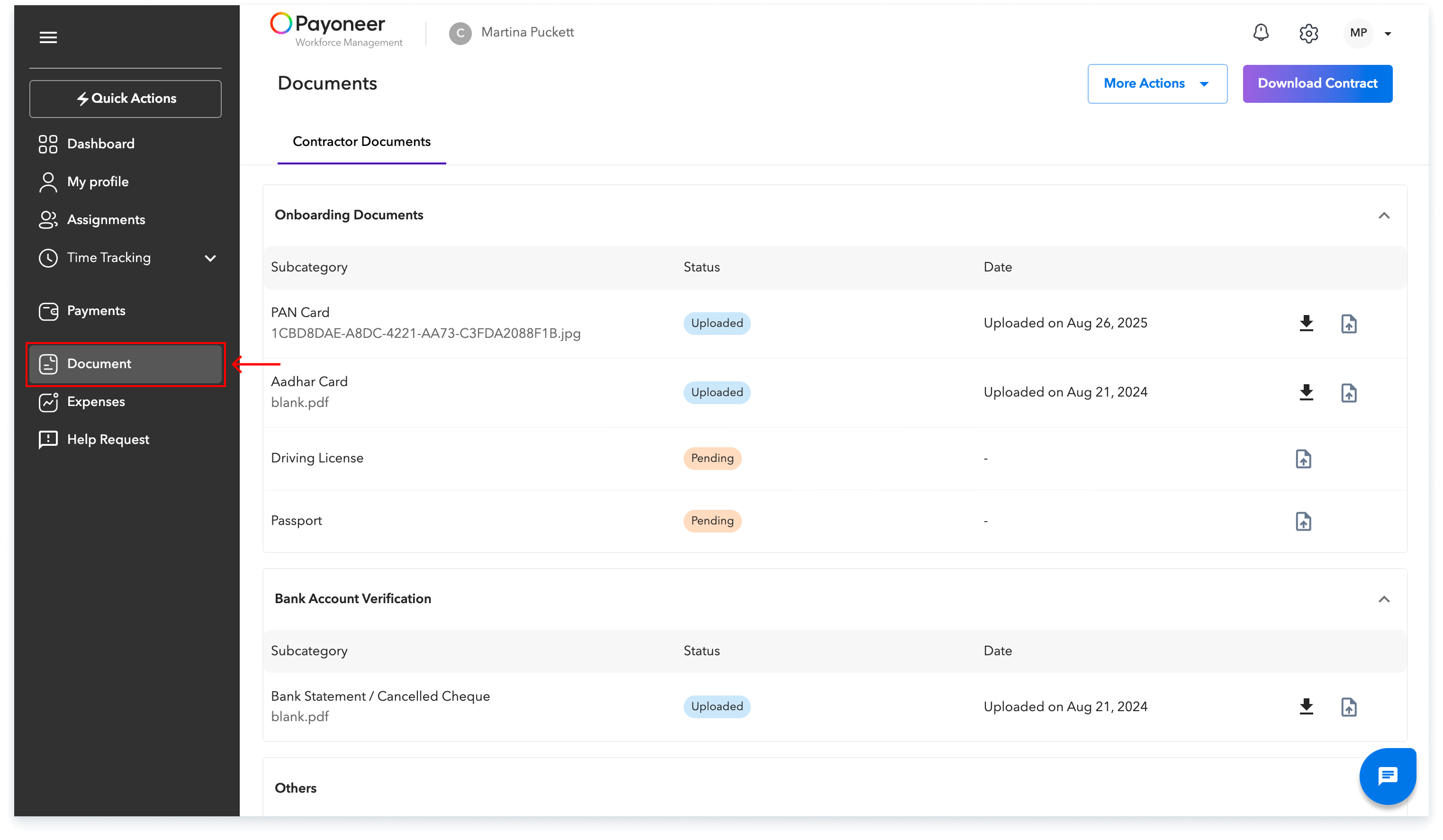
Log in to the Payoneer WFM platform.Navigate to the Documents section using the left navigation bar.
Step-2:
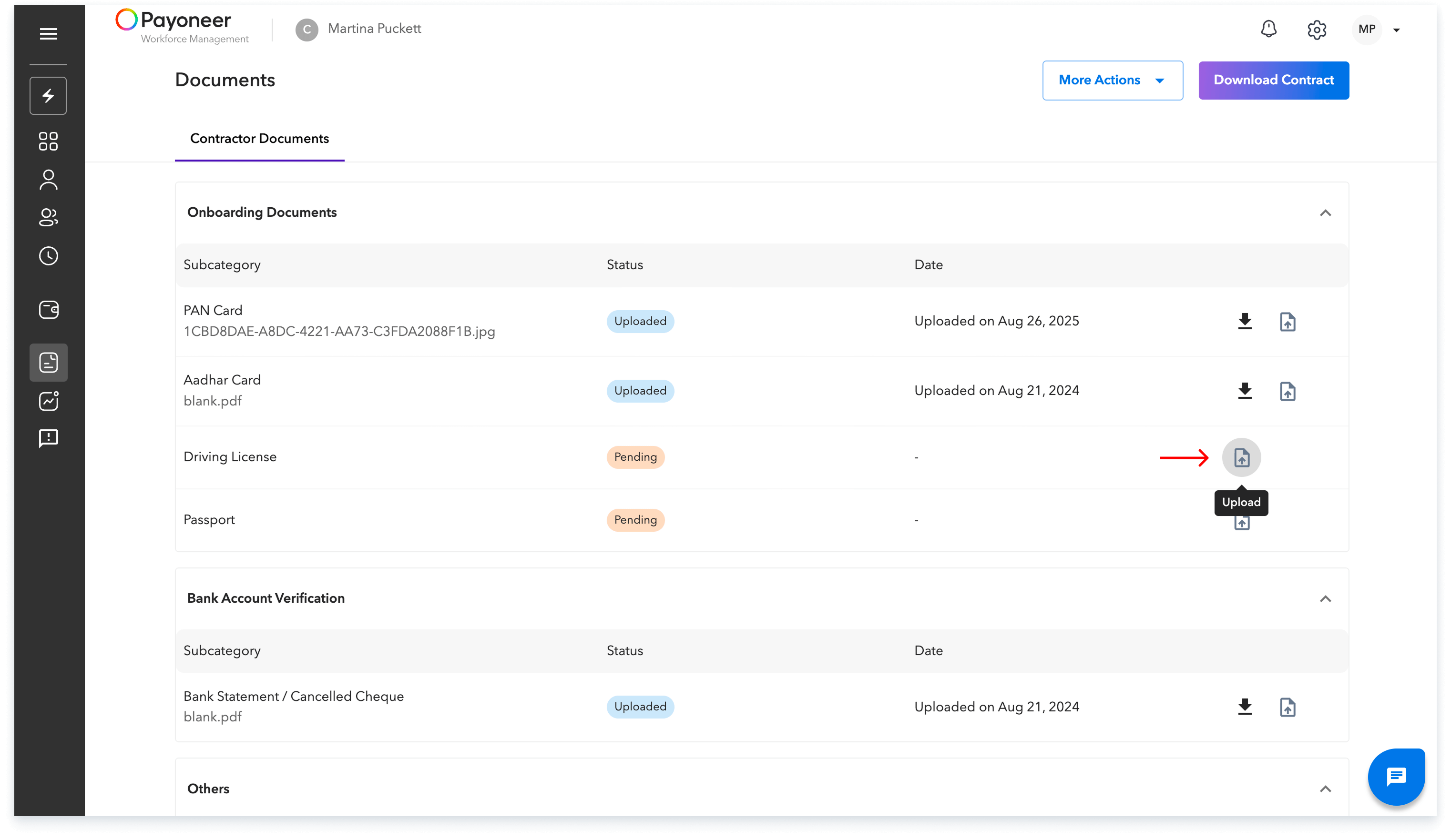
Locate the specific document you wish to upload or update from the available list.Click on the Upload icon that corresponds to the document's entry.
Follow the on-screen prompts to select and upload your file.
This straightforward process ensures your Onboarding documents are securely submitted to the platform.
Global employment, payroll, teams and expansion, simplified.
Request demo