
You can easily update your bank account details for payment by following a few simple steps within your profile settings.
Step-1:
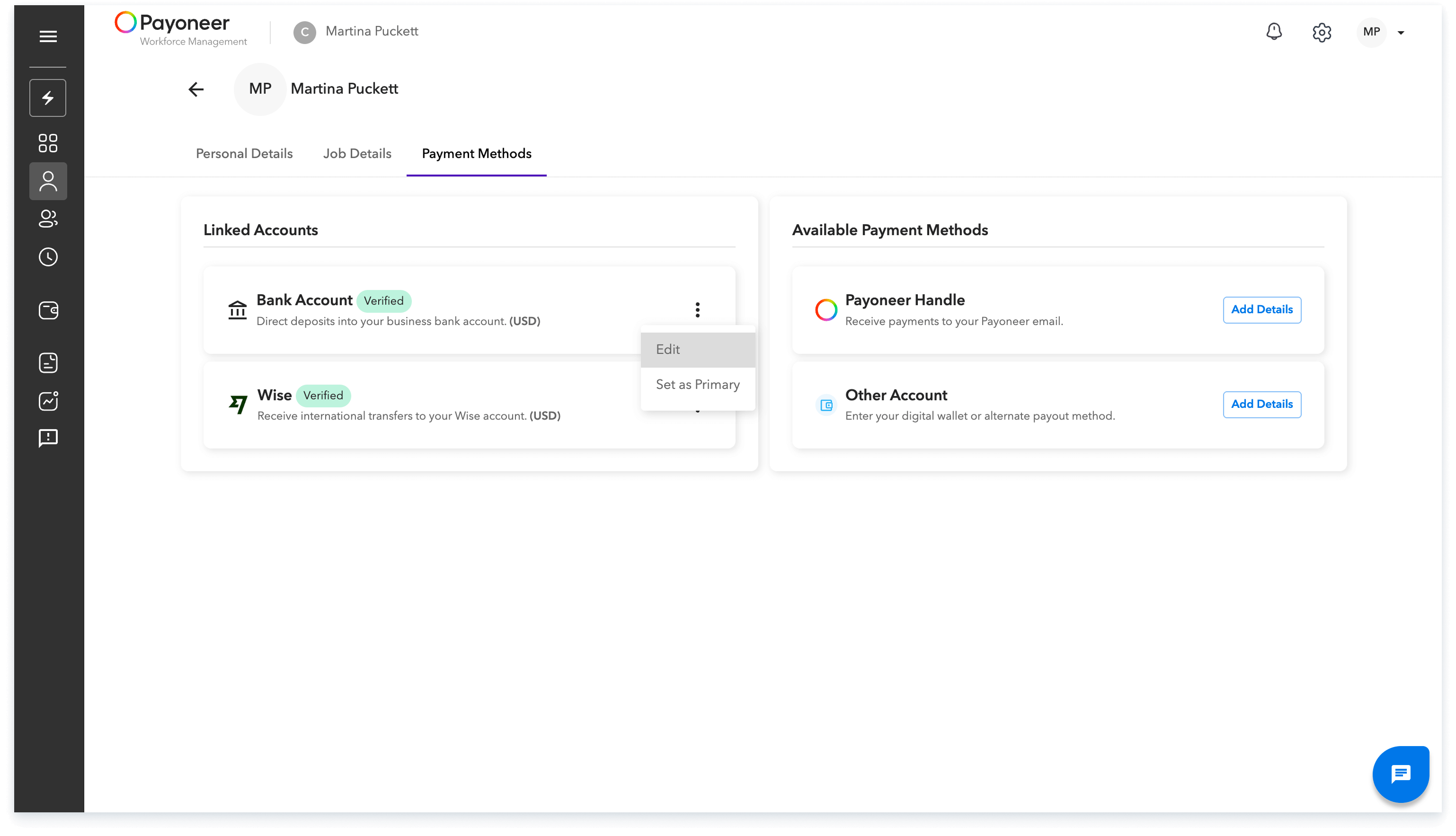
First, log in to the Payoneer WFM platform and Navigate to "My Profile" and select the Payment Methods section.

Step-2:
Locate the payout method you wish to modify and click on the three dots next to it. Select the Edit Option
Step-3:
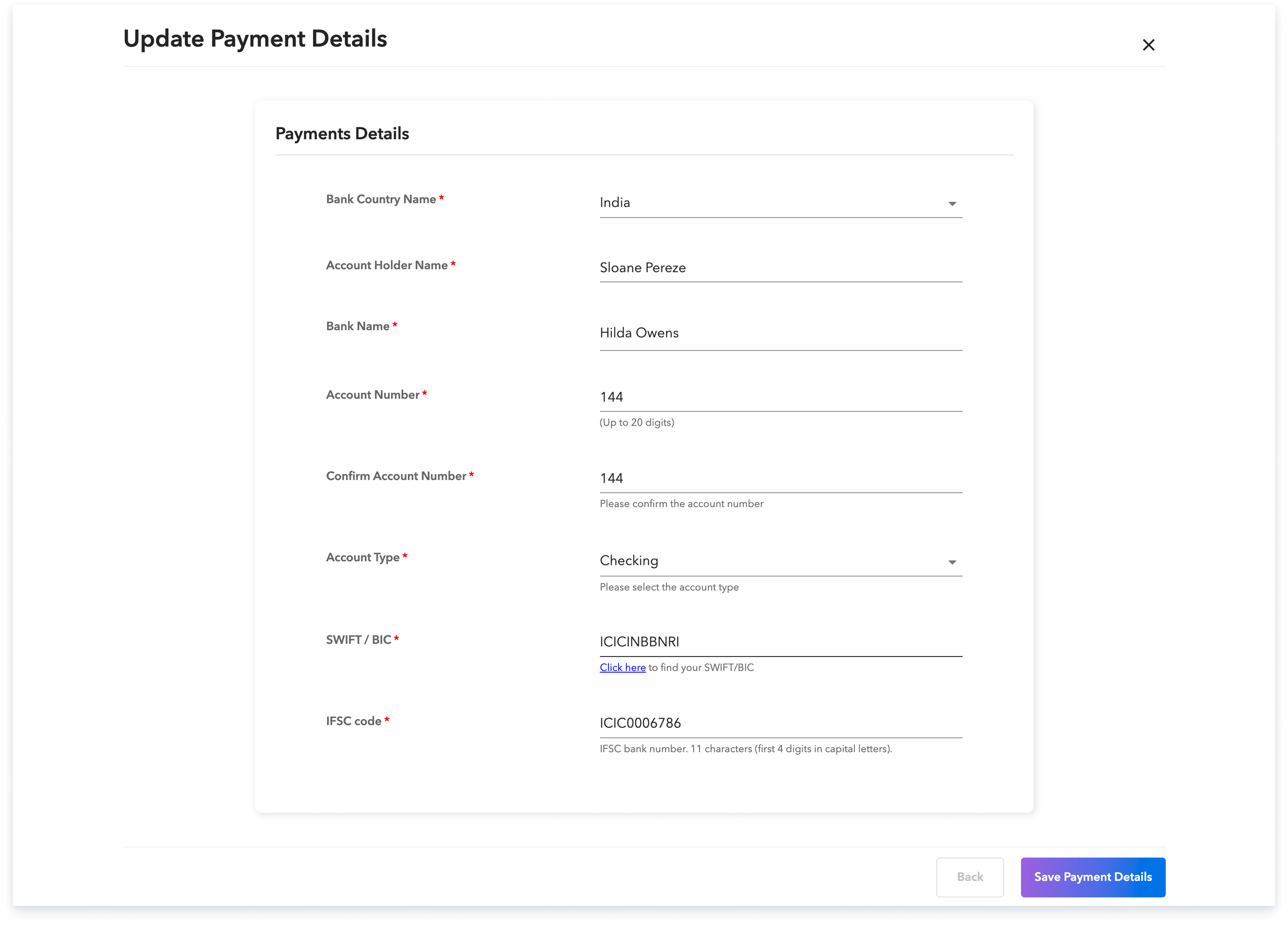
You can now securely update your current bank details.
By following these steps, you ensure your payment information is current and accurate for timely transactions.
Global employment, payroll, teams and expansion, simplified.
Request demo