
Payoneer WFM offers device support in certain countries for your employees and contractors to ensure they have the essential tools to work efficiently. You can request a device as part of the new hire onboarding process by following these specific steps:
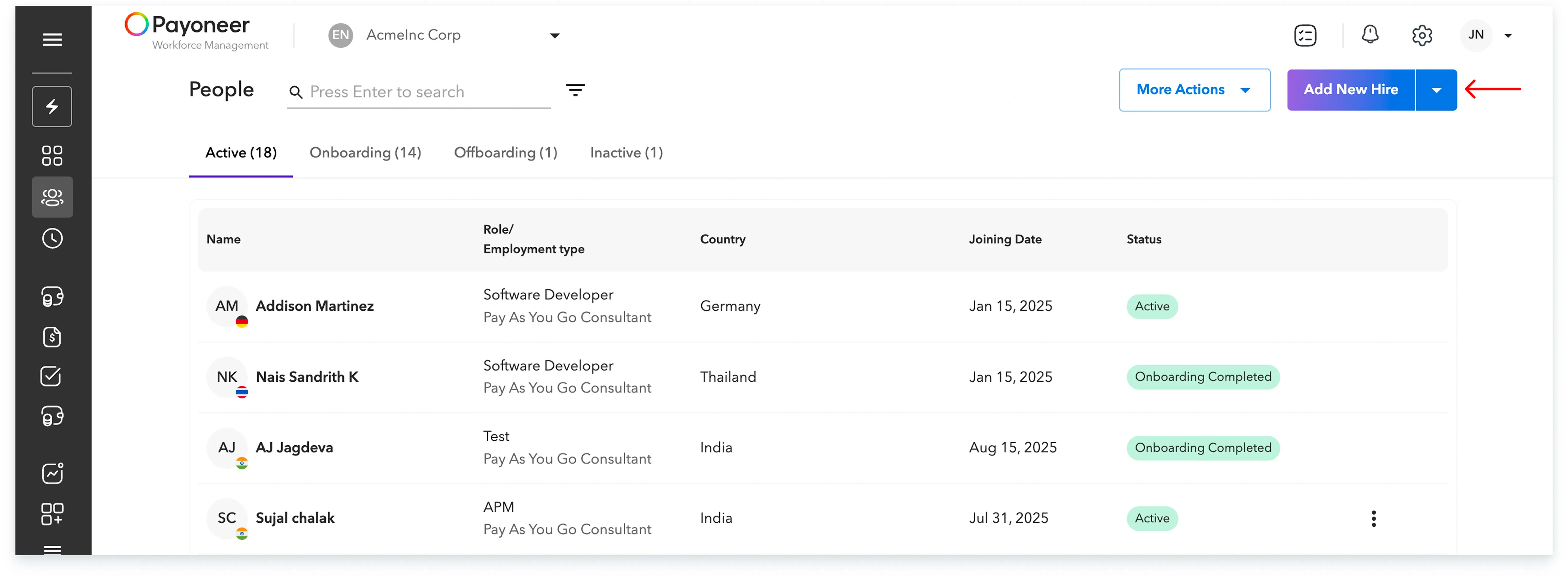
Step 1: Log in to the Payoneer WFM platform and navigate to the ‘People’ section, then click on ‘Add New Hire’.
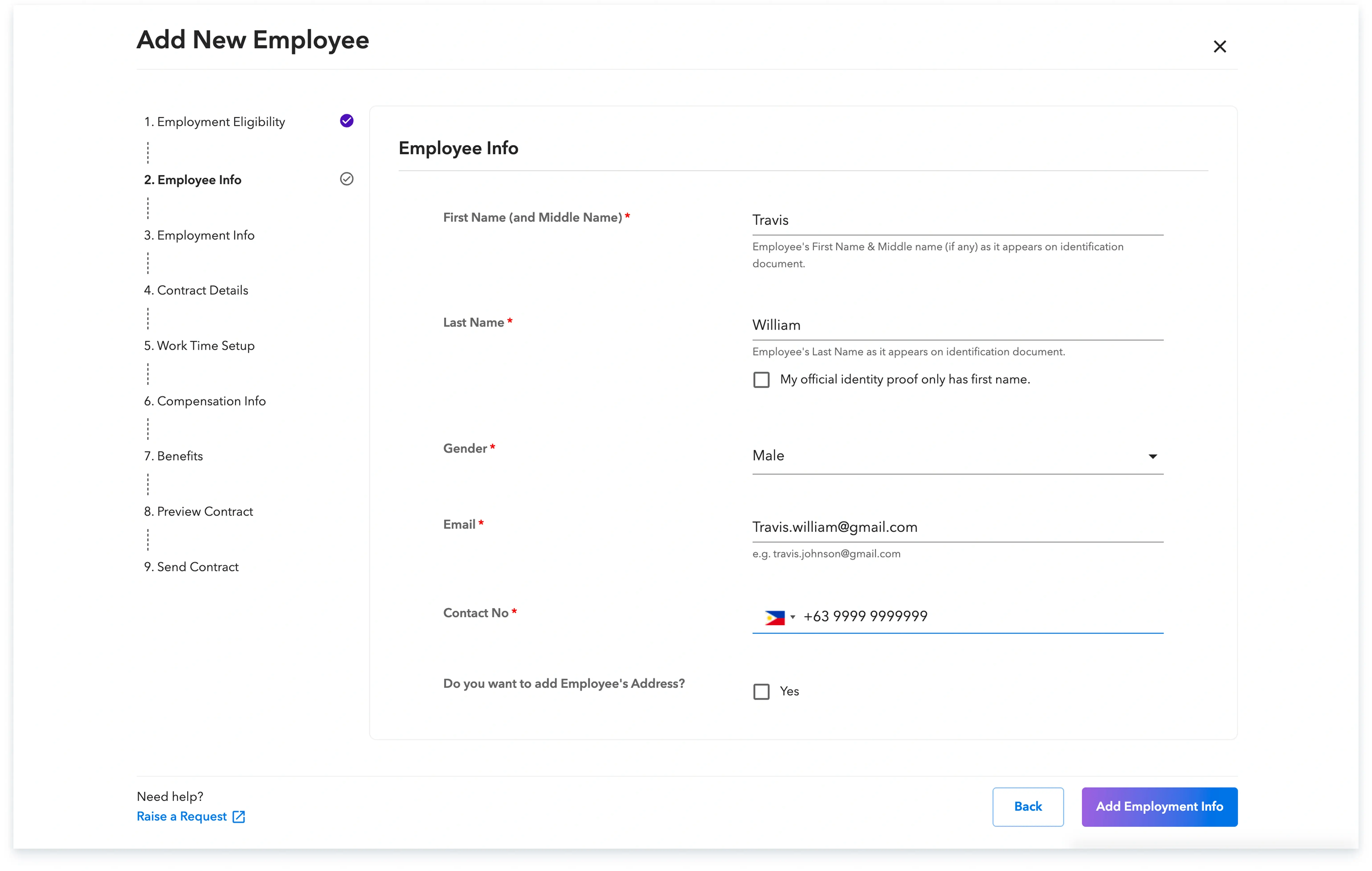
Step 2: Complete all the required details to add the new employee.
Step 3: Under the contract details section, select ‘Yes’ for the ‘Device Required’ question to formally request a device for your employee.
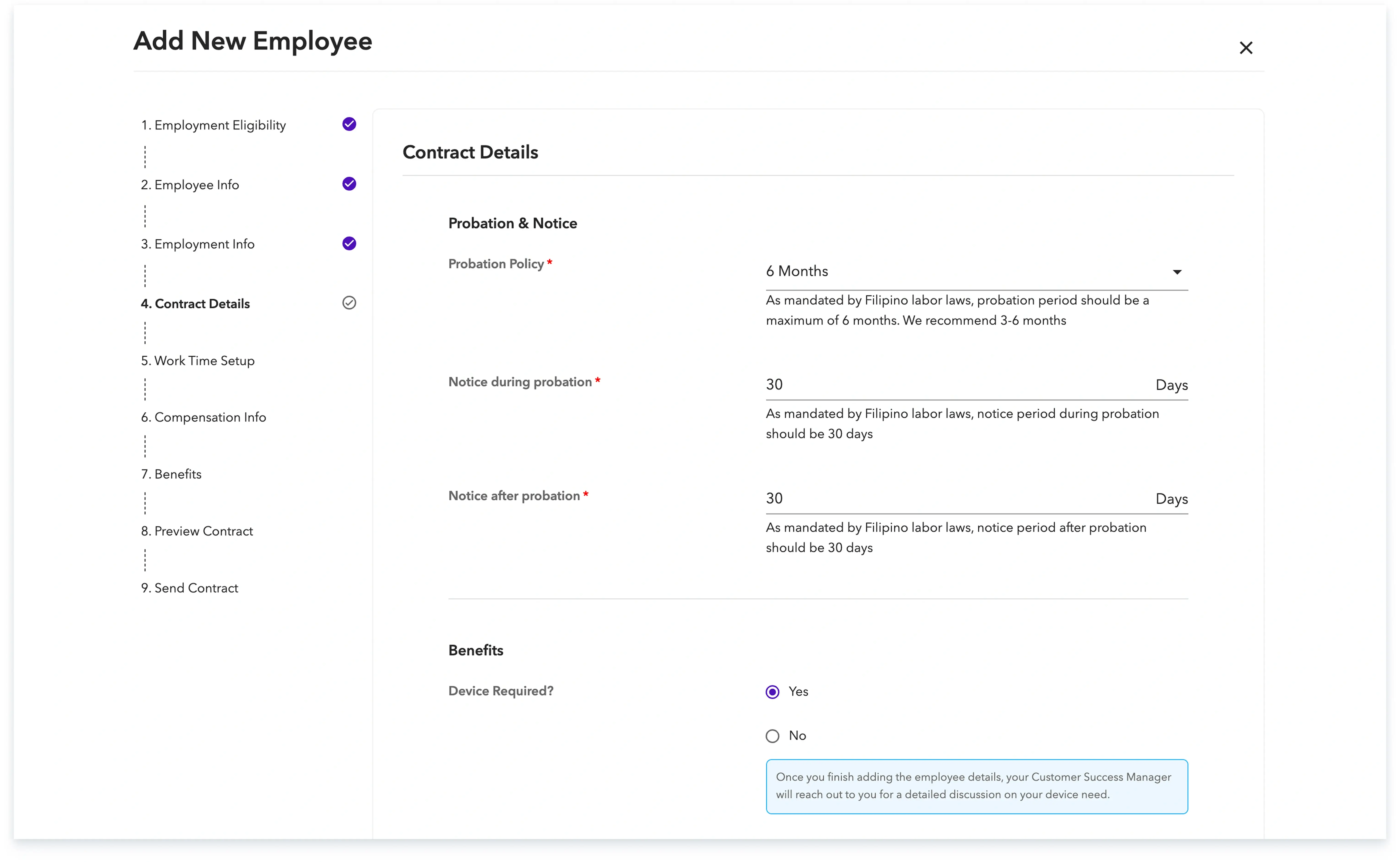
Once you have completed adding the employee details, your Customer Success Manager will reach out to you directly with the specifics regarding the device support process.
Global employment, payroll, teams and expansion, simplified.
Request demo