
You can easily download the employment or engagement contract for any employee or contractor from their profile in the Payoneer WFM platform.
Step-1
Log in to the Payoneer WFM platform.
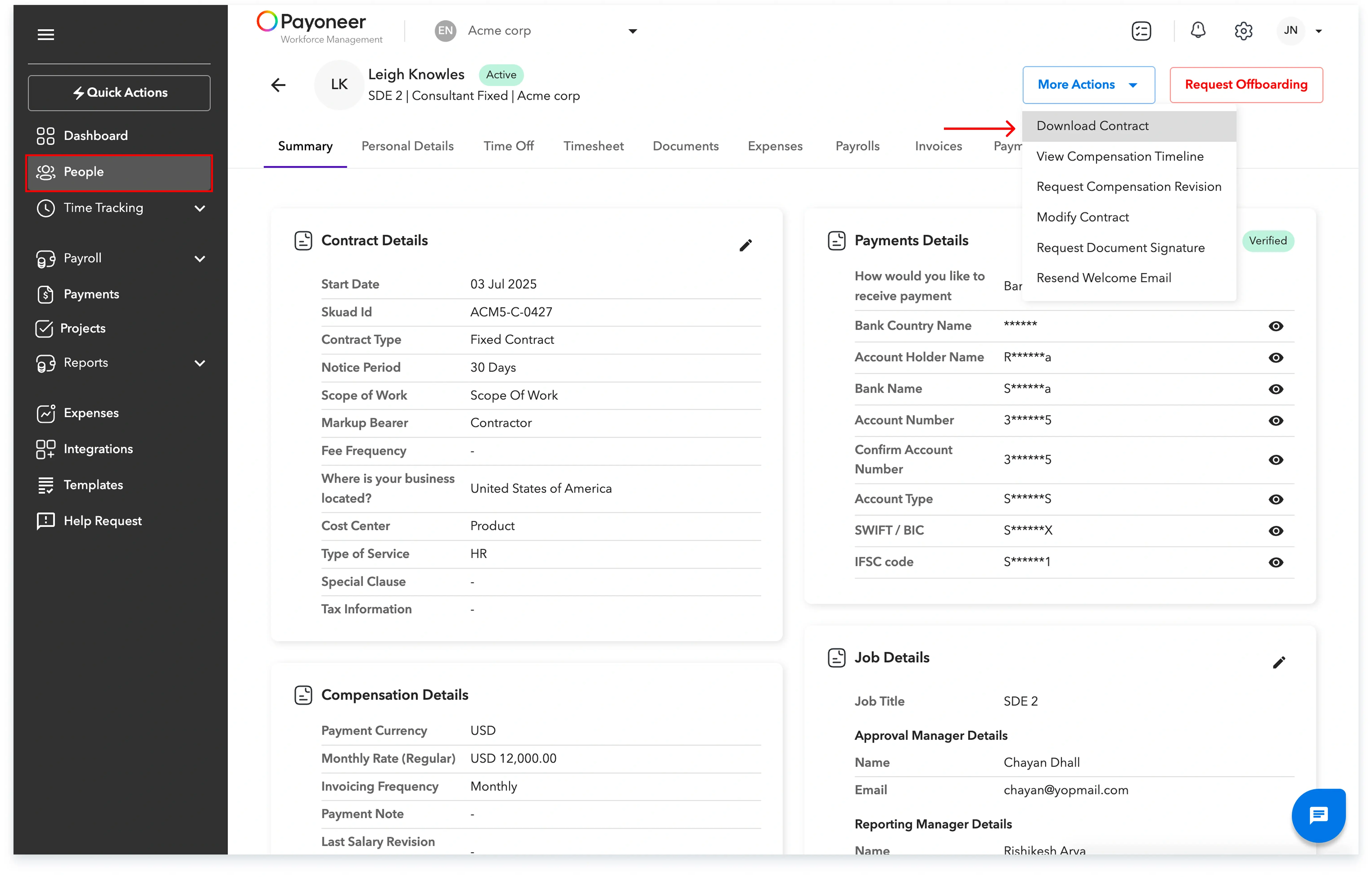
Navigate to the People's section.
Step-2
Select the desired employee or contractor profile and click on the "More actions" button. Now select "Download Contract" from the dropdown menu to initiate the download.
This process ensures you have a readily available copy of the necessary employment or engagement documentation.
Global employment, payroll, teams and expansion, simplified.
Request demo