
You can easily access and download the onboarding documents for any employee or contractor directly from their profile within the Payoneer WFM platform.
Step-1:
Log in to the Payoneer WFM platform and Navigate to the People's section.
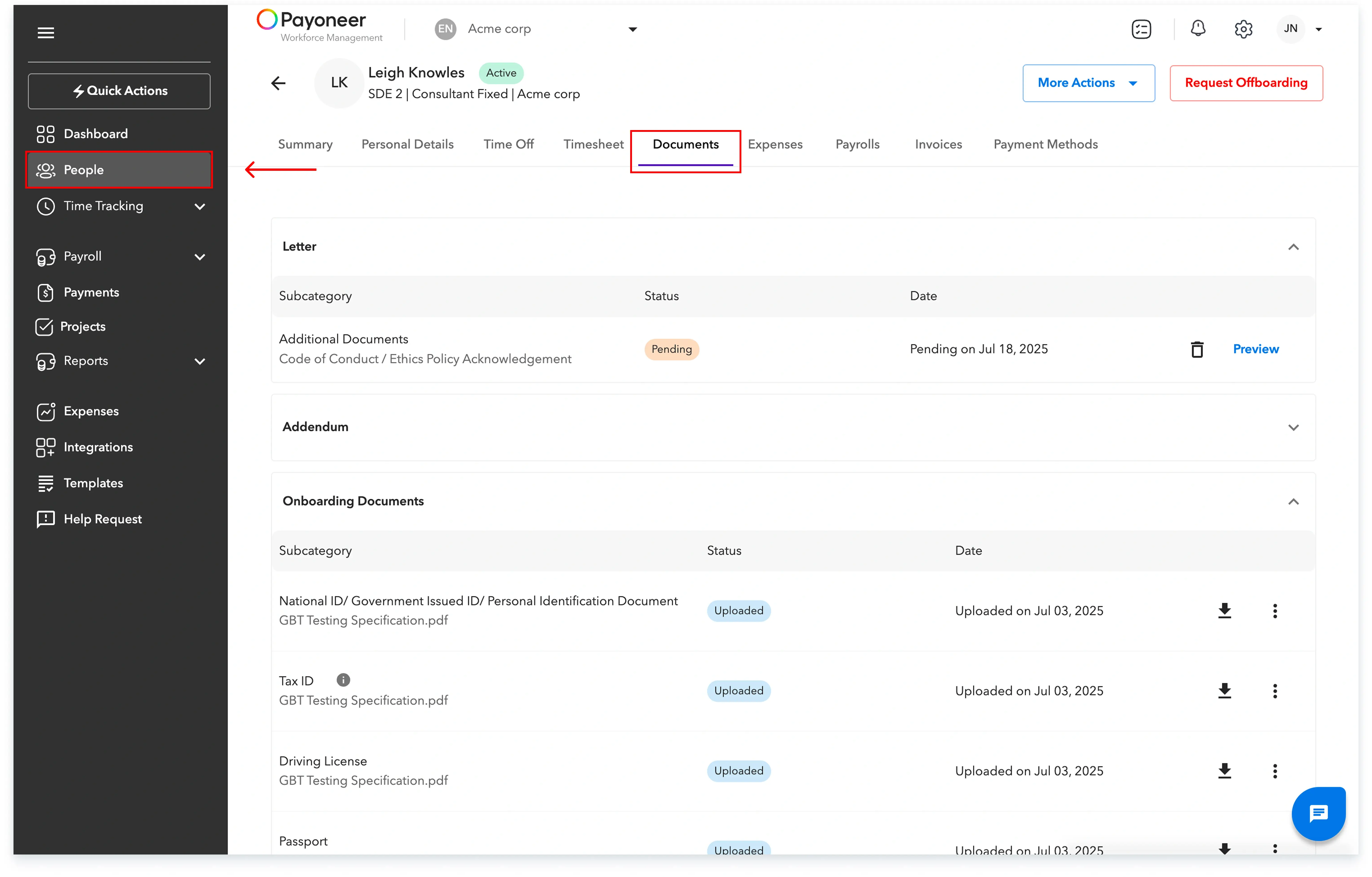
Step-2:
Select the desired employee or contractor profile and navigate to the Documents Tab. Download the required onboarding documents for the worker from this tab.
This straightforward process ensures you have immediate access to all necessary onboarding documentation for your workforce.
Global employment, payroll, teams and expansion, simplified.
Request demo