
Yes, from the Payments -> Invoicing section, you can download invoices and invoice-related documents (e.g., Payroll summary Report, PDF copies of invoices, credit notes where applicable).
Steps to download the Invoicing summary report:
1. Log in to the Payoneer WFM platform.
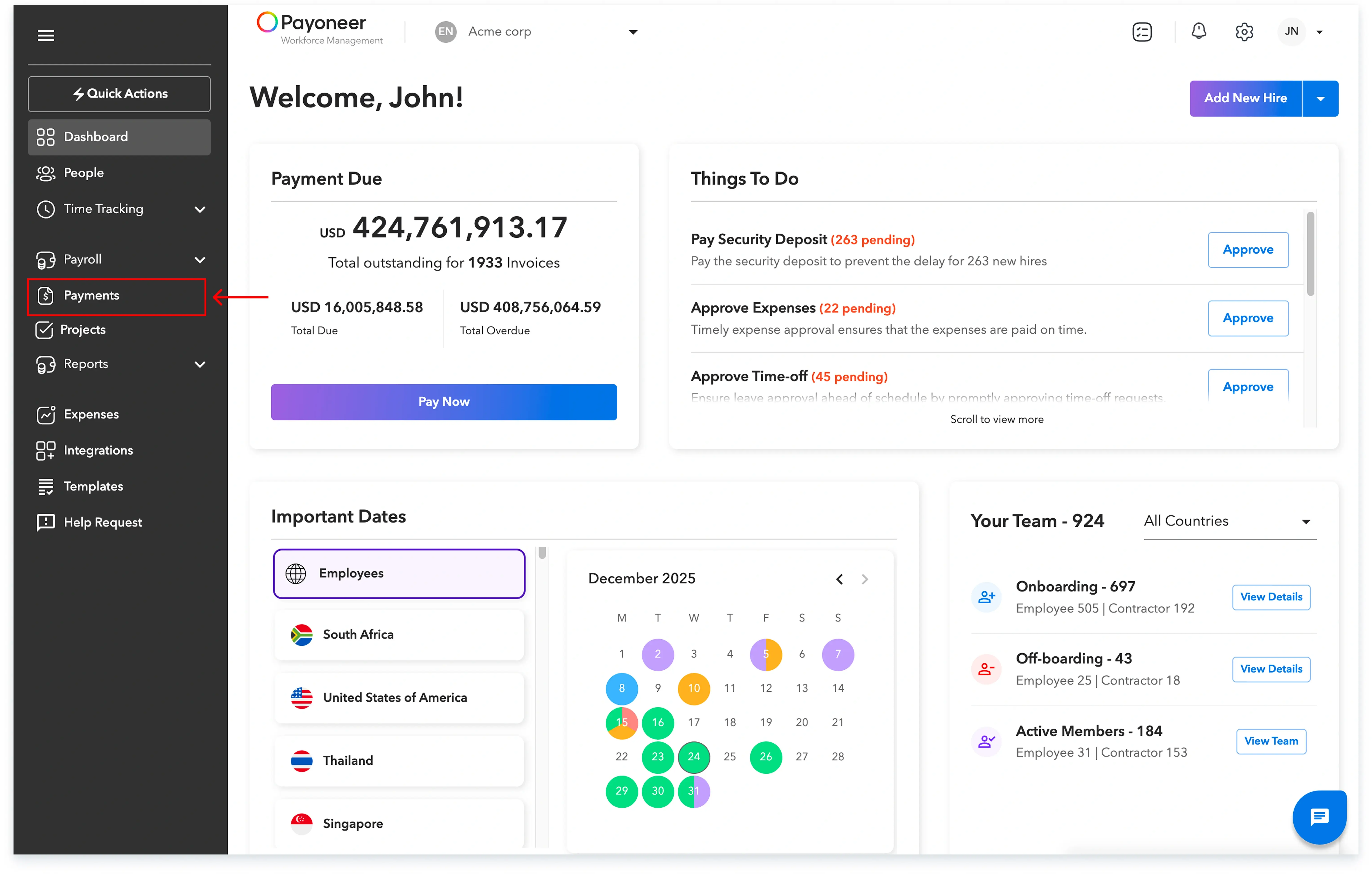
2. From the left-hand menu, click on “Payments”.
3. Select the Invoice for which you want to see the summary.
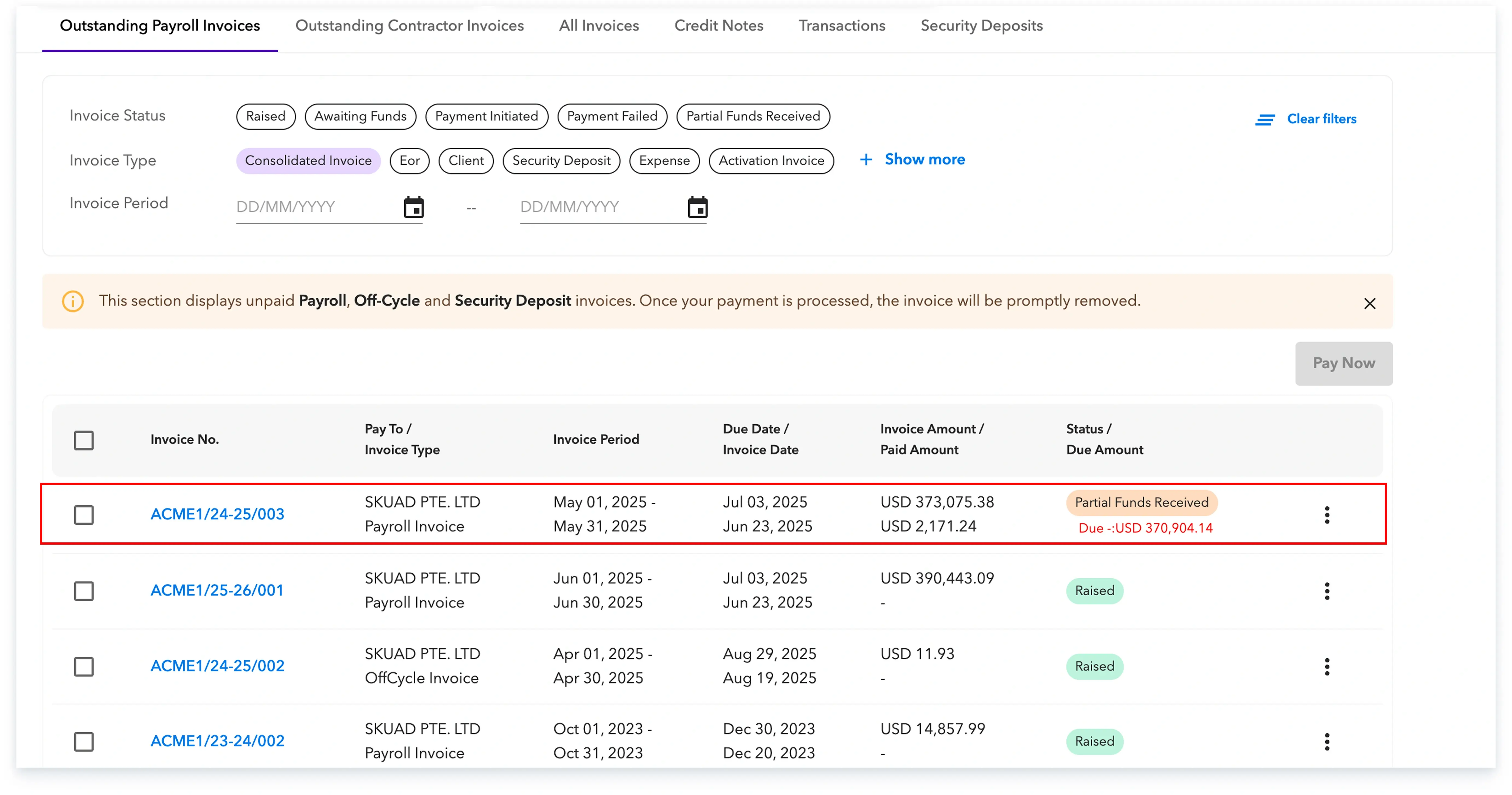
4. At the top left of the screen, click “Download Report”.

5. In the pop-up:

Your pay run summary report will then be downloaded, and you can use it for reconciliation, review, or internal reporting.
Global employment, payroll, teams and expansion, simplified.
Request demo