
You can use the Employment Cost / Salary Calculator directly from the Payoneer WFM platform before starting a hire, so you can estimate both employee net pay and your total cost.
1. Log in to the Payoneer WFM platform.
2. On the Quick Actions menu, go to the section labeled “Cost Calculator”.

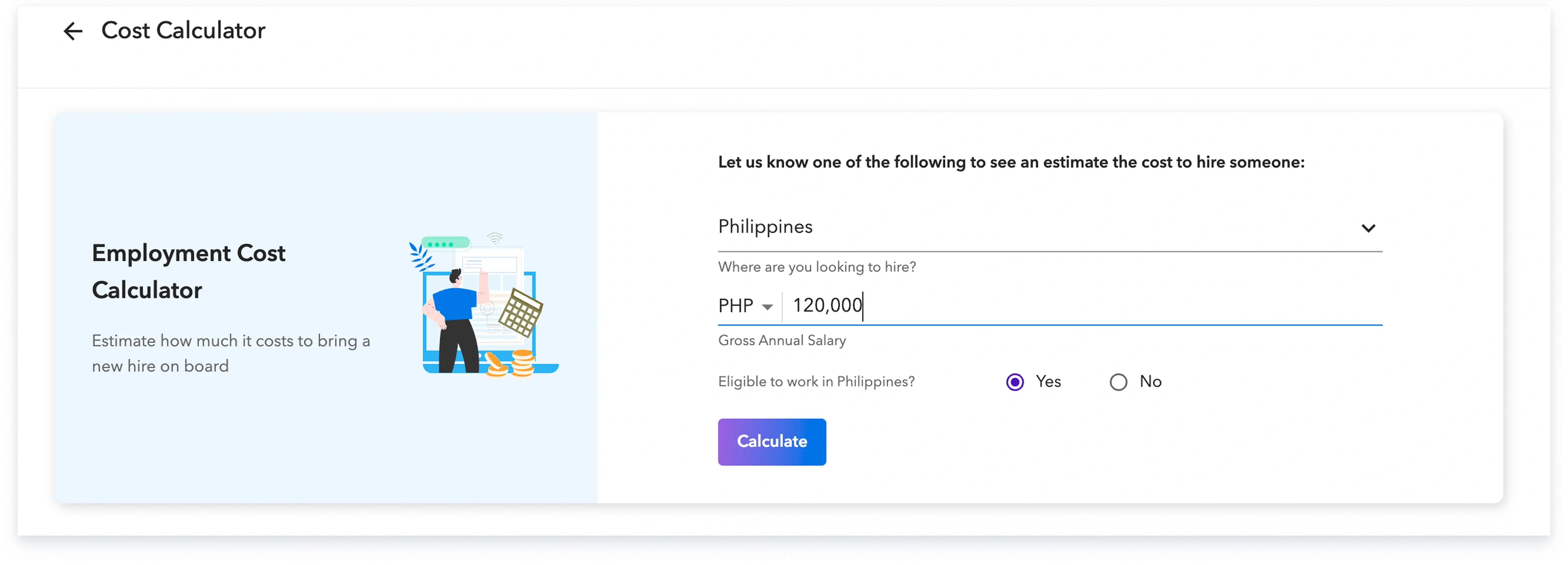
3. Select the country you want to hire in,
Select the currency and enter the annual Gross salary.
Eligible to work in the Country to be selected either as Yes/No based on the information if the worker has valid work permit/Is an Expat etc. (As the cost simulation might vary for Expat employees)
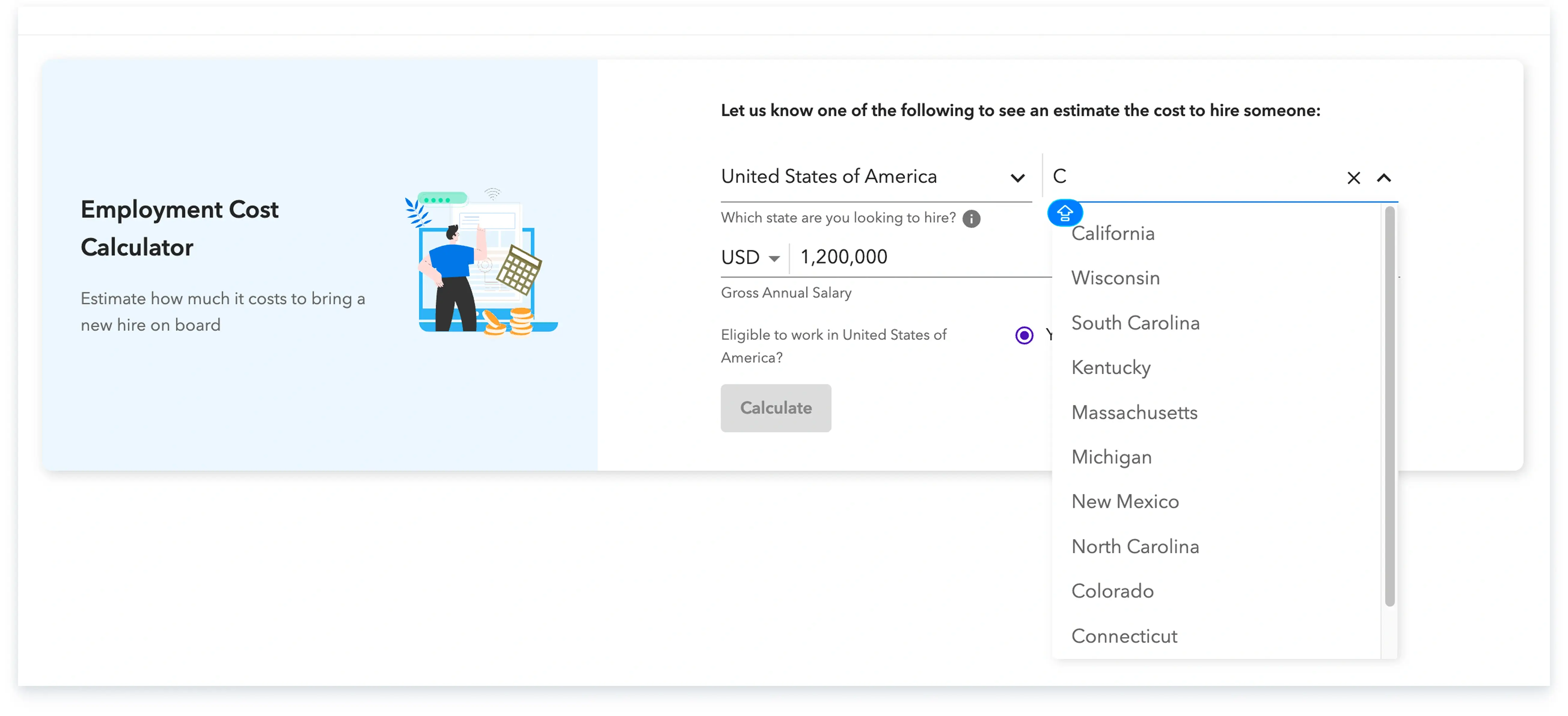
If a country has state/province wise calculations, then you can select the required state/province too.
4. Click Calculate to see:
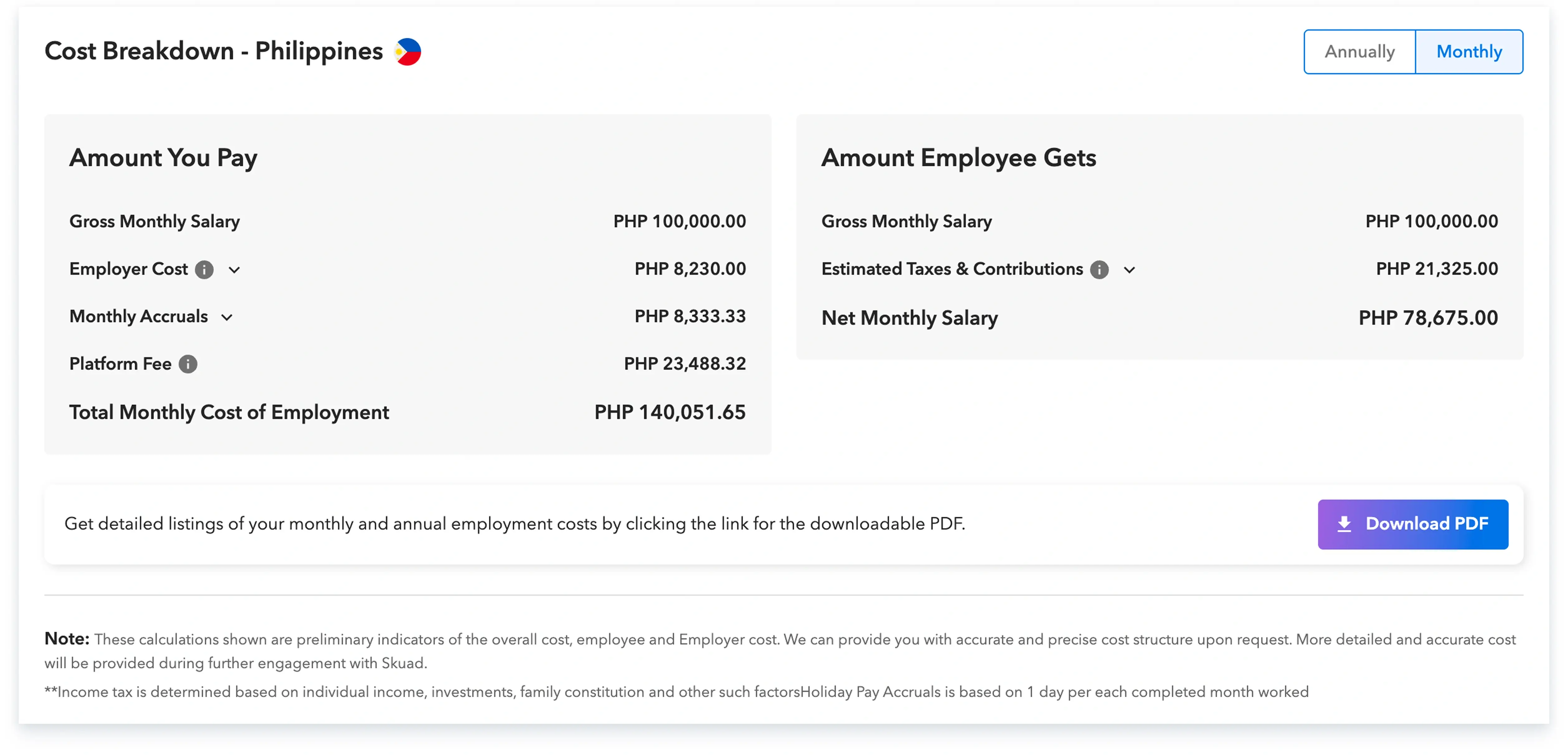
You can repeat this for different countries or salary levels to compare costs before you create the actual hire in the platform.
Note :
Please refer to the notes section below the calculator for important clarifications on why the actual payroll calculations may differ slightly from the simulation.
The net pay shown is a directional estimate of the employee’s payout – the exact amount will only be available once the employee is fully onboarded and processed through live payroll.
Global employment, payroll, teams and expansion, simplified.
Request demo