
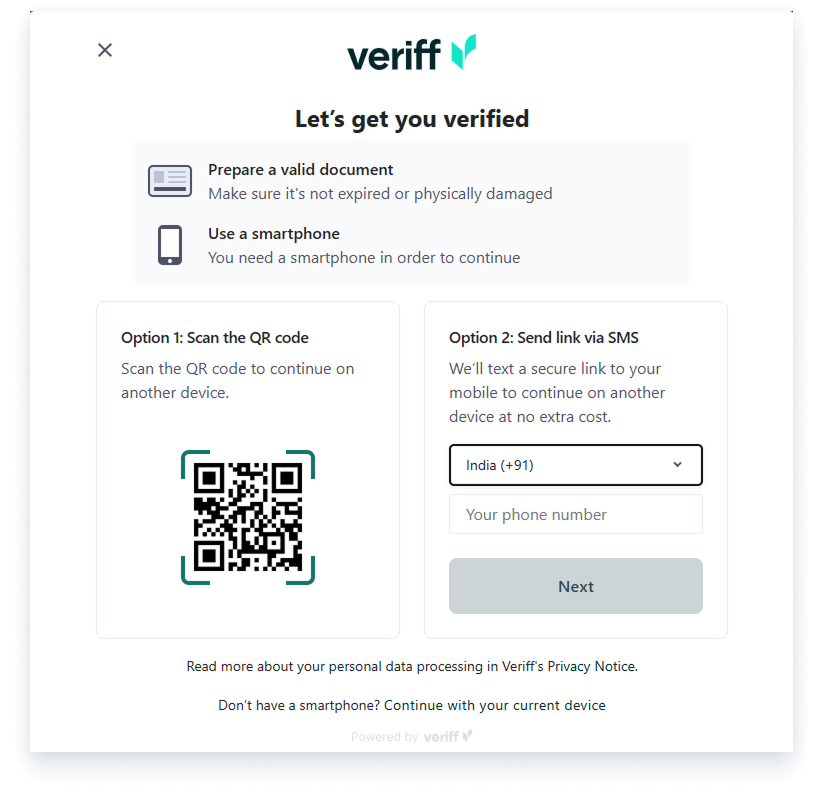
1. During completing the profile setup, click on 'Verify Identity', which will prompt you to scan a QR or send a link via SMS.
2. To initiate your document verification, you can either scan the provided QR code with your mobile phone or receive a secure verification link via SMS.
3. Next, you will be prompted to upload or scan your official government-issued identification document. Acceptable forms of identification include a valid passport, driver's license, or national ID card.
4. Please ensure that your selected document is current, clearly visible, and valid before proceeding with the submission.
5. Once your document is uploaded, click 'Verify' to authenticate your identity. The Verrif platform employs advanced security measures to protect your personal information throughout this entire process.
Global employment, payroll, teams and expansion, simplified.
Request demo