
You can easily reject a contractor invoice by following a few specific steps within the Payoneer WFM platform.
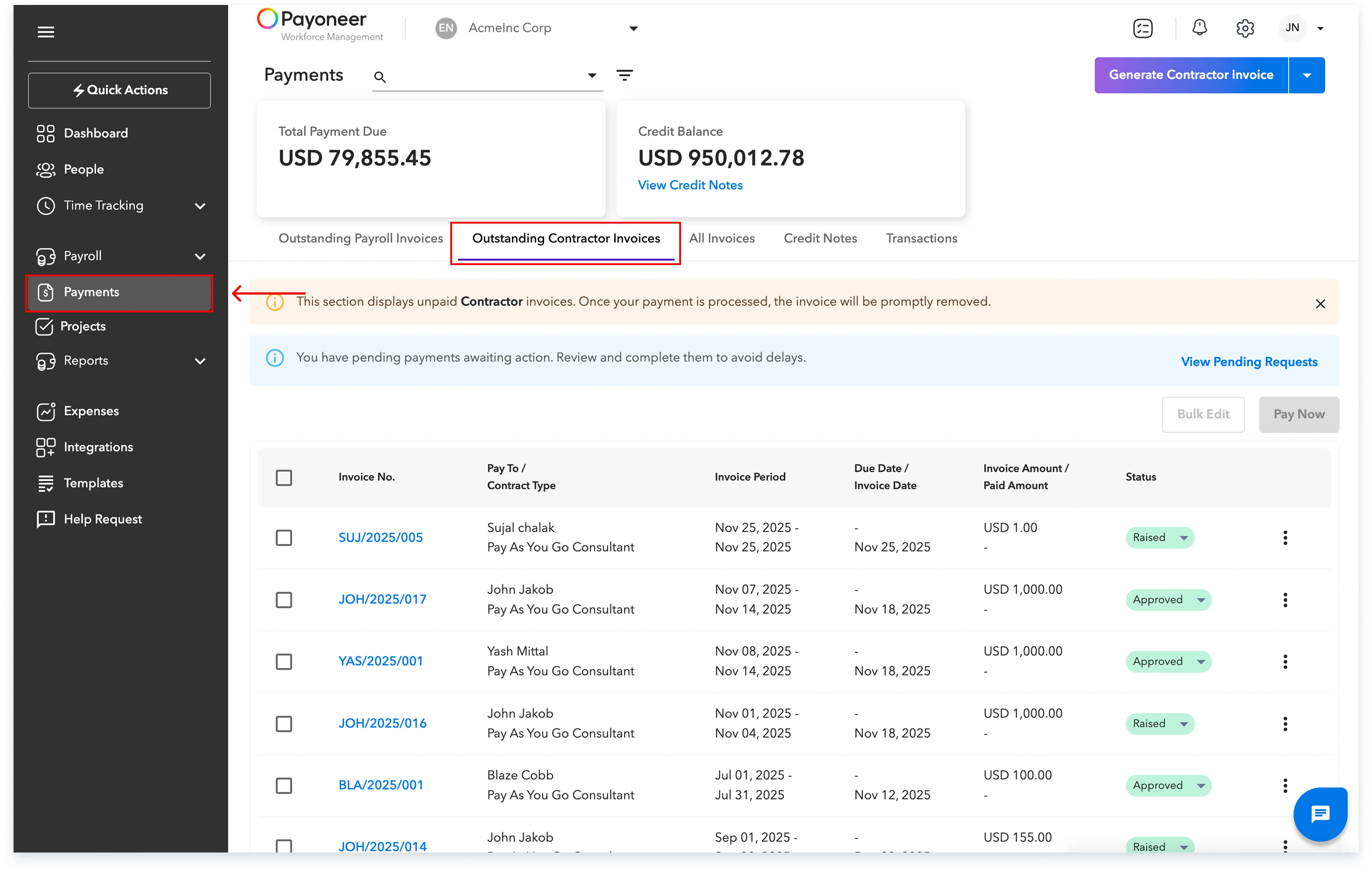
Step-1: Log into the Payoneer WFM platform and navigate to the Outstanding Contractor Invoices section under the Payments section, and then select any invoice with the status ‘Raised’.
Step-2: Review the invoice details thoroughly and if required, click on the Reject button, which is located on the top right.

Step-3: Enter the Reason for rejecting the invoice

The invoice status will be updated to “Rejected” once these steps are completed.

Global employment, payroll, teams and expansion, simplified.
Request demo