
The Employee Offboarding feature allows you to formally initiate and manage the exit process for an employee in Payoneer WFM, ensuring a smooth completion of all compliance, payroll, and operational requirements when an employee leaves the organization.
Step-1
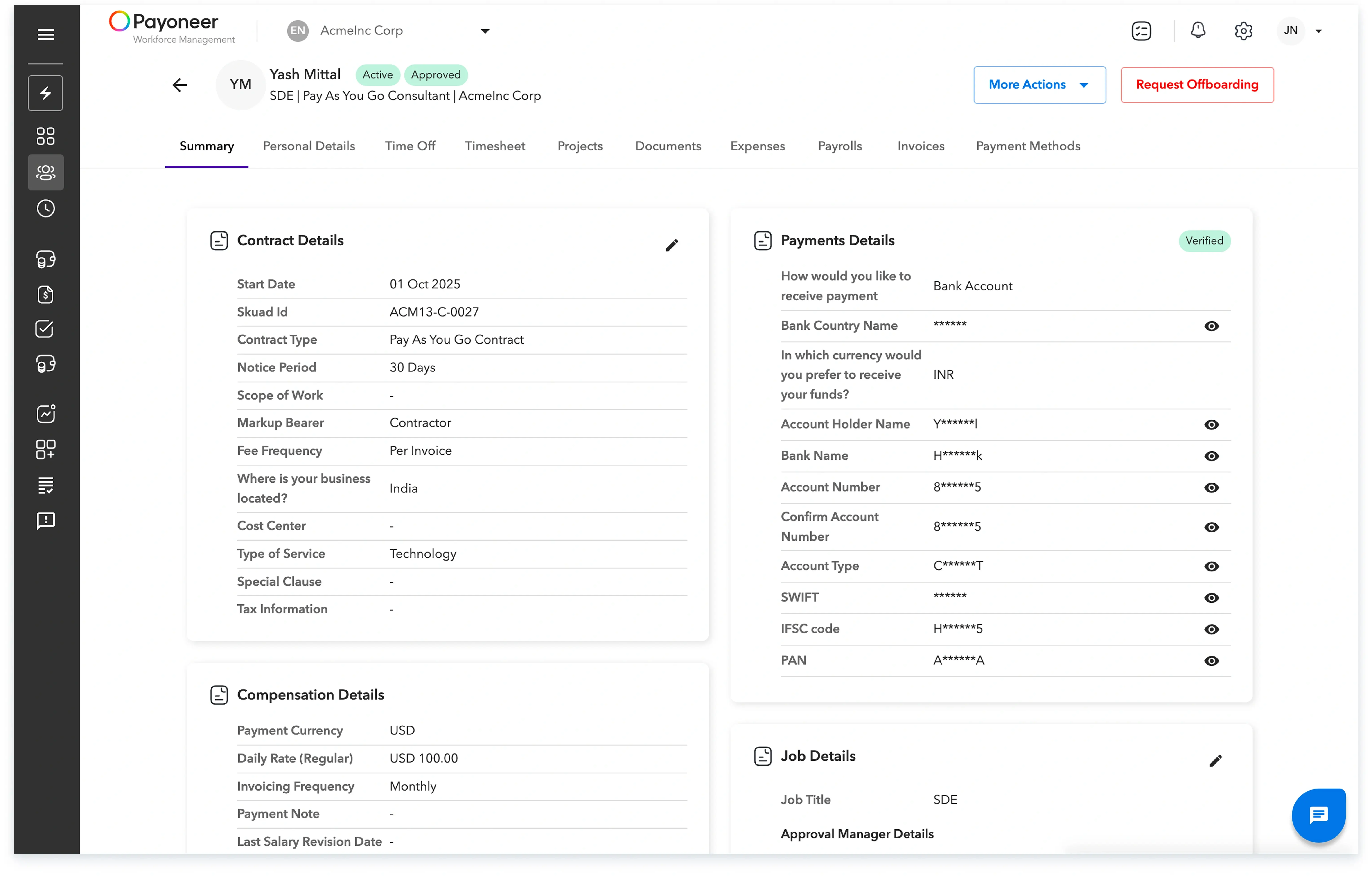
Log in to the Payoneer WFM platform and Navigate to the People’s section from the navigation bar

Step-2
Select the employee you wish to offboard and click on Request Offboarding in the top-right corner.
Step-3
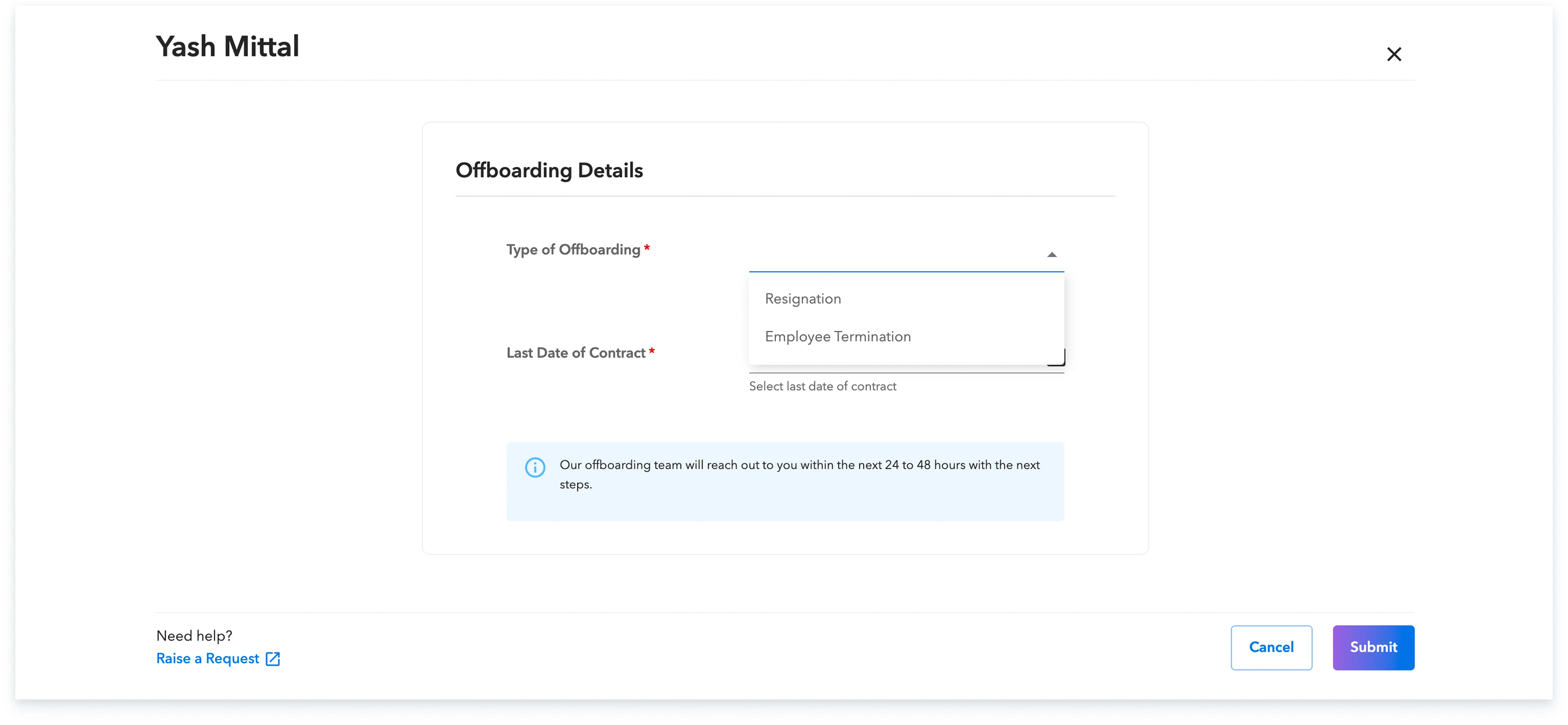
Select the appropriate offboarding type for the employee.
Step-4
Enter the required details, including the last date of employment, payable leave balance, and the specific reason for offboarding.

Step-5
Offboarding request will now be processed and employee will be off boarded on the date selected by you.

You can view your offboarding employees under the offboarding section under the people’s tab.

Global employment, payroll, teams and expansion, simplified.
Request demo