
You can easily add additional documents to your Payoneer Workforce Management (WFM) profile beyond the required ones by following a few simple steps.
Step-1:
Log in to the Payoneer WFM platform.
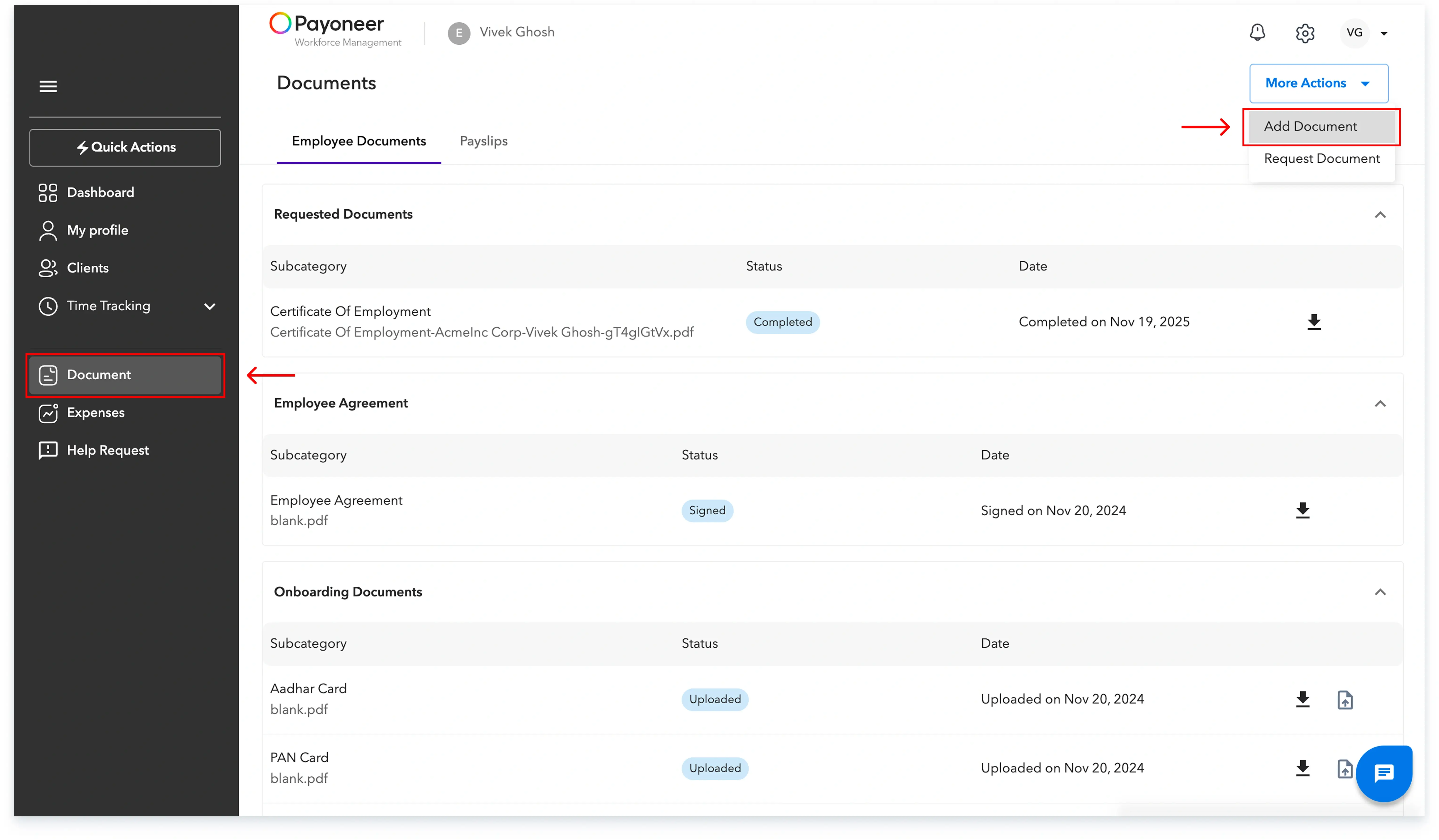
Navigate to the Documents section of your account.
In the Documents section, click on More Actions and then select Add Document.
Step-2:
You will be prompted to select a category and sub-category that accurately describes the document you are uploading.Select the valid option and upload the file from your device.

This process ensures all your necessary and supporting documentation is securely recorded and accessible within the platform.
Global employment, payroll, teams and expansion, simplified.
Request demo