
Yes, you can still edit a contract's terms of engagement even after it has been signed and marked as active.
Step-1
Log into the Payoneer WFM platform and Navigate to people section

Step-2
Select an active employee and click on Modify Contract under More Actions.

Step-3
Enter the Effective Date from which you want the contract modification to take effect.
For an employee you can modify the following:
Note that you can only modify the following information for an employee:

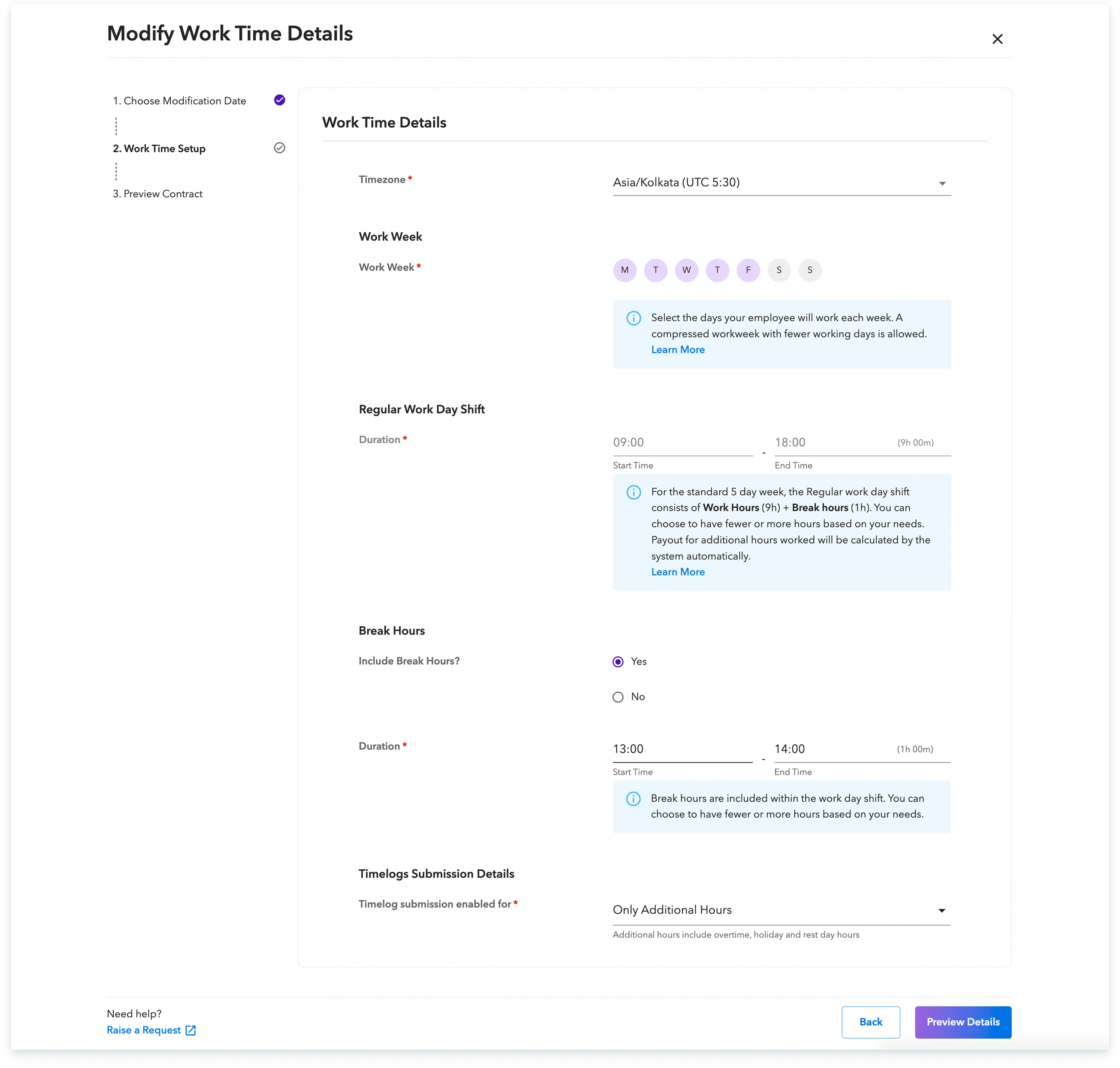
Step-4
Make the necessary changes to the work time details.
Step-5
Preview the details and then click on Modify Contract.
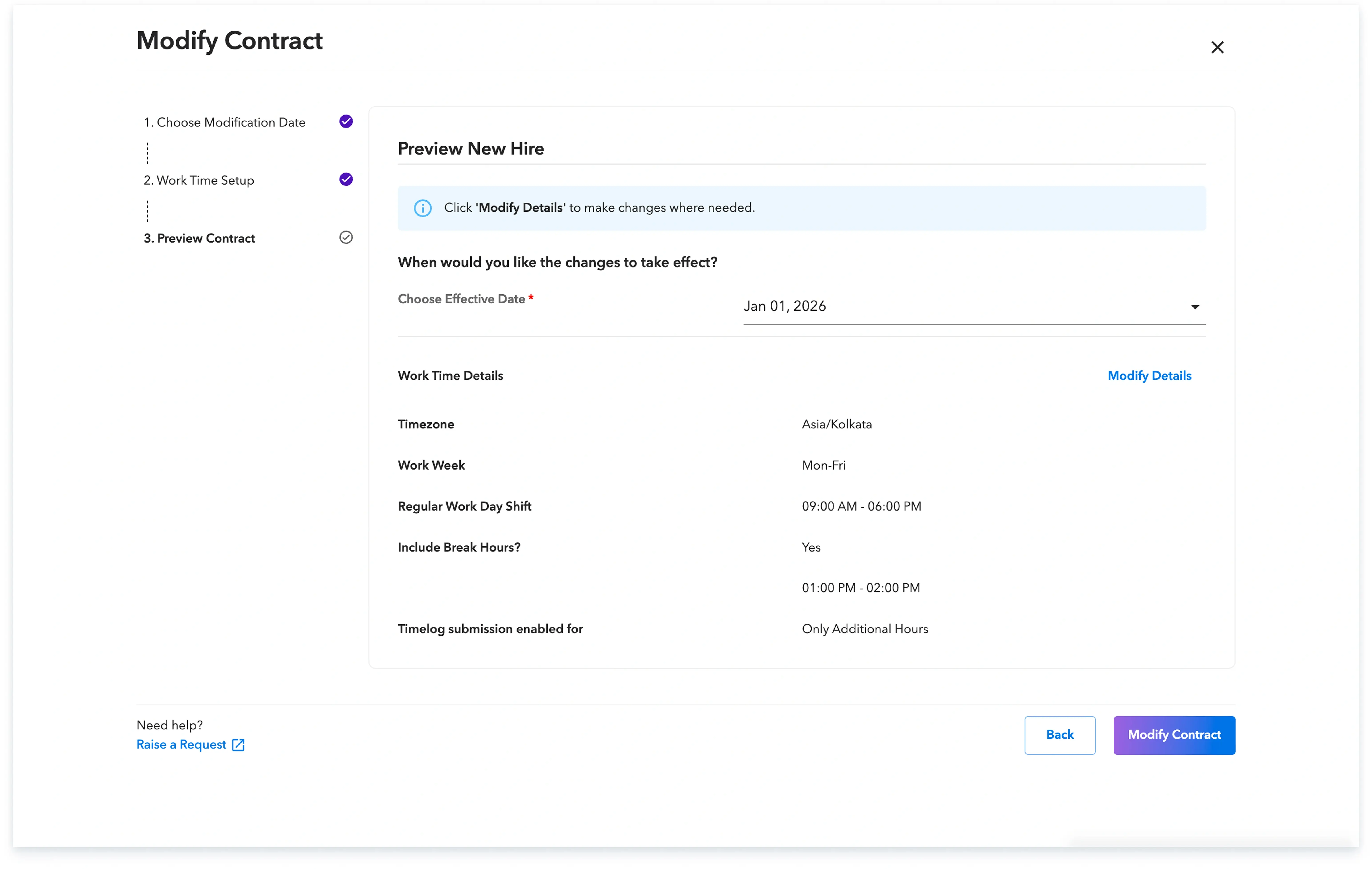
Your contract is now modified and will be effective starting from the date you entered.

Global employment, payroll, teams and expansion, simplified.
Request demo