
You can check the comprehensive permissions associated with any access level role within the WFM platform by following a specific process during team member management.
Step-1:
Log into the Payoneer WFM platform.Navigate to Account Settings.
Select Manage roles to view a basic description of the predefined permissions for each role.
Step-2:
To view detailed permissions, proceed with the process of adding a new team member.During the team member setup, click the View permission option while selecting the role.
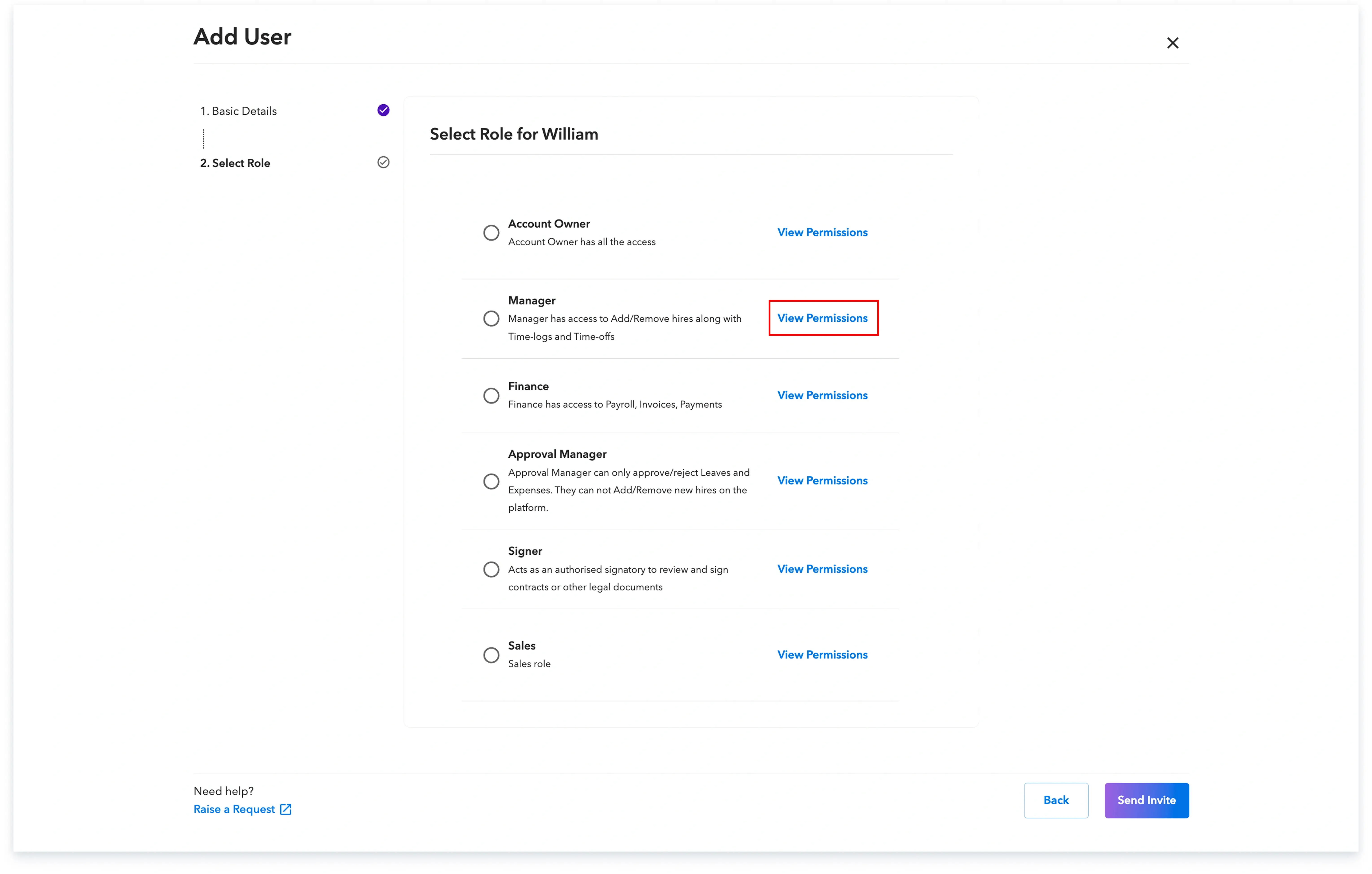
A detailed list of all access permissions for the selected role will be displayed.
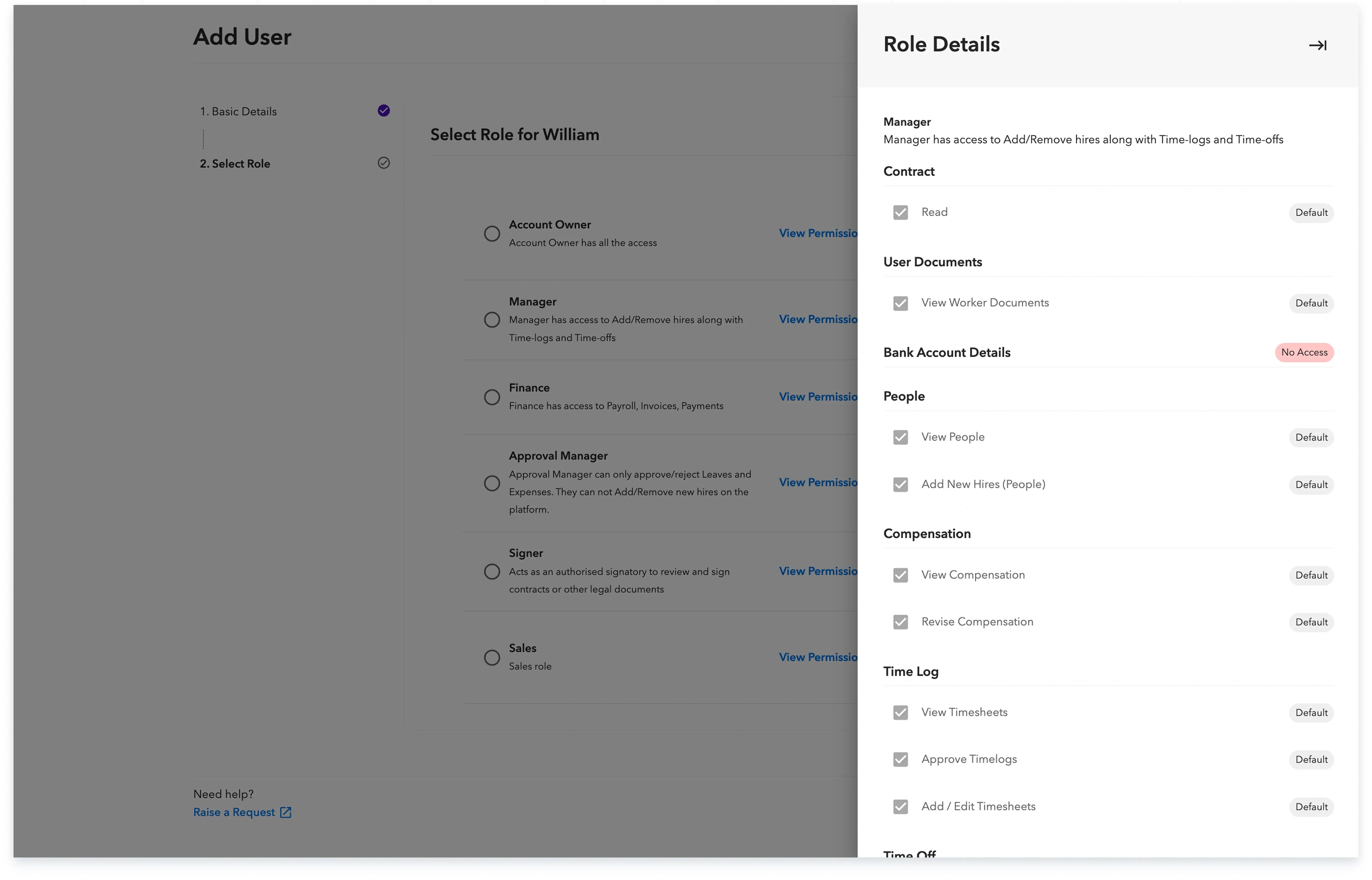
This process ensures you have full visibility into the exact capabilities granted to each role before assigning them to a team member.
Global employment, payroll, teams and expansion, simplified.
Request demo